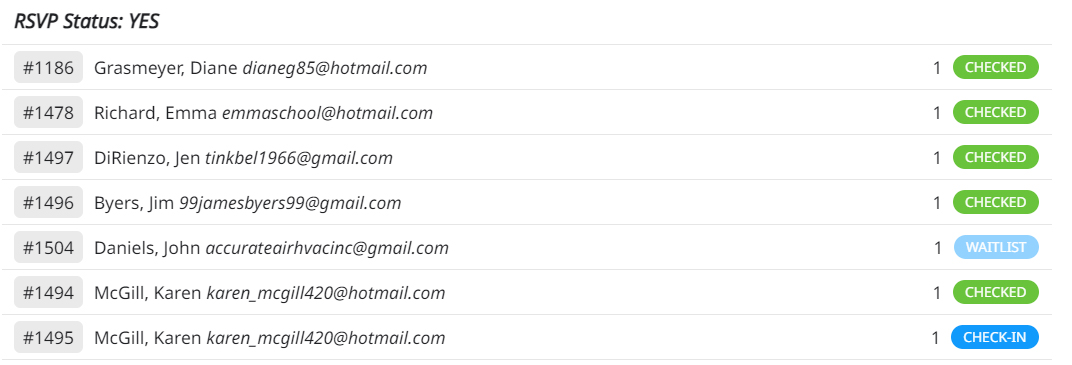
Images showing duplicate RSVP
Replies for tickets on suppota
Images showing duplicate RSVP
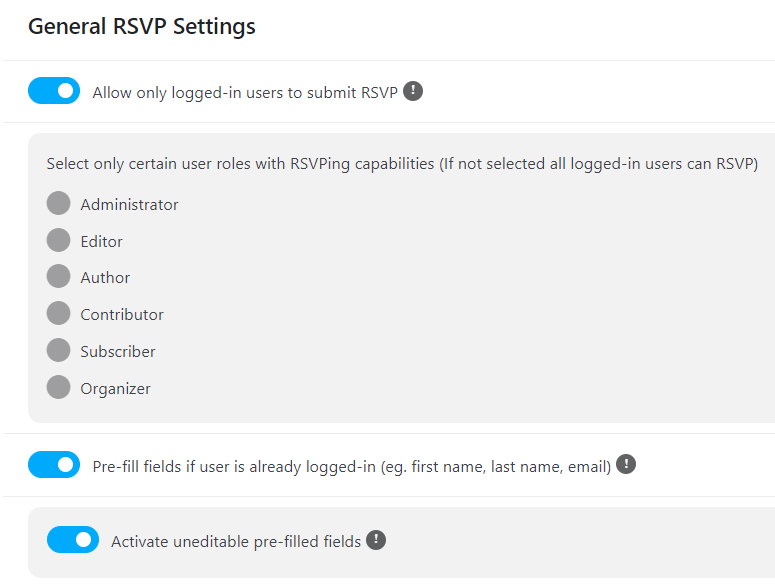
I am an advanced user. I’m sorry but I don’t need an elementary tutorial on how to set up the software. There is a problem. See the attached images. The settings are correct and as you can see, Karen was able to RSVP yes twice to the same event.
Hi!
I’m not sure why, but I received the real dates now, so I edited the month and fixed week of the calendar and the test page you created and it is not showing it as it was, as week style 1 so I can have the events under their day column and open them as popups. I tried to create it again but I’m confused on how to use the shortcode generator. The user I created for you is still available: https://corporacionrm.cl/wp-admin/post.php?post=8030&action=edit
I hope you can help, thanks
I think we were working together at the same time because when the plugins were disabled, I would activate them and change the theme because I did not know that there was anyone working on the site…. You can work today or tomorrow at any time, and I will not modify your work, and I will wait for you to solve it.
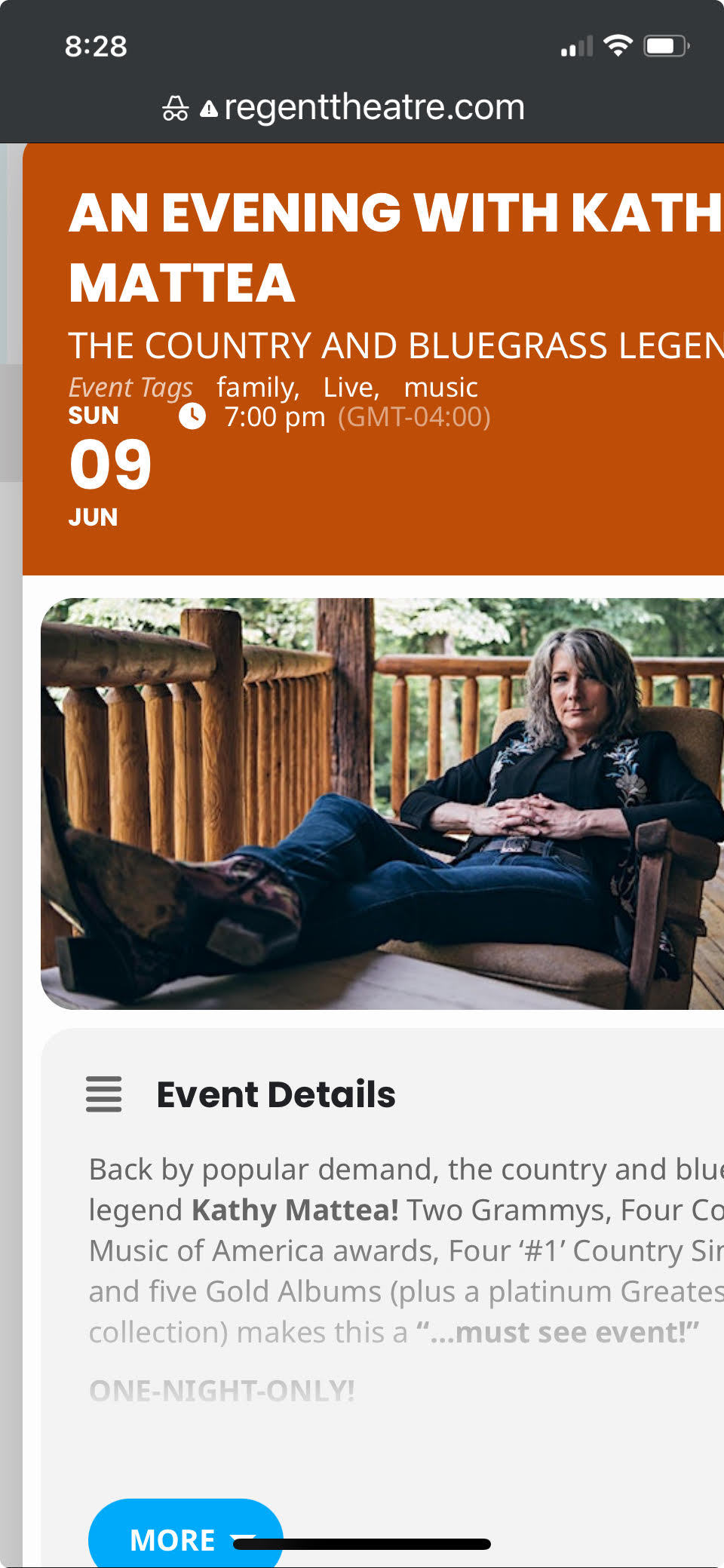
And here is another event with the image and description running off the page to the right. Can you write some css styling here so everything fits on mobile. I believe it’s the lightbox that needs fixing.
Sorry, here it is. https://www.dropbox.com/scl/fi/l1o4ev2gyjg2w1vpy2b5m/debug-1.log?rlkey=z5xe9ooptr8w7a7crr7dxj7a4&dl=0
Hello!!
Any news?
It’s very important to have this working asap.
What about your addon SEATS? https://www.myeventon.com/addons/seats/
Would it work and autorestock single seats? We are thinking in buying and installing for our client but we’d need this autorestock feature working 100% properly also in the ADDON. Is it possible to try it before buying it?
Many thanks,
David
Here is the link to the website if you want to see it on your phone:
https://regenttheatre.com/
Just to be clear, the issue with it running off the screen is only in mobile.
I’ve tried every possible “featured image display style” and the event card still runs off the screen.
You had provided my with the css code below and it’s still in the Custom styles.
.eventon_desc_in iframe { max-width: 100%; }
Any thoughts on how to fix this?
These are the credentials to get into the website if you want to check the settings in EventOn:
regenttheatre.com/wp-login.php
Username: Regent2023
Password: REGENTtheatre2022!!