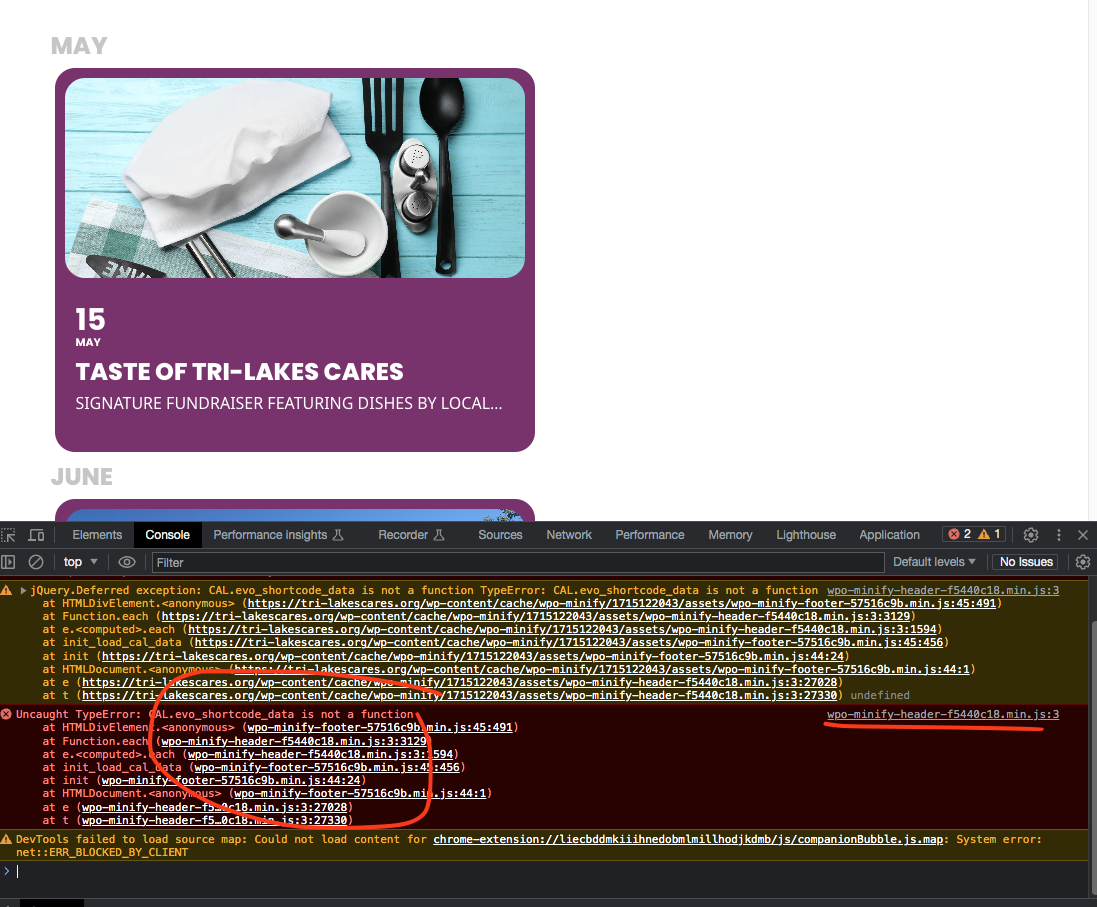
Looks like the minified CSS files are causing issues in the javascript. https://tri-lakescares.org/eventon-testing/
Try disabling minified CSS and load eventON js files directly and see if this error will go away.
Replies for tickets on suppota
Looks like the minified CSS files are causing issues in the javascript. https://tri-lakescares.org/eventon-testing/
Try disabling minified CSS and load eventON js files directly and see if this error will go away.
I added few styles to here https://sing-akademie.ch/wp-admin/admin.php?page=eventon&tab=evcal_3 cache cleaned. Should be good now. We will include this in the next version update to EventON.
and one other issue- is the ticket itself bought through woocomerce the order is not completed and is set to processing
as its processing you wont see it until its completed-
Please send us wp-admin access to your site as a private message for us to further assist your situation.
also a link to the calendar page would also be great
common reasons why it doesn’t show:
1: bypassing checkout with some instant pay type
2: editing the event product and unticking the ticket category
3: editing checkout page and removing code that tickets needs
but we are just guessing without seeing the set up
Hello Chris, I actually am also interested in developing an app for check-in. I would be open to team up with you to get this developed, if you are interested.
The API is built on QR code addon that allow access to check-in data for 3rd party via API.
Here is the documentation on this: https://docs.myeventon.com/documentations/how-to-use-the-qr-code-checkin-api/
In my end “[add_eventon_list number_of_months=’3′ yl_toend=”yes”]” also works and put year long events at the end of each month. Remember it will not put year long events at the end of all the events, it will put it at the end of EACH month.
Hi Artem,
I update staging site, but same thing, just now is black color and message “loading image…”, also on mobile version now menu is not working.
alternatively, can i do that on with search parameters on url?
Hello again.

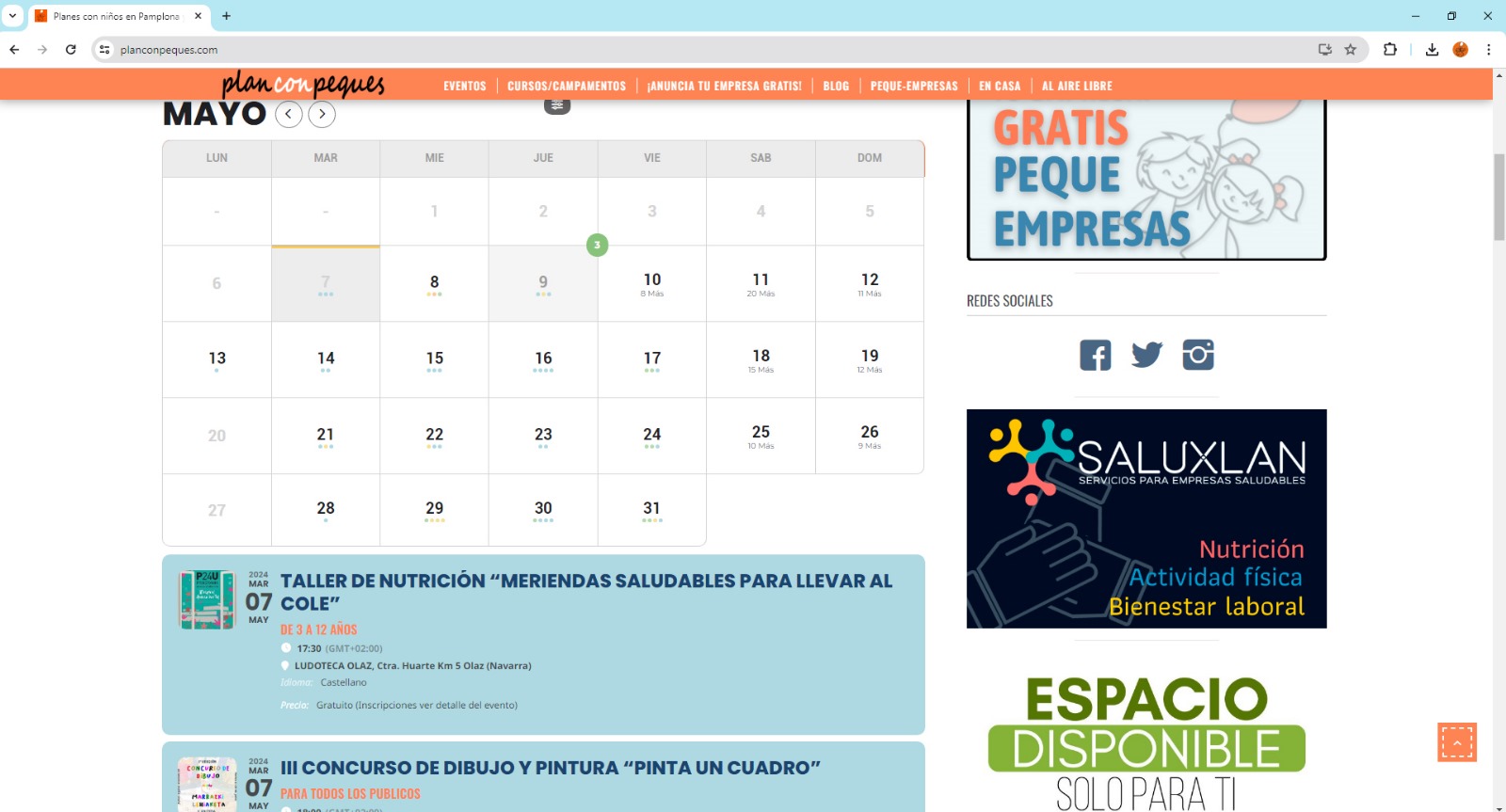
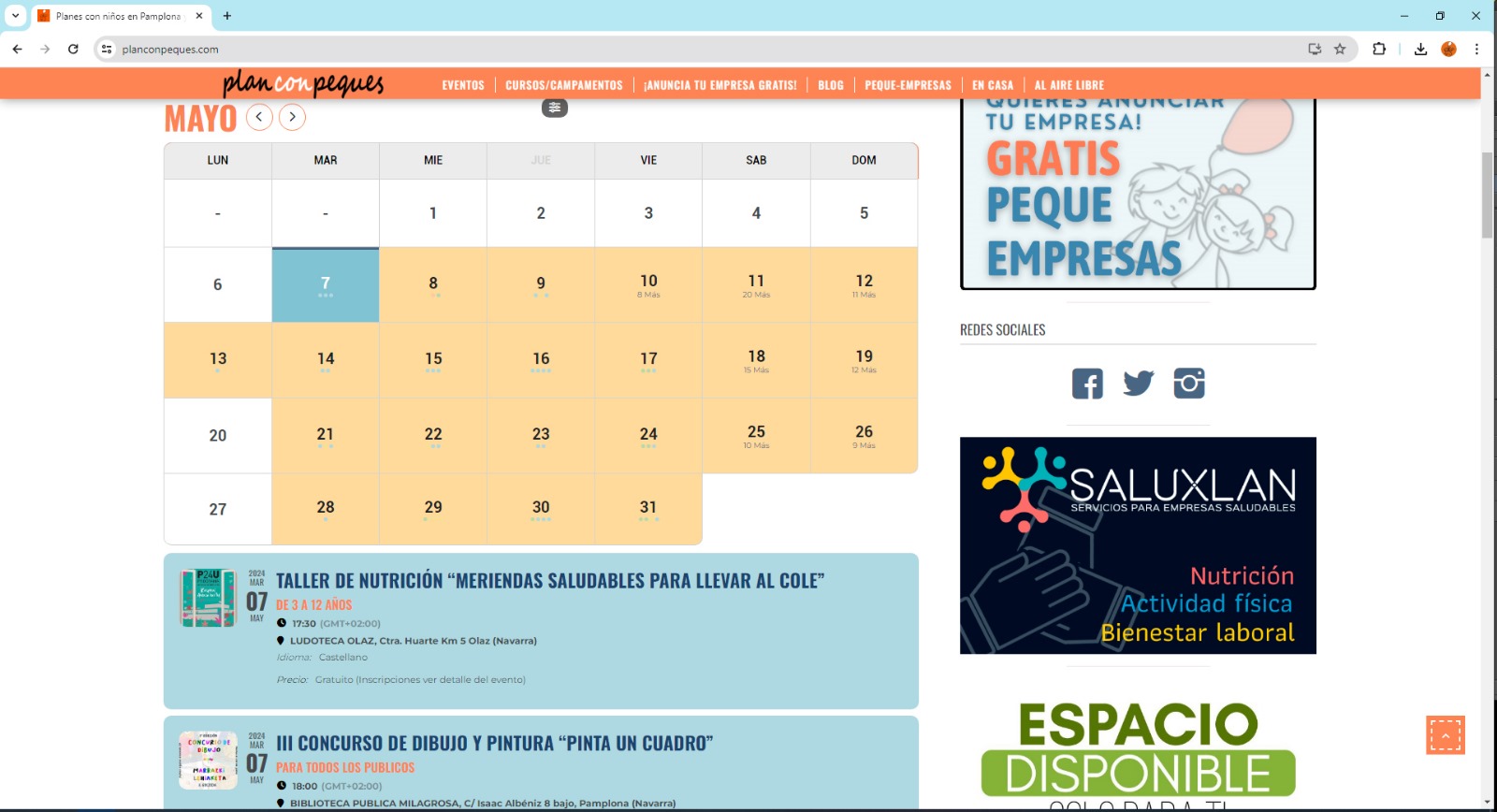
I am writing to you because when updating the EventOn plugin from version 4.6.3 to 4.6.4, the calendar colors of the Full Call plugin are misconfigured again.

It sounds to me like the last time you used CSS code to modify it, but apparently every time the version is changed, that code is lost or misconfigured.

I have currently done a downgrade and I would appreciate it if you could give me a solution to be able to update to the latest version without losing the colors of the calendar.

Attached I send you a photo of the calendar in version 4.6.3 and another in version 4.6.4

Thank you very much for your help.

Greetings