Hi Artem,
here the credentials:
url: https://prenota.mendrisio.ch/wp-admin
usr: eventon.support
psw: aKkXtQnOba!@jJqWekf(kfsf
Thanks, bye
Replies for tickets on suppota
Hi Artem,
here the credentials:
url: https://prenota.mendrisio.ch/wp-admin
usr: eventon.support
psw: aKkXtQnOba!@jJqWekf(kfsf
Thanks, bye
Thank you. As stated in initial post, “We upgraded to the most recent EventON version yesterday (April 30).”
I understand your instruction to “go to EventON > Time > Default Timezone and wp-admin > Settings > Timezone are the same.”
However, this is not clear, “also check if Edit Event > Timezone is the same.” Are you suggesting we go into every event to check the timezone? I am not sure what that means.
The calendars ‘rolled over’ to May around 10 AM on May 1, so things appear ok now. I assume we will have same problem on June 1.
Concerning your first instruction, WP Admin >> EventON Settings time has four possible options for Seattle (GMT -7), they are:
WP Admin >> Settings >> General has two possible options for Seattle, they are:
shane@staticlivemag.com
qdHbWJj4uV4bevU
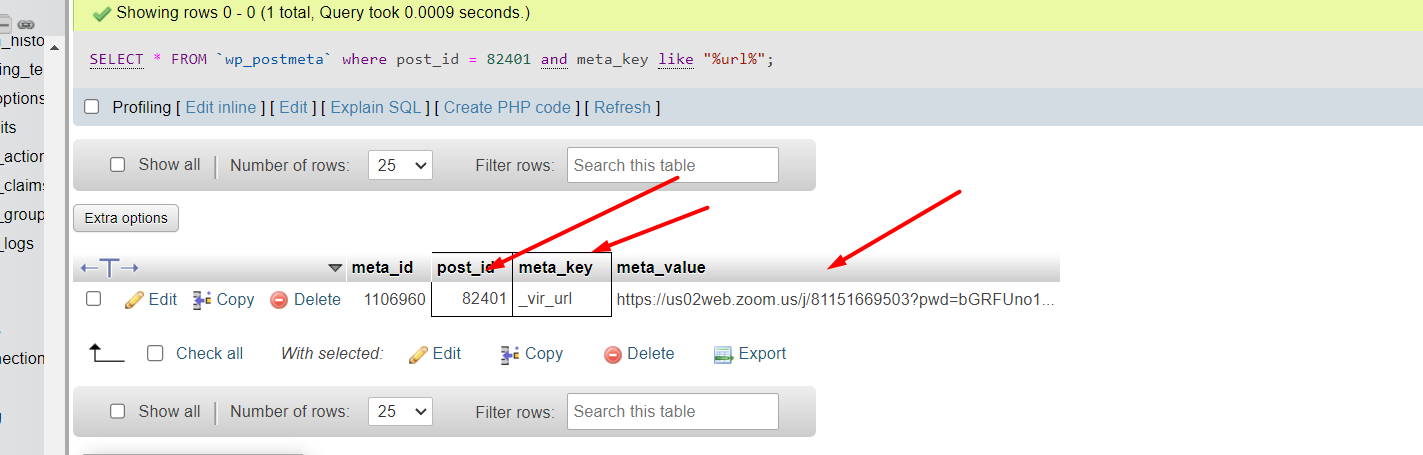
Please refer to the attached screenshot. As you can see the database holds the correct link but in the frontend and WP backend, it’s returning the event link.
Hi Cheryl
so no its not working correctly- I have added some additional content and settings and pages to your site as you were missing a checkout page and had no payment method set up whch is why it was redirecting to the home page- so thats fixed but for some strange reason that I have contacted Ashan about its not registering the sale so after you add to cart- you go to checkout- after checkout theres a button to submit events and its not registering the sale
here is a video of the changes I made
you will also want to recreate your own check out page, cart page and possibly my account page if you don’t already have a my account page
this link has the woocomerce shortcodes you will need on each page https://woocommerce.com/document/woocommerce-shortcodes/
see video of where to add those to woo- in woocomerce>>>>settings>>>>advanced
if you will be using paypal to process yourorders you’ll also want this free plugin to auto complete the orders
https://en-au.wordpress.org/plugins/autocomplete-woocommerce-orders/
Ashan after purchasing events it doesn’t seem to be recording the payment so you have no option to add your events with action use plus
see video
Your orders are’t showing Ticket Order or any info that they are from EventON: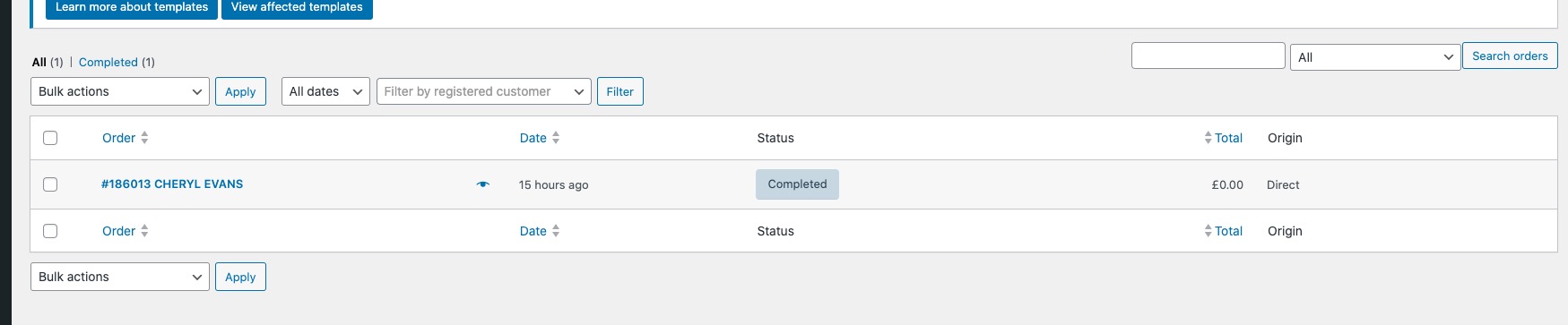
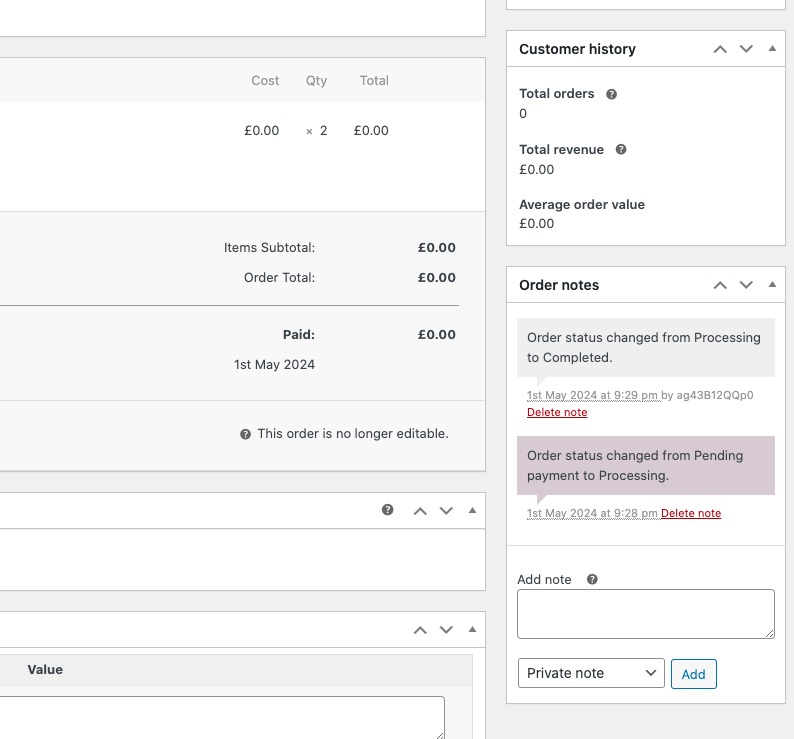
How it should be:

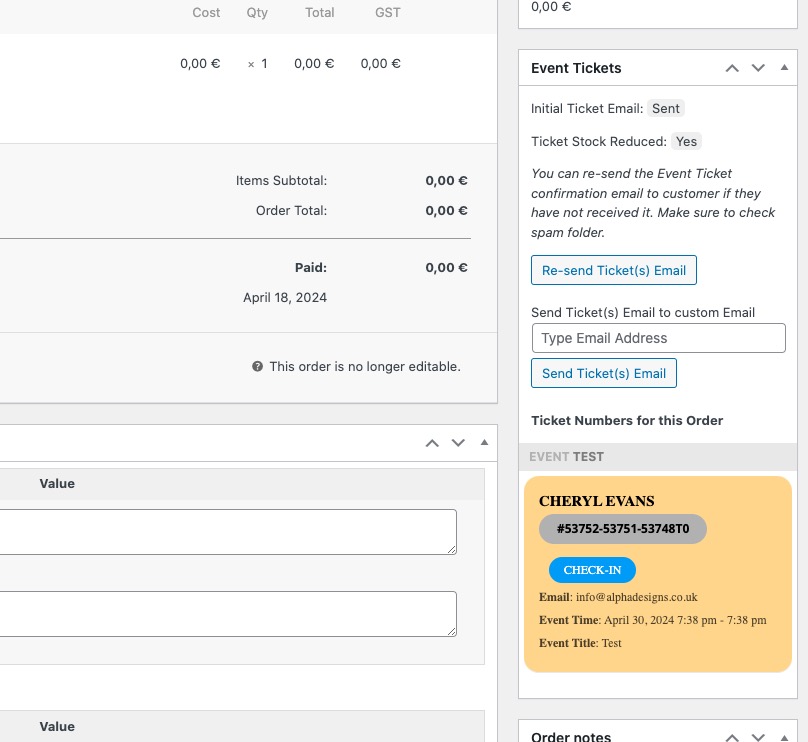
I contacted Ashan about the issue. Please wait for his reply, so we can fix this.
Perfect!
I am going to assign this ticket to Ashan and he will be able to take it from here and find you a solution. Please allow some time for him to get back to you, we greatly appreciate your patience and thank you for being a eventon customer! Also please disable any IP blocking on your site if there are any.
Ashan,
How can customers update organizer’s template page?
It seems that it’s different from
https://docs.myeventon.com/documentations/customize-location-organizer-archive-page/