Hi, I would like to try to change my event list design so that I can have the sold out notice on the event tiles, as seen on the RSVP demo.
I currently have the bubbles, but I tried the calendar and list views. Whatever shortcode I try, the sold out notice does not show on my sold out reoccuring events.
Can you please help me figure out why?
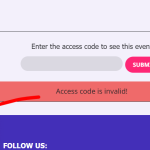
it seems to have this message when you input the wrong password?
I didn’t cancel the subscription because I wasn’t aware, and I haven’t used these plugins at all. Now it seems that the license has already expired, and I would like to know if an exception can be made so I can reactivate the licenses considering that I haven’t used them.
Please create a new featured request. We check all of them all the time and add new functionality.
Artem, thank you for your response. I will attempt to modify my calendars using what you have given once I return home. Also, if possible, could you please forward me any information on how to add two or more calendars that display different information on multiple pages? I tried to use the cal_id”” notation as described in the documentation however both my calendars continue to show the same information.
Thank you again and I truly do appreciate any help you may be able to lend.
Do you have the same issue with our test site?
https://dev2.myeventon.com/test-523/
Could you try installing https://wordpress.org/plugins/health-check/ and then enable Troubleshooting Mode and then check if the same issue continues?
Unfortunately, we can only provide limited support when it comes to PHP customizations.
Basically you need to add the code instead of “Data goes here”.
Try, instead of “echo ‘Data goes here’;”, adding the code from Basic Custom Usage.
Hello,
Please take a look at
https://docs.myeventon.com/documentations/hook-eventtop/
You can also add everything (ie “enroll” button and the price field) manually with Custom Meta field:
https://docs.myeventon.com/documentations/setup-use-custom-meta-fields-events/
Date, Time and Location can be added from EventON > EventTop.
Nikolay Pavlov,
Perfect! Please check the reply from Kenneth in your ticket.