I removed the css files from the minify css and the combine css.. and the problem still exist.. any future suggestions ?
Archives: Replies
Replies for tickets on suppota
Reply to: tickets(346747)
I use Apple Mail day-to-day, but I also checked it on the web in gmail.
Any other thoughts?
Reply to: tickets(351103)
Also I found the suggestion (over a month ago) for speeding up the loading of the calendar and slider – of changing the ‘Select event calendar WP Query method’ to the last 2 months, doesn’t work. I can’t do it, I lose too many future events.
So now the calendar, slider and featured event image all load slow, which means the entire website is slow as hell. Obviously this is a major problem. What is the solution please? Helppppp
Reply to: tickets(351103)
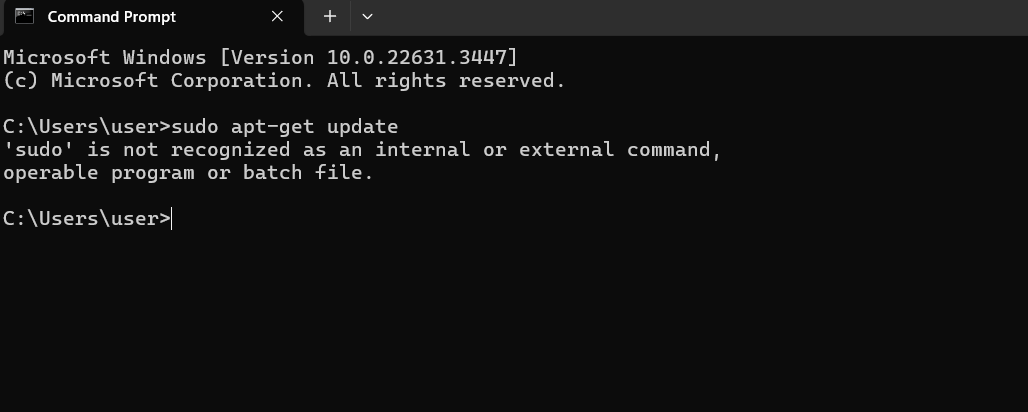
My SSH skills are very limited, How else can I install Varnish?
Reply to: tickets(339568)
Hi Artem,
I haven’t. I see your last reply above is from April 1st. I haven’t done anything since. I see an updated version 4.6.3 available. Is this the one I should/can update to?
Omar
Reply to: tickets(350324)
Thanks for the reply. I can take a look at and get back to you.
Reply to: tickets(341799)
or it may be possible if you create a third label and we might be able to hide just that label with css
(might)
Reply to: tickets(341799)
for now howabout you create a new label that says tickets available or something like that
so at the end of early bird you change it to the tickets available or early bird over
Reply to: tickets(349051)
Hello Mahmood, As dave shared the old versions changes, there isn’t much done on the RSVP addon end that cause this, But on EventON main settings. The save changes button above will run jquery code to trigger click of the settings button on the bottom of the page.
As dave found out, seems the theme is causing the issue with build thing. Kindly see if you can do what Dave suggested as temp solution. We will continue to see if we can find any discrepancy in the code that have changed and if we catch something we will get that resolved.
Kind Regards.
Reply to: tickets(330501)
The code I shared with you is in the latest version. Which part of the code are you having to update in the new version? Please share with us.