Hello Iain, hope the event went smoothly over the weekend and do let us know if you see any features that you and your team felt that could have helped better 🙂 Kind Regards!
Archives: Replies
Replies for tickets on suppota
Reply to: tickets(404996)
Hi, I have uploaded the access info
Reply to: tickets(404890)
Hello, the CSS seems to have fix that issue!
What about the double time and map not loading on organizer page? I’d rather just hide the map if possible. I also noticed one other thing, we are testing out changing to tiles with featured images and for some reason some of them have a pinkish overlay and some of them seems to show correctly that slightly darkens when you hover which would be the preferred way it shows.
https://www.loom.com/share/b90bc8fa06bb47b78ba5f5ab7015b205
I will put in the feature request for the FAQ via CSV – one of the big reasons I wanted to update was to get that feature.
Reply to: tickets(404634)
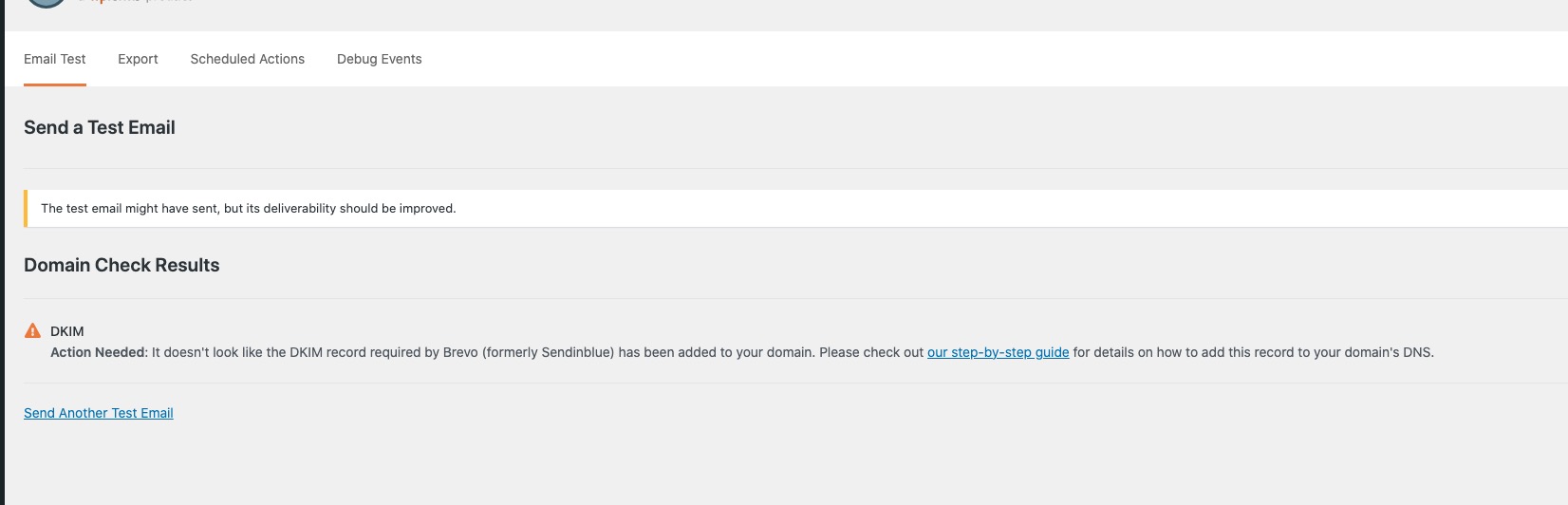
Could you check this message from SMTP plugin:
https://nyflora.org/wp-admin/admin.php?page=wp-mail-smtp-tools&tab=test
Reply to: tickets(405000)
Hello,
I just did quite a few of tests on your website and didn’t receive a single email related to EventON, Tickets or WooCommerce.
Could you start with updating EventON to 5.0.8?
Next, could you tell us more about how do you autocomplete orders?
Please also try installing SMPT plugin:
https://wordpress.org/plugins/wp-mail-smtp/
Reply to: tickets(405001)
Hello,
I added fixed CSS styling to yourwebsite/wp-admin/plugin-editor.php?file=eventon-event-slider%2Fassets%2Fevosl_styles.css&plugin=eventon-event-slider%2Feventon-event-slider.php
Could you check now with manually cleared browser cache?
Reply to: tickets(405012)
Hello,
Are you logged-in on any of browsers?
Please follow the instructions in this documentation to activate debug in your site to see any PHP errors recorded that can provide insight on to whats going on. Please reply with a link to debug.log file. If you are not able to do this please send us FTP access to your site so we can do this for you.
Reply to: tickets(404890)
Please add this CSS code to EventON > Styles (If you don’t see any change, EventON > Scripts & Styling > turn off Write dynamic styles to header > save settings > turn on Write dynamic styles to header).
You can also add this code to wp-admin > Appearance > Customize > Additional CSS.
.ajde_evcal_calendar.color #evcal_list .eventon_list_event p a.desc_trig:focus { border-top-color: transparent !important; border-right-color: transparent !important; border-top-width: 0 !important; border-right-width: 0 !important; }
At the moment CSV Import doesn’t support FAQs, I am afraid. However please create a new ticket and select Feature Request as category so others can vote on your idea and get it moved into development faster.
Reply to: tickets(404890)
Hello,
Yes social icons are showing.
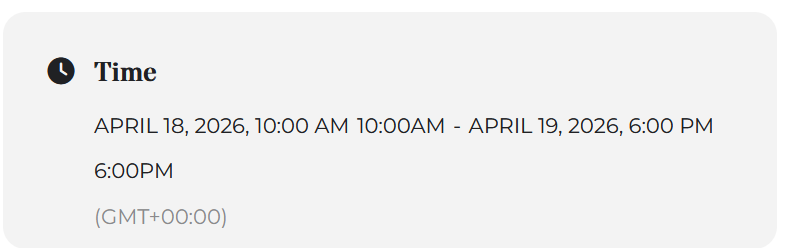
So, I get this weird black bar when I click on events, in both the organizer view and calendar. And in the organizer view it wants to show a map but it won’t load – can I just hide the map somehow? Also the times within the event repeats itself?
https://www.loom.com/share/0e3b54e1fd794764ac89741c6af4b7ca
Also, this is a just an off-topic question, can I do FAQs using the CSV import?
Reply to: tickets(404769)
Here’s the issue:
[09-Mar-2026 15:08:30 UTC] PHP Fatal error: Allowed memory size of 134217728 bytes exhausted (tried to allocate 4096 bytes) in /home/webcubs4c/html/live.kultur-fuer-alle.net/wp-includes/meta.php on line 1225
Please follow this guide on how to fix it:
https://docs.myeventon.com/documentations/increasing-wordpress-memory-limit/