OK, no problem for access and creating a test page, but keep the page private – not public.
Since you say that the code for the more button is not running, can you please tell me which script it concerns. I would try to exclude it from the Ezoic optimization. Normally this works.
Anyway, here is the login:
https://www.tourist-in-rom.com/wp-admin/?wtlwp_token=3def8392d5a2c17f57ffb8f63cc15ef94585e0951a009441a748a94daba588134d3c98f20e4ccc101ca8b755fb44db1688d098547418f2100994251224a08b97
1. This shortcode isn’t working for you?
[evo_event_manager]
Please take a look at 8.1 Eligibility conditions for a refund request:
https://docs.myeventon.com/documentations/terms-and-conditions-and-refund-policy/
2. Unfortunately, we don’t.
It seems there is some kind of Google Map API key issue. Could you try following:
https://wpstorelocator.co/document/create-google-api-keys/#:~:text=will%20be%20different.-,API%20keys%20with%20referer%20restrictions%20cannot%20be%20used%20with%20this,Address’%20for%20the%20server%20key.
We are glad your issue is resolved, if you have any further questions or concerns please create a new ticket.
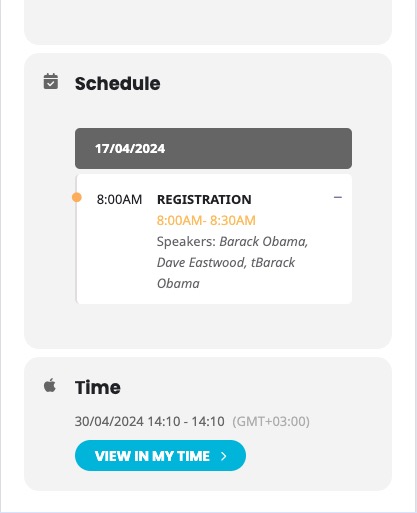
1. This is correct. On our side looks like this:
The left side of the Schedule box is reserved for the time.
2. Please add this CSS code to EventON > Styles (If you don’t see any change, EventON > Scripts & Styling > turn off Write dynamic styles to header > save settings > turn on Write dynamic styles to header):
body .EVOSR_section input[type=text], .evo_search_bar input[type=text] { padding: 14px; }
Perfect, it’s already working
I added more code to https://www.planconpeques.com/wp-admin/customize.php?return=%2Fwp-admin%2Fadmin.php%3Fpage%3Deventon%26tab%3Devcal_3, so it seems to be working now.
Please check and let me know.
Hi, this sounds perfect. This function is included in the basic version? Or do I need an addon?
Hi, its me again,
I have recorded a video that shows by switching back the RSVP plugin to old version, the problem is resolved. Would you please kindly share this with your development team?
https://ccsyr.org/wp-content/uploads/2024/04/2024-04-17_09-48-26.mp4
Hello,
EventON takes the format from wp-admin > Settings > Time Format. So please try changing it there to the one you need.