Hi, Ok it is work ! Thanks. jean Marc
Archives: Replies
Replies for tickets on suppota
Reply to: tickets(350519)
Hello, I have changed the permissions of the wp-config.php folder
and added the code for the debug.
Reply to: tickets(350891)
see video below on how to fix that
if that fails
Please send us wp-admin access to your site as a private message for us to further assist your situation. but I believe thats the cause as we changed some thing in eventon and on some website we have leaned this is the fix
Reply to: tickets(350839)
check now thats fixed- just needed to save the event card page
Reply to: tickets(344472)
Hi Ashan,
The weekly view filter is not working correctly on the production instance. When I click on the filter from May 6th to May 12th, it displays data from April 29th to May 5th instead. I have checked the Ajax request and found that when the user clicks on the 2nd week of May, it passes a 4th week of April Unix timestamp. Can you please provide me with your email address so I can create a user in the backend and give you access to the production instance? I have also attached a video recording for your reference.
Video Link: Weekly_view_filter_issue_live_instance_2024-04-16 at 6.36.38 PM.mov
Password: APR@#2024
Reply to: tickets(349214)
Updating to the latest weekly view has same issue where the ‘table view’ does not load the table
Check below test page (use pass: AFS2024!!)
https://stg-axiafutures-141.ew1.rapydapps.cloud/eventon-test/
Page has below 2 embeds and on table view (i.e. style=1) it does not load
[add_eventon_wv week_style=”0″] –> WORKS
[add_eventon_wv week_style=”1″] –> DOES NOT WORK
Reply to: tickets(349609)
We are gonna do couple of cosmetic updates to the RSVP form and then get this out to you 🙂
Reply to: tickets(349609)
Found the issue. Going to release a new update to RSVP addon that will address this. 🙂
After update when changing the capacity of an existing rsvp, it should show an error message like this.
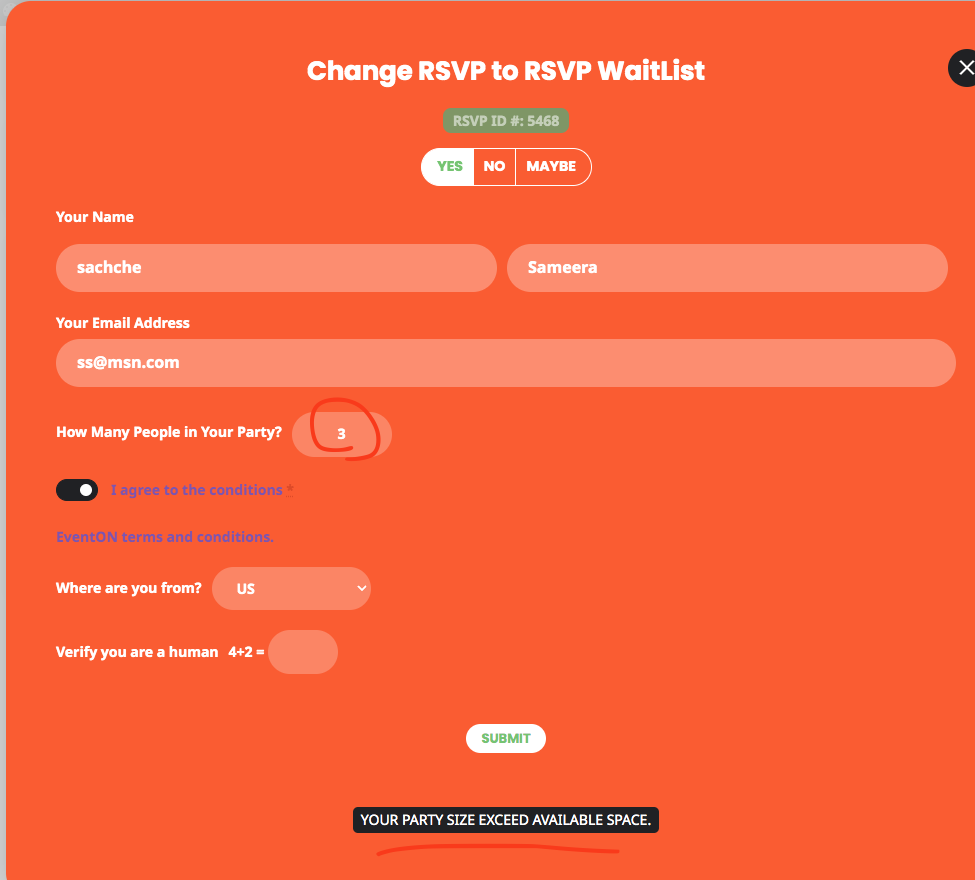
Reply to: tickets(349609)
Sorry for the delay checking this now! You are correct, if the capacity is 10, guests should not be allowed to change it to 11 after cap is reached. There is a verification for capacity change. Let me check on the code .
Reply to: tickets(341748)
This ticket is now private, Any chance you can give us access to wp-admin? with plugin editor enabled?
It seems the code to load more events is not running.
Also can we create a test page in your site to test this specifically without any of the sidebars and other elements on the page?