I disabled all plugin and FullCal seems to be working:
https://wordpress-706230-6224051.cloudwaysapps.com/training-calendar/
Could you check?
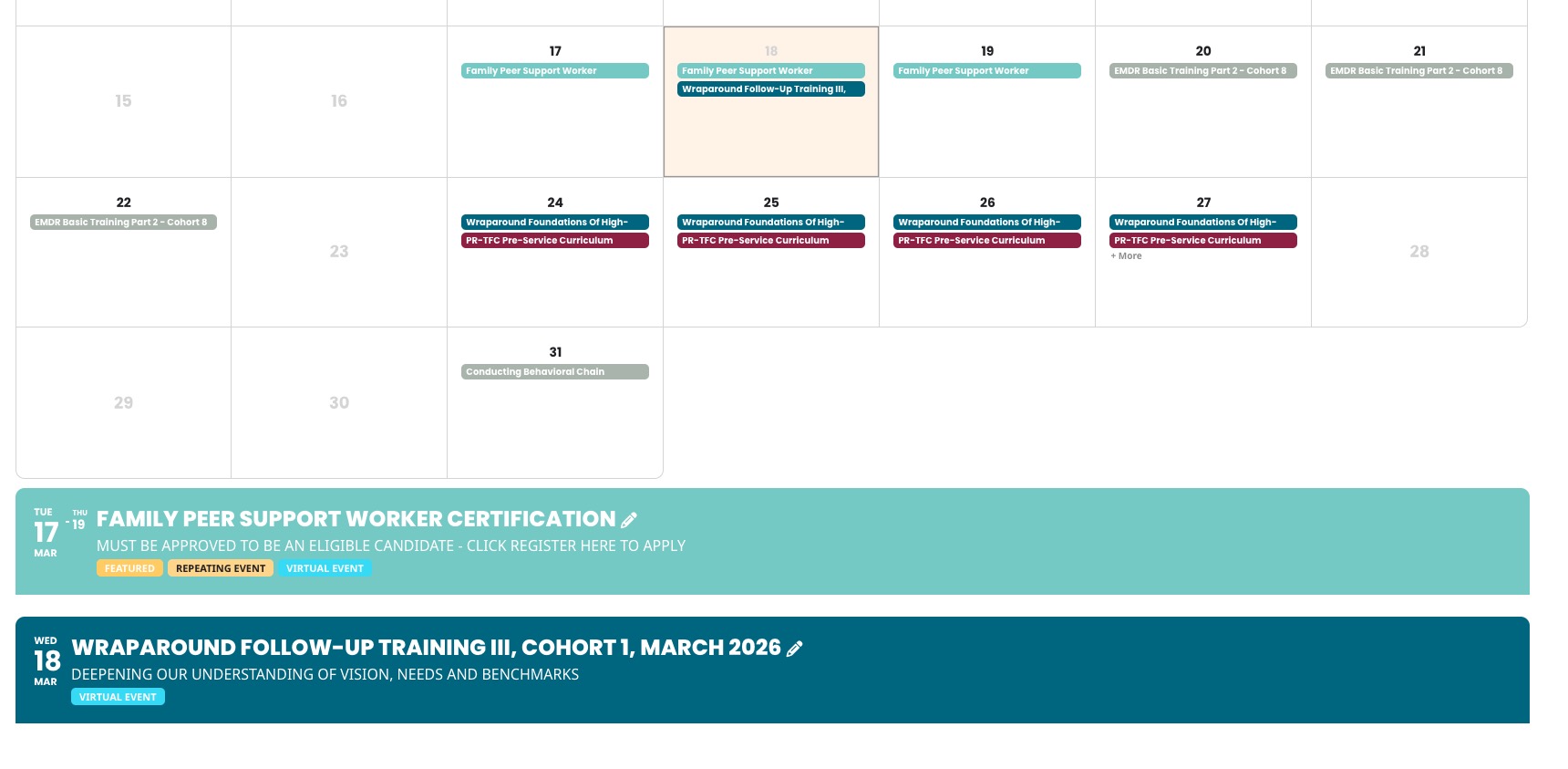
Replies for tickets on suppota
I disabled all plugin and FullCal seems to be working:
https://wordpress-706230-6224051.cloudwaysapps.com/training-calendar/
Could you check?
When I try to login:
ERROR: An error was encountered while trying to authenticate. Please try again.
Could you check?
Hello,
Please send us wp-admin access to your site from ”Access Info” box on right side menu, to further assist your situation.
I would like to check page.php and footer.php of your theme.
If I do an upgrade to 1.1.16 and stay in the browser I can reproduce the error that if I delete a cart position (ticket variation) the cart page shows an empty page. I have to load the cart again to show other positions. Afterwards I can downgrade to 1.1.15
Hi.
Is ist possible to delete custom categories? > That’s settled.
The htaccess is ”TEST” and ”preview” as you can already find in the access info. Or do you need something more?
# About Organizer Read More: Clicking this
will reveal rest of the Organizer description, while other button open
lightbox view of organizer details.
I know that, but it should be alternative.
Can we somehow update the add-on to see the issue in action? Or could you create a clone of the website?
You can update the plugin (i did it already and downgraded two times). But if you update to eventon-ticket-variations-options_1.1.16 and clear your cache you probably won’t be able to reach the website anymore. If I update the plugin and open the page in another browser it shows only a blank page with the php errors (see top). If I stay in the admin panel I’m able to downgrade the plugin afterwards. Otherwise (when I clear my cache) I have to deactivate the plugin via ftp to reach the site. Maybe the problem is due to my template again, but it shows only the named eror messages.
Ah, when I was checking, I was logged-in, so that’s why I couldn’t see the issue.
Can we please try the instructions mentioned in this documentation? The test will take less than a minute.
Ashan,
Please go to
https://www.planconpeques.com/wp-admin/post.php?post=37314&action=edit&classic-editor
Try enabling Repeat Event, change to Custom and try to add a new repeat on Apr 1 17:00.
Even in Troubleshooting Mode shows this error:
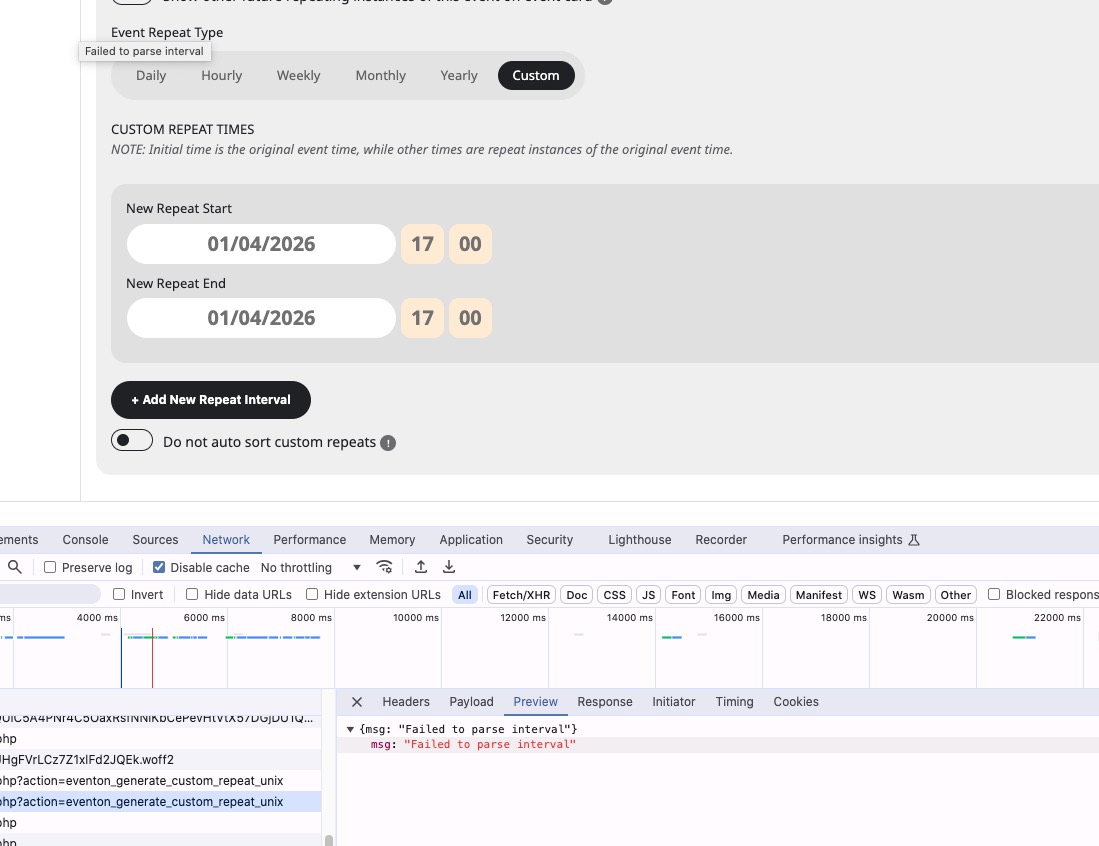
However, when I checked the website during my reply #404678, I was able to fix the issue by disabling ”Disable Gutenberg”. But at the moment nothing helps.
Could yo check?
I also cannot recreate this on dev2.
Thank you for your messages!
I am going to escalate this ticket to development to help in here. Please allow us some time to address this, and we truly appreciate your patience. Thank you for being a valued EventON customer!
Additionally, if your site has any IP blocking or security restrictions in place, kindly disable them temporarily to facilitate our support process.
We are glad your issue is resolved, if you have any further questions or concerns please create a new ticket.
If you have a moment, we would greatly appreciate if you could kindly leave us a review at EventON WordPress Page OR EventON > My Account > Downloads. Your review helps us a lot in continuing EventON improvements!
Hi Artem,
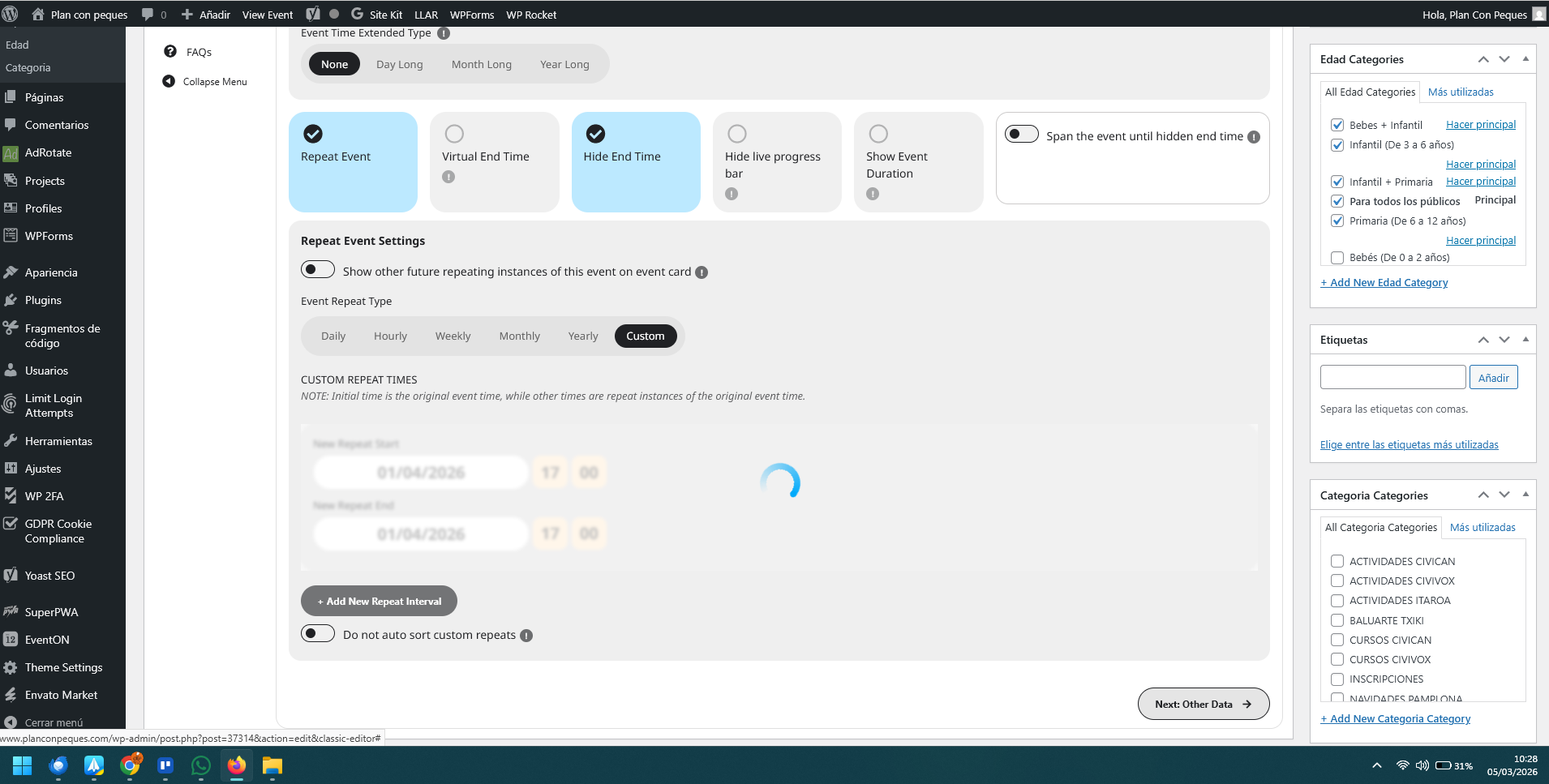
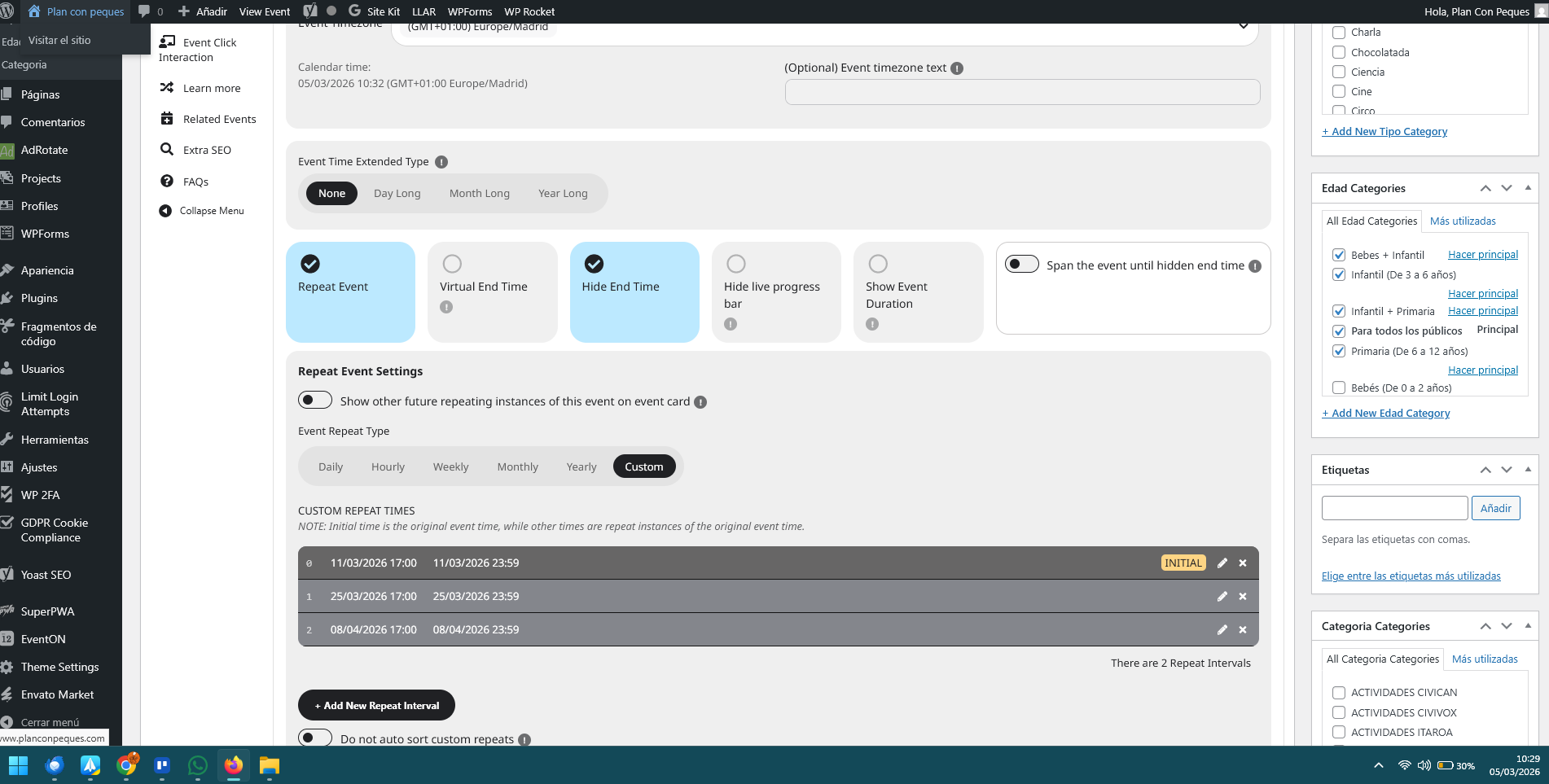
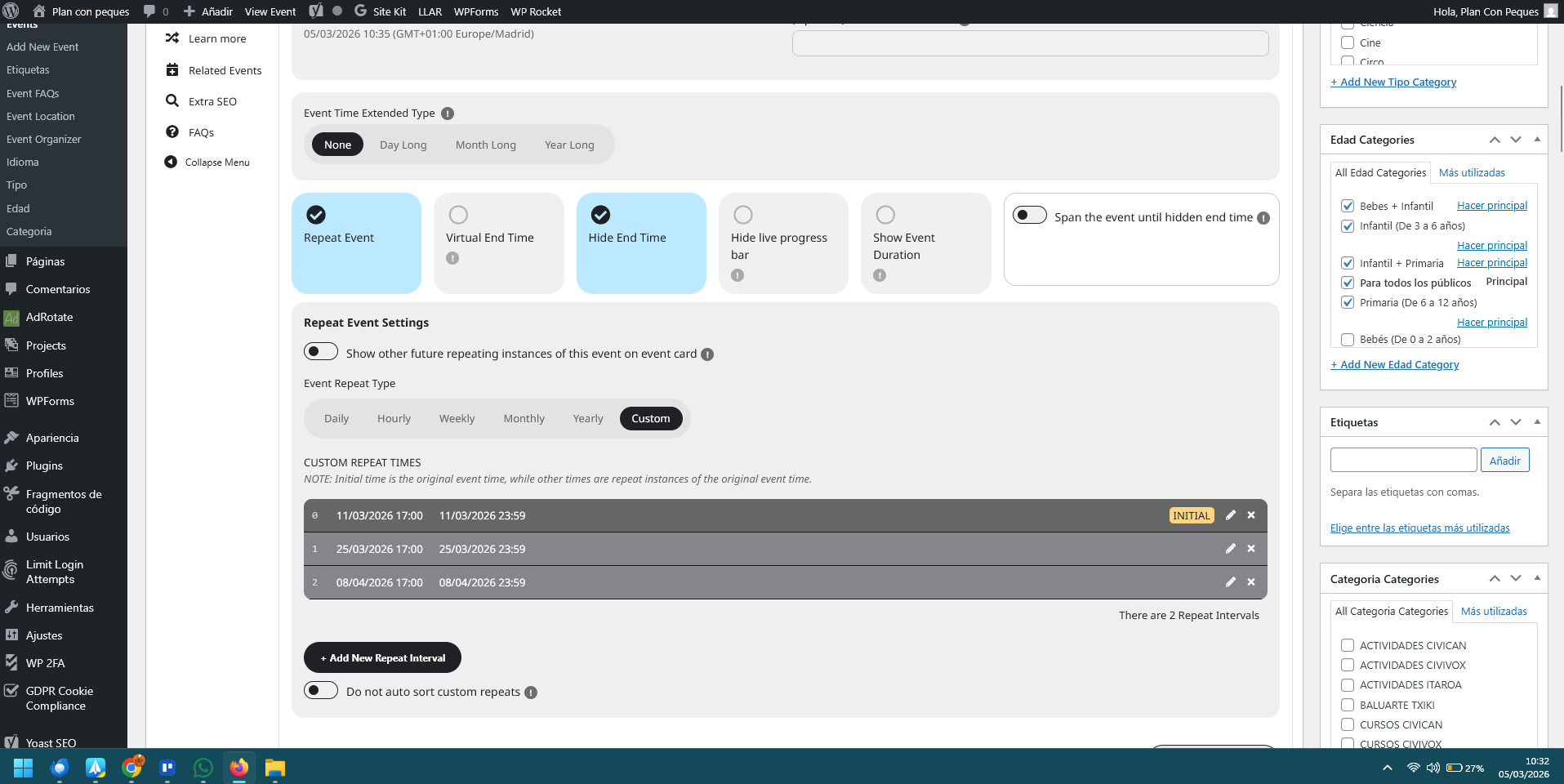
I am sending you a sequence of three screenshots that clearly show the erratic behavior of the ”Custom Repeat” feature on my site (Event ID 37314), even with the suggested plugins deactivated.
Image 1 (10:28): You can see me adding a new interval for April 1st, 2026 (04/01/2026). The loading spinner is active, showing the system is processing my manual input.
Image 2 (10:29): Once saved, the date April 1st has disappeared. Instead, the system automatically generated an interval for April 8th, which I never entered.
Image 3 (10:33): I went back to the event and found that an interval for March 25th (03/25/2026) had reappeared. I had previously deleted this specific repetition, but the system ”resurrected” it on its own.
In summary, the plugin is currently ignoring my manual inputs, generating dates automatically, and restoring deleted intervals.
Since you have admin access, could you please try to delete the incorrect dates and manually add April 1st yourselves? You will see that the system does not respect the administrative commands in this environment.
Best regards,