I updated everything but none of the Save Settings at the top or bottom works for RSVP Form settings.
Archives: Replies
Replies for tickets on suppota
Reply to: tickets(349117)
It is in the eventON shortcode. If you are using the eventON block, click on that and edit the shortcode to accord=’no’
In the meanwhile we will explore a solution for this functionality.
Reply to: tickets(349146)
We are working on an update for seats addon which will resolve this. We have few things to wrap up and then will release the update.
Much appreciate your kindness!
Follow the hashtag #newevoupdate on twitter to get real-time update and news about eventON and its addons!
Reply to: tickets(345166)
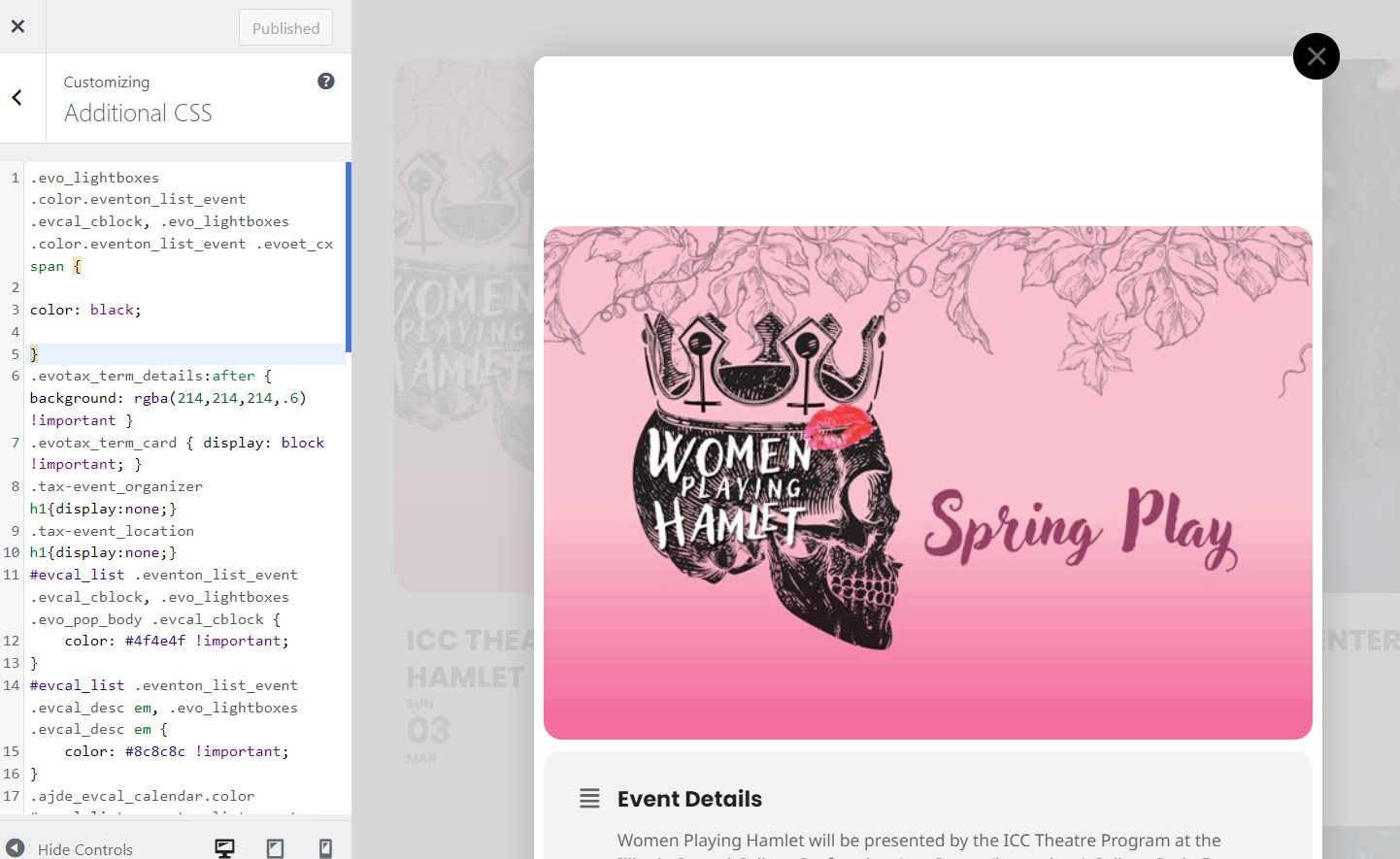
Also, the text on the event popup is not displaying – it is white text on a white background – I can tell because when I highlight that area, I can see the text.
The text wasn’t visible on the main calendar (name of event, date, etc), but I turned on the “Write dynamic styles to header” and they showed up again. Now if I can get the text to show up on the popup for each individual event, that would be great.
These seem to be screwed up every time there’s an update. I hold my breath when I update because I know something will be messed up and usually the things that you’ve updated don’t help me out at all – -I just need the basic elements to work — reliably. Not get screwed up with every update.
Please let me know how to get the text to be black in the popup. I’ve uploaded an example for you to see what it display as currently.
Thanks.
Reply to: tickets(344065)
Checking back in. Can you please provide an update on the status of the troubleshooting since we reset the user credentials? I did not see a difference (improvement) in the export after changing the ics file setting as requested.
Thank you!
Reply to: tickets(349139)
Thats not what I was asking about
Reply to: tickets(349298)
Hello,
We are glad your issue is resolved, if you have any further questions or concerns please feel free to create a new ticket.
Reply to: tickets(344635)
Hello Ashan,
Here is what I got back from our developer.
“I believe the div was “single_variation_wrap” and was its visibility was being toggled with js. Name your price plugin is: https://woo.com/products/name-your-price/ “
Let me know if this is the information you need and thank you for looking into this!
Alyson
Reply to: tickets(348822)
I have done it through the FTP and my page breaks, what about the FTP I gave you to fix the PHP. Did that not work?
My customers are still not receiving their tickets via email after purchase, were unable to fix this?
THis is super important!
Thank you
Reply to: tickets(349347)
Hello,
Please take a look at CSV Import add-on:
https://www.myeventon.com/addons/csv-event-importer/
You can download events from EventON > Download all eventON events.
Try on
https://dev.myeventon.com/wp-admin/