Hello,
I cannot access the website:
ERROR: Access from your IP address has been blocked for security reasons. Please contact the administrator.
Could you update EventON to 4.6.2 and RSVP to 2.9.11?
To update eventon to latest version: If you are unable to do autoupdate, you can go to codecanyon your account > download and get the latest eventon version as zip file. Then you can go to your website > make sure “Delete eventon settings & data when EventON is uninstalled” is Deslected from eventon settings, delete old eventon, install new one and activate. This link will further explain the process it. Also you can follow us on twitter to get real-time announcements on updates!
To update eventon addons: You can download latest eventon addons from myeventon > my account. Then you can go to your website, deactivate old addon and install new one and activate then delete the old addon. This link will further explain the process. Also you can follow us on twitter to get real-time announcements on updates!
Ashan,
The customer cannot remove the first (0) repeat. Is this correct?
They want to create something like this:
https://helpdeskx.s3.amazonaws.com/wp-content/uploads/2024/04/08043726/eventon_issue.png
But without the first repeat.
Thank you for your messages, I am going to assign this ticket to Ashan and he will be able to take it from here and find you a solution. Please allow some time for him to get back to you, we greatly appreciate your patience and thank you for being a eventon customer! Also please disable any IP blocking on your site if there are any.
Hello,
Unfortunately, we cannot help with PHP customizations since it’s against CodeCanyon’s Support Policy.
Hello,
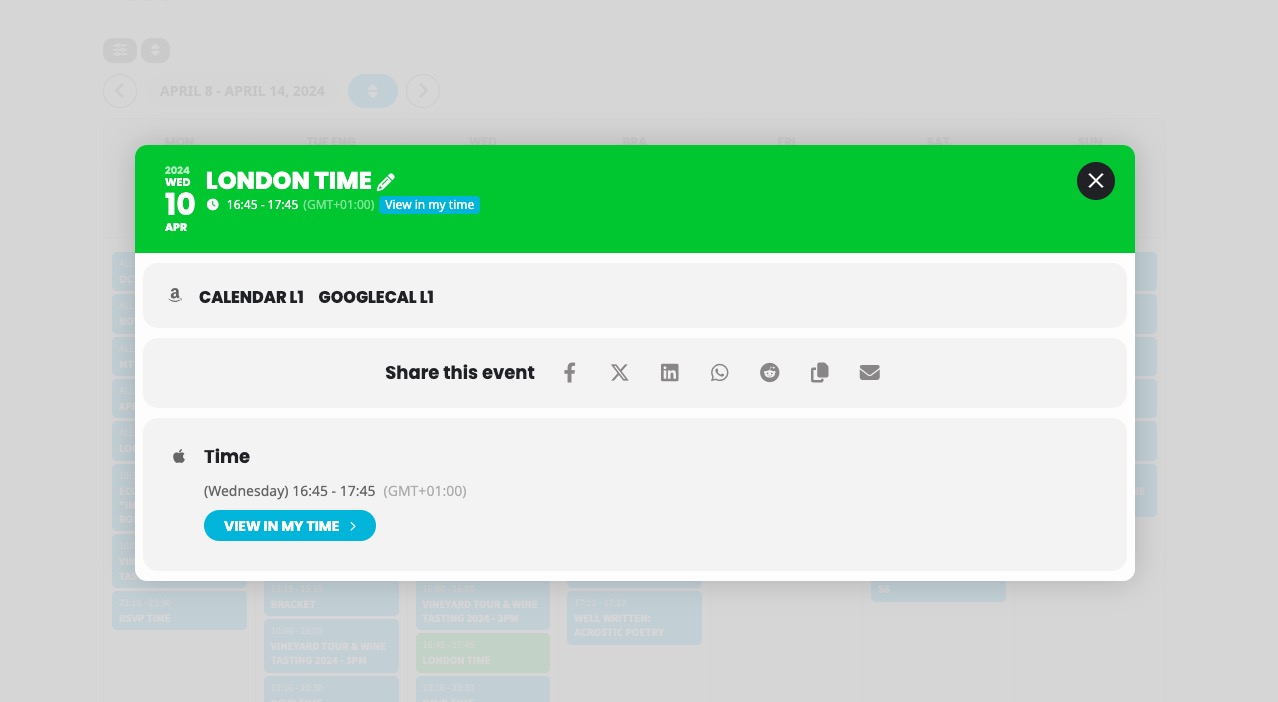
Is it working here for you:
https://dev2.myeventon.com/test-503/
Check “London Time” event on Apr 10th.
Please note that your server’s, EventON’s and Event’s timezones should be the same.
Iv added this code cal_init_nonajax=”yes”
and that seem to fix it…… BUT… Please tell us what has changed and why it would be working just fine before your test update.
is it ok to leave this without Ajax? or will there be a fix for this?
this is quite frustrating for the client because all of a sudden their calendar stop working…
they had sent out newsletters going to the calendar events … and then the don’t load.
it seems that if an update changes the way the plugin functions , there should be a note to go along with that update explain that this could be an issue for some.
thank you in advance
How / where would that fit into the following:
<img class=”aligncenter wp-image-57336 size-large” src=”https://ccatexas.org/wp-content/uploads/2024/03/2024-Greater-Woodlands-Banquet-Flyer-791×1024.jpg” alt=”” width=”791″ height=”1024″ />
Thank you, it’s working now!
I updated everything but none of the Save Settings at the top or bottom works for RSVP Form settings.
It is in the eventON shortcode. If you are using the eventON block, click on that and edit the shortcode to accord=’no’
In the meanwhile we will explore a solution for this functionality.