Hello,
Please try adding ux_val to your shortcode. You can find it here:
https://pastebin.com/VECjaeHj
Replies for tickets on suppota
Hello,
Please try adding ux_val to your shortcode. You can find it here:
https://pastebin.com/VECjaeHj
Hello,
There is a new version of Event Map add-on. Please update to 1.5.1.
To update eventon addons: You can download latest eventon addons from myeventon > my account. Then you can go to your website, deactivate old addon and install new one and activate then delete the old addon. This link will further explain the process. Also you can follow us on twitter to get real-time announcements on updates!
Hello,
it’s been a few days and I still don’t know what the problem is. I would need this resolved as soon as possible as it is very confusing for my customers when they want to buy a ticket.
Thank you in advance for your reply.
Regards
Monika
Hello,
Please add hide_so=”yes” to your shortcode to disable the filtering ability.
Hello,
Unfortunately, we unable to help with this since it’s your third-party plugin that affects EventON.
The only advice is to go to EventON > EventCard > try a different Feature image display style.
Hello,
Could you please downgrade FullCal to 2.1.1:
https://helpdeskx.s3.amazonaws.com/wp-content/uploads/2024/03/28135900/eventon-full-cal2.1.1.zip
There is an issue with 2.1.2 version.
Not sure what do you mean by “months dates”. Could you elaborate?
If you add nexttogrid=”yes” to the shortcode, it will start showing events next to grid.
Downgrading is the same as updating, but you use the older version of the plugin:
https://helpdeskx.s3.amazonaws.com/wp-content/uploads/2024/03/28044059/eventON-4.5.9.zip
The only issue is that you also need to downgrade Event Map to the previous version because 1.5.1 only works with 4.6.
Hello,
This seems to be the correct behaviour.
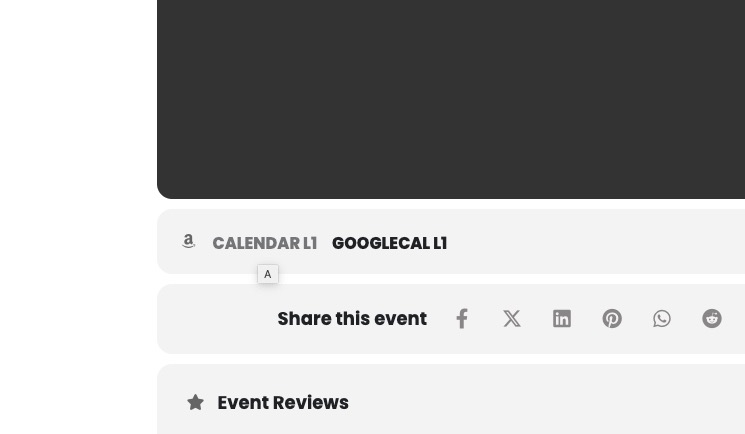
If you want to include the event link, you need to click on CALENDAR and then import the .ics file:
There is this error that repeats time to time:
[02-Apr-2024 11:31:07 UTC] PHP Fatal error: Uncaught TypeError: in_array(): Argument #2 ($haystack) must be of type array, null given in /home/d3uomep/public_html/wp-content/themes/tinwood-2/functions.php:590
Stack trace:
#0 /home/d3uomep/public_html/wp-content/themes/tinwood-2/functions.php(590): in_array()
#1 /home/d3uomep/public_html/wp-includes/class-wp-hook.php(326): ts_get_subcategory_terms()
#2 /home/d3uomep/public_html/wp-includes/plugin.php(205): WP_Hook->apply_filters()
#3 /home/d3uomep/public_html/wp-includes/taxonomy.php(1354): apply_filters()
#4 /home/d3uomep/public_html/wp-content/plugins/jetpack/jetpack_vendor/automattic/jetpack-sync/src/modules/class-terms.php(295): get_terms()
#5 /home/d3uomep/public_html/wp-includes/class-wp-hook.php(326): AutomatticJetpackSyncModulesTerms->expand_term_taxonomy_id()
#6 /home/d3uomep/public_html/wp-includes/plugin.php(205): WP_Hook->apply_filters()
#7 /home/d3uomep/public_html/wp-content/plugins/jetpack/jetpack_vendor/automattic/jetpack-sync/src/class-sender.php(552): apply_filters()
#8 /home/d3uomep/public_html/wp-content/plugins/jetpack/jetpack_vendor/automattic/jetpack-sync/src/class-sender.php(715): AutomatticJetpackSyncSender->get_items_to_send()
#9 /home/d3uomep/public_html/wp-content/plugins/jetpack/jetpack_vendor/automattic/jetpack-sync/src/modules/class-module.php(419): AutomatticJetpackSyncSender->send_action()
#10 /home/d3uomep/public_html/wp-content/plugins/jetpack/jetpack_vendor/automattic/jetpack-sync/src/modules/class-module.php(378): AutomatticJetpackSyncModulesModule->send_action()
#11 /home/d3uomep/public_html/wp-content/plugins/jetpack/jetpack_vendor/automattic/jetpack-sync/src/modules/class-full-sync-immediately.php(386): AutomatticJetpackSyncModulesModule->send_full_sync_actions()
#12 /home/d3uomep/public_html/wp-content/plugins/jetpack/jetpack_vendor/automattic/jetpack-sync/src/modules/class-full-sync-immediately.php(364): AutomatticJetpackSyncModulesFull_Sync_Immediately->send()
#13 /home/d3uomep/public_html/wp-content/plugins/jetpack/jetpack_vendor/automattic/jetpack-sync/src/modules/class-full-sync-immediately.php(330): AutomatticJetpackSyncModulesFull_Sync_Immediately->continue_sending()
#14 /home/d3uomep/public_html/wp-content/plugins/jetpack/jetpack_vendor/automattic/jetpack-sync/src/class-sender.php(345): AutomatticJetpackSyncModulesFull_Sync_Immediately->continue_enqueuing()
#15 /home/d3uomep/public_html/wp-content/plugins/jetpack/jetpack_vendor/automattic/jetpack-sync/src/class-sender.php(314): AutomatticJetpackSyncSender->continue_full_sync_enqueue()
#16 /home/d3uomep/public_html/wp-includes/class-wp-hook.php(324): AutomatticJetpackSyncSender->do_full_sync()
#17 /home/d3uomep/public_html/wp-includes/class-wp-hook.php(348): WP_Hook->apply_filters()
#18 /home/d3uomep/public_html/wp-includes/plugin.php(517): WP_Hook->do_action()
#19 /home/d3uomep/public_html/wp-includes/load.php(1260): do_action()
#20 [internal function]: shutdown_action_hook()
#21 {main}
thrown in /home/d3uomep/public_html/wp-content/themes/tinwood-2/functions.php on line 590
Jetpack Sync throws it.
However, not sure that this is related to the EventON issue.
Is it possible to turn off the cache functionality in your plugins (ie Jetpack) and then wait if the issue will happen?
We are going to include this in the next update. But not sure when it will be available.