Hello Artem – I did not try 0.17 as I missed the update as there is no notification about it.
Looking at the release notes, it does not seem to address the issue.
The 0.17 changelog only mentions: FIXED: current day focus is not working correct on other years. It does not mention script dependency loading.
A quick inspection of the updated version suggests the problem is still present: includes/class-frontend.php, evo_yv_script is still registered with only array(’jquery’) in the 0.17 archive content. It does not declare evo_moment or evo_moment_tz.
In the zip’s assets/yv_script.js, it still does: var M = moment.unix( parseInt( SC.focus_start_date_range) ).tz( cal_tz );
So it still assumes moment and moment-timezone are already loaded.
Hello, just added the user info for the staging site as well. Both staging here and main use the 505login in place of wp-admin:
https://wordpress-706230-6224051.cloudwaysapps.com/505login/
Hi,
Following up on my previous ticket, I’m currently experiencing two issues:
1. Past events not showing
On the /concerten page, March events are still visible below the current ones. However, when navigating back to view older concerts, the calendar shows “No items found.”
Previously, past events were displayed correctly when navigating back. Has something changed in the settings regarding past event visibility?
2. “Cancelled” label not appearing
Events marked as cancelled no longer automatically show the “Cancelled” label on the event card.
As a temporary workaround, I manually changed the subtitle (normally the location field) to “Cancelled,” but this is not the intended behavior.
Could you please advise what might be causing this and how to restore the correct functionality?
Kind regards,
Marjolein
I’ve downgraded to eventon-ticket-variations-options_1.1.15 due to an critical error with eventon-ticket-variations-options_1.1.16
Hi,
I’ve tested what you suggested. I disabled the ”Disable Gutenberg” plugin and tried adding custom repeats again, but the issue remains. I also tried with the ”Classic Editor” plugin as you mentioned, and the behavior is the same: the custom dates are still not being saved correctly.
It seems to be a core conflict with the latest update’s handling of custom repetition logic rather than the editor itself.
What should be the next step to resolve this?
Best regards,
I am still on the dev webiste. And the issues appeared there. Thank you Artem.
Another issue:
evo_organizer_more_trig can not be translated (Organizer-Info Read more button in event card).
And why are we having both, a ”Read more” trigger button AND a ”Learn More” lightbox?
This is double, therefor I set the ”Read more” trigger button to display:none;
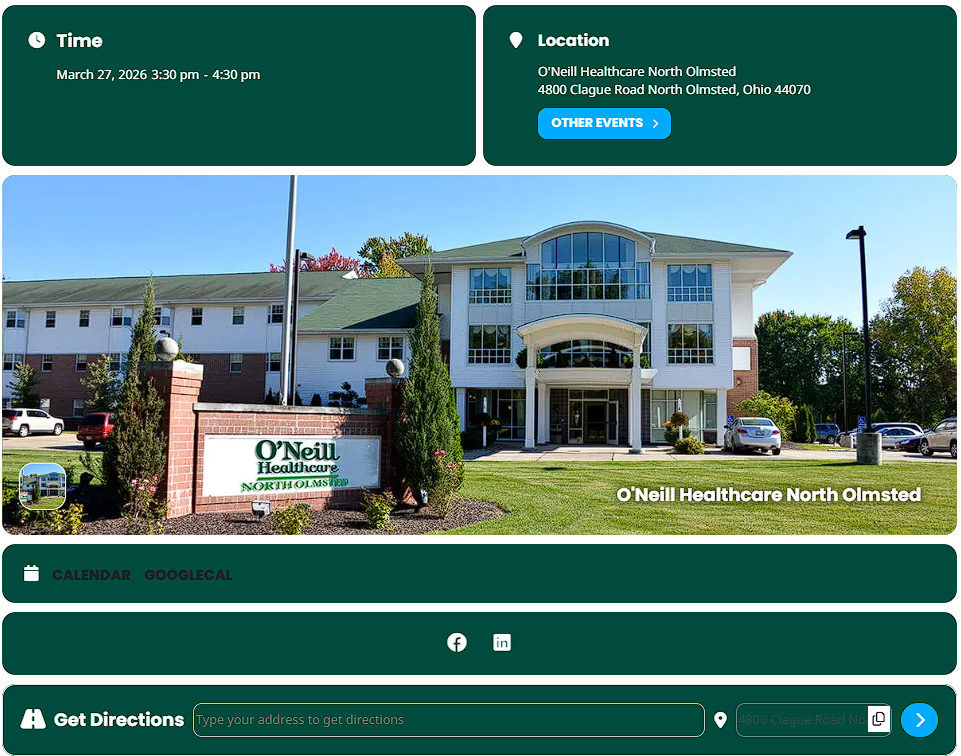
Thank you for your help. That fixed the time and get directions header. However for the calendar and googlecal, along with the directions search bar are still dark and not white. Is there any code that can help with that because I do see for at least the get directions bar, on the backend the text should be white.
Hello,
the verify purchase page is currently not working (404 error / loading does not complete).
Could you please manually migrate my CodeCanyon purchase to my myeventon account?
For security reasons, I prefer not to post my purchase code publicly.
Please let me know how I can provide it securely if required.
Thank you for your assistance.
Best regards,
Boris
Current log warnings:
PHP Warning: Cannot modify header information – headers already sent by (output started at /htdocs/dgsens/wp-content/plugins/eventon-ticket-variations-options/includes/class-event-variations_options.php:1) in /htdocs/dgsens/wp-includes/pluggable.php on line 1531
PHP Fatal error: Uncaught Error: Class ”Constants” not found in /htdocs/dgsens/wp-content/plugins/eventON/includes/class-evo-ajax.php:59
Stack trace:
#0 /htdocs/dgsens/wp-content/plugins/eventON/includes/class-evo-ajax.php(77): EVO_AJAX::evo_ajax_headers()
#1 /htdocs/dgsens/wp-includes/class-wp-hook.php(341): EVO_AJAX::do_evo_ajax()
#2 /htdocs/dgsens/wp-includes/class-wp-hook.php(365): WP_Hook->apply_filters()
#3 /htdocs/dgsens/wp-includes/plugin.php(522): WP_Hook->do_action()
#4 /htdocs/dgsens/wp-includes/template-loader.php(23): do_action()
#5 /htdocs/dgsens/wp-blog-header.php(19): require_once(’/…’)
#6 /htdocs/dgsens/index.php(17): require(’/…’)