This issue is a BIG one. We are again in bigger troubles.
Our GMT time changed a couple of days ago. We are now GMT +2. I was already forced to set a 120 minutes to achieve a 60 minutes inhibition. Now I am forced to set a 180 minutes to get the same.
Basically, RVP is not taking time zones in account as it should.
This event has been edited to use 180 minutes and I will be forced to do that with all events (!!) otherwise users will be able to reserve/change accordingly
Hello is there any update on this please?
Ok, but now you can see my frustration as I wasn’t able to cancel this single plugin before it renewed, so I think my request for a refund is reasonable.
As I said above, I already tried that downgrade and nothing changed.
Hello,
Please do respond at the earliest- I am unable to share my latest events as the glitch in the tickets is preventing people from buying.
thanks
please send previous version. thanks.
Please send us wp-admin access to your site as a private message for us to further assist your situation.
Thank you for your messages, I am going to assign this ticket to Ashan and he will be able to take it from here and find you a solution. Please allow some time for him to get back to you, we greatly appreciate your patience and thank you for being a eventon customer! Also please disable any IP blocking on your site if there are any.
can you add to the shortcode the following
ux_val=”3″
paste into the html and not the visual editor to no also paste some code from this website
if that fails
Please send us wp-admin access to your site as a private message for us to further assist your situation.
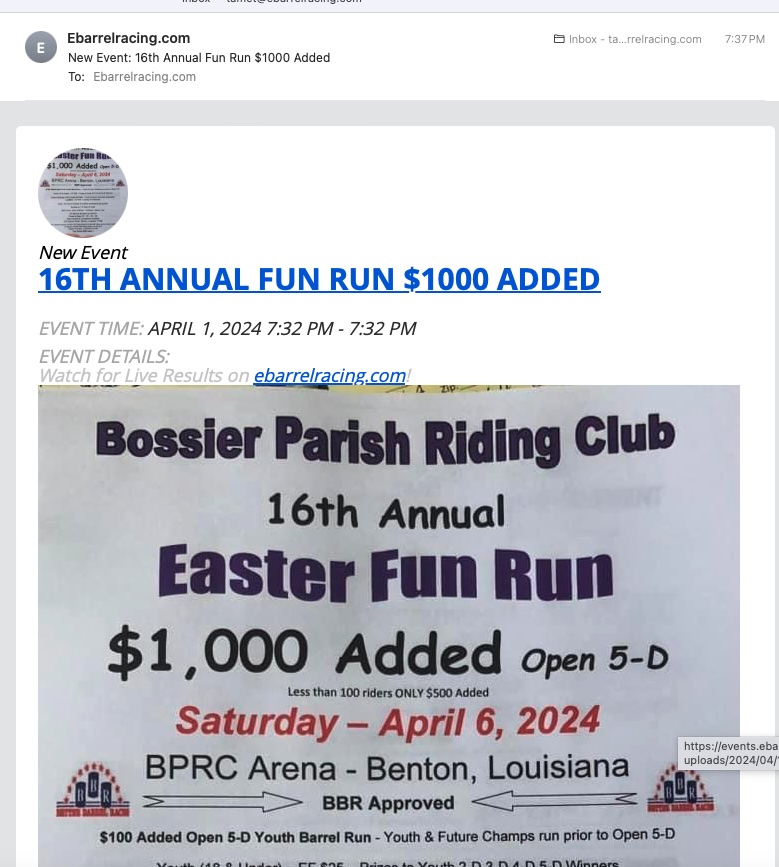
Has this been looked into? Nothing has changed on this end. It is irritating to my customers, in fact I have lost 30 subscribers in the last few weeks. Especially when the “Event Time” shows ONLY the day and time the event was added. NOT the Date and time that was entered in the initial posting of the event.