I have tried it and it still doesn’t work.
Archives: Replies
Replies for tickets on suppota
Reply to: tickets(346148)
Thank you, amended both as requested but still not working unfortunately.
Reply to: tickets(346382)
Please also try updating EventON as well as RSVP add-on.
To update eventon to latest version: If you are unable to do autoupdate, you can go to codecanyon your account > download and get the latest eventon version as zip file. Then you can go to your website > make sure “Delete eventon settings & data when EventON is uninstalled” is Deslected from eventon settings, delete old eventon, install new one and activate. This link will further explain the process it. Also you can follow us on twitter to get real-time announcements on updates!
To update eventon addons: You can download latest eventon addons from myeventon > my account. Then you can go to your website, deactivate old addon and install new one and activate then delete the old addon. This link will further explain the process. Also you can follow us on twitter to get real-time announcements on updates!
Reply to: tickets(346382)
Hello,
Please follow the instructions in this documentation to activate debug in your site to see any PHP errors recorded that can provide insight on to whats going on. Please reply with a link to debug.log file. If you are not able to do this please send us FTP access to your site so we can do this for you.
Reply to: tickets(346214)
Ok perfect! We are going to check why it wasn’t working before.
Reply to: tickets(346343)
There is an issue that we are going to fix in the next version. Sorry for the inconvenience.
We are glad your issue is resolved, if you have any further questions or concerns please create a new ticket.
Reply to: tickets(346345)
Hello,
1. Please go to EventON > EventCard > try a different Feature image display style.
2. There is this custom CSS style:
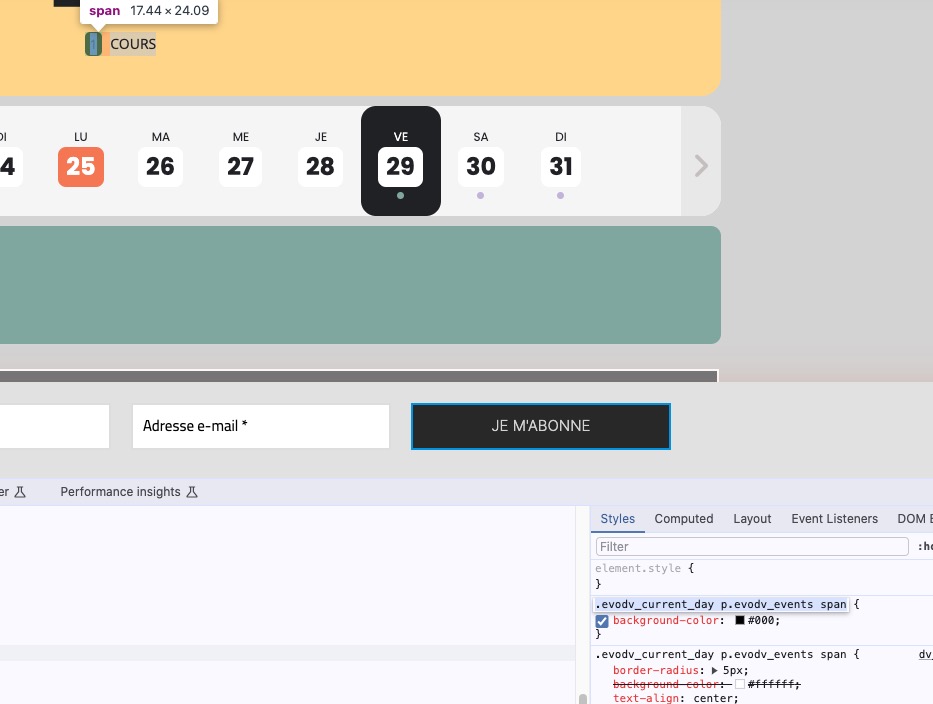
Could you try removing/commenting it?
3. It seems we didn’t change the version number, but it should be 2.1.9 in the archive. I am going to contact Ashan about this.
Reply to: tickets(345984)
wow i used: ux_val=”3a” in shortcode and problem solved but shortcode generator for daily view has no option for this code !!
any way thank you for your attention
Reply to: tickets(346320)
Hello,
Please use Repeating Event for this:
https://docs.myeventon.com/documentations/setting-up-repeating-events/
What do you mean by “lock the days”?
Reply to: tickets(346295)
Hello,
Please go to EventON > EventCard > try a different Feature image display style.
Month header color. Please go to EventON > Appearance > Calendar Header > Header Month/Year text color.
If you don’t see any change, EventON > Scripts & Styling > turn off Write dynamic styles to header > save settings > turn on Write dynamic styles to header.
Please also note that there is this style that affect EventON:
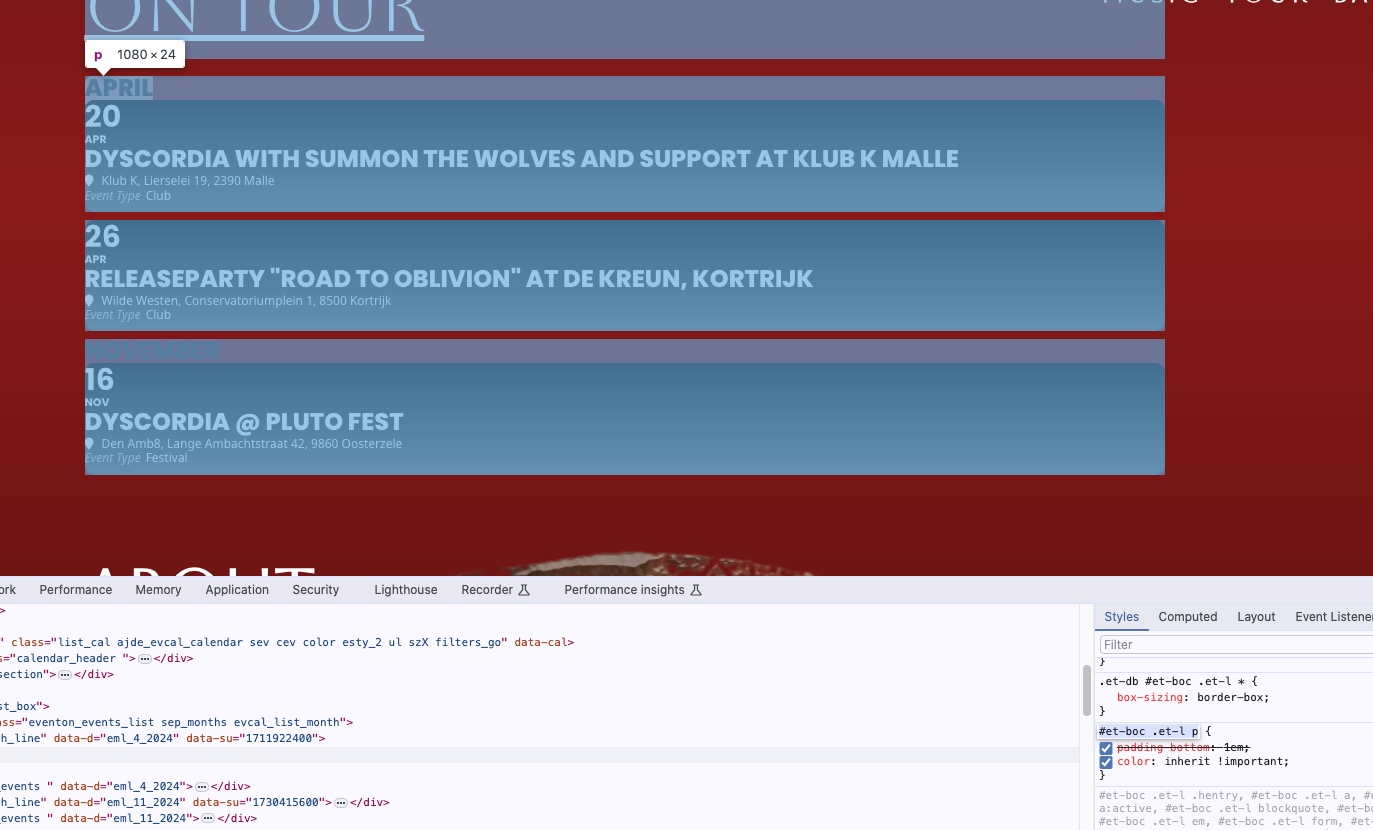
I tried to change the color with CSS code, but the code above doesn’t let me even with using !important:
.ajde_evcal_calendar #evcal_head.calendar_header #evcal_cur, .ajde_evcal_calendar .evcal_month_line p, .ajde_evcal_calendar .evo_footer_nav p.evo_month_title { color: white !important; }