Could you try updating to 4.6.1?
Archives: Replies
Replies for tickets on suppota
Reply to: tickets(344481)
4.6.1 version adds “EventON > EventCard > Hide location other events button” option.
Also translation for the button is available in EventON > Language > General Calendar.
Reply to: tickets(343029)
Hello,
You are welcome. If you have any other questions, please feel free to create a new ticket
Reply to: tickets(346106)
Reply to: tickets(344743)
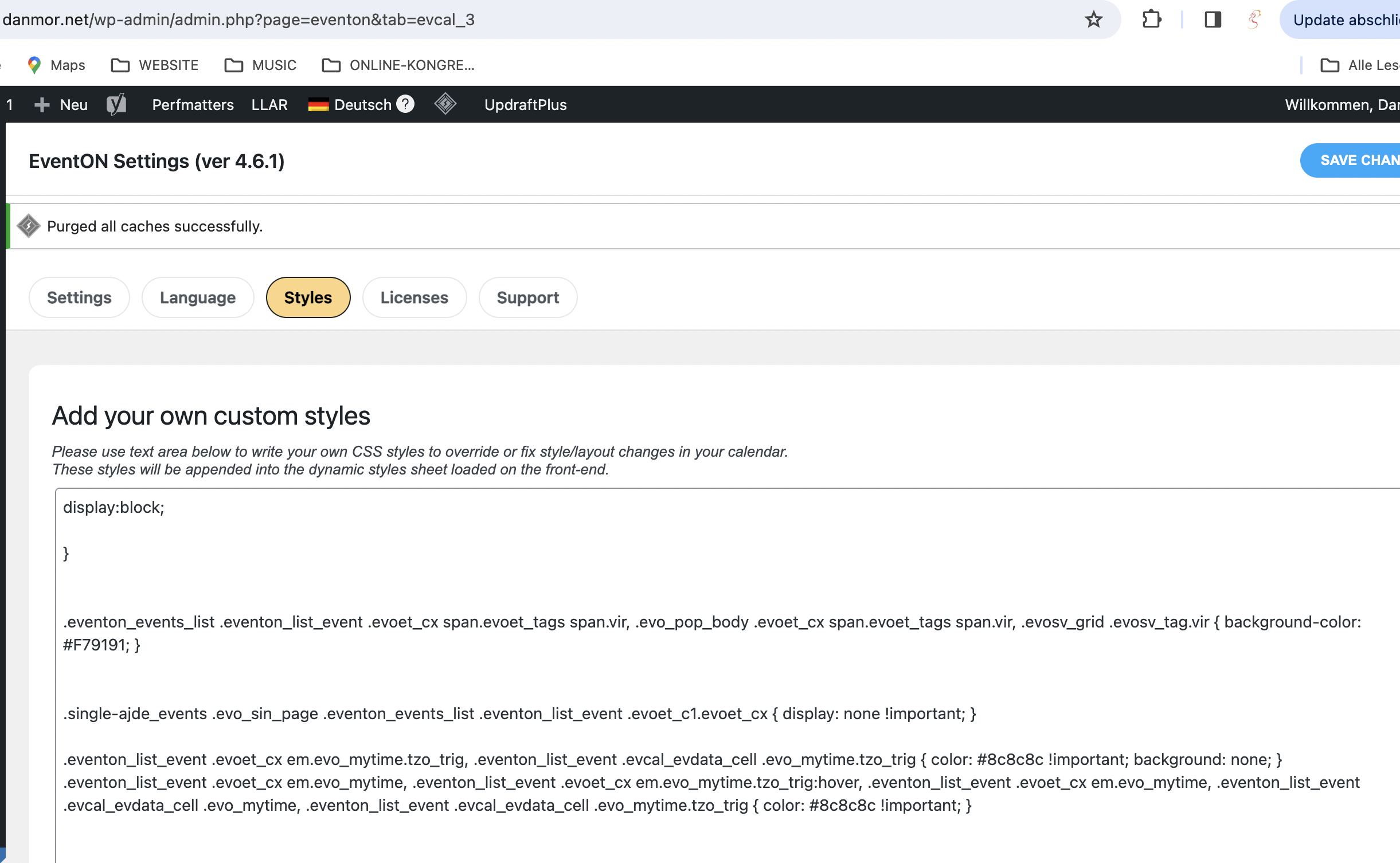
Hi, you mean here (screenshot)?
I replaced “white” in the last line with “#8c8c8c”
Didn’t take so far.
There is a mouse-over effect on that sentence, though (blue background).
Reply to: tickets(343029)
Thank you Artem!
Reply to: tickets(345949)
Hi Artem,
Thank you for getting back to me. I believe that version 4.6.1 was not out yet when I posted my support ticket. I’ve just updated to version 4.6.1 and that indeed fixed the issue, that’s great.
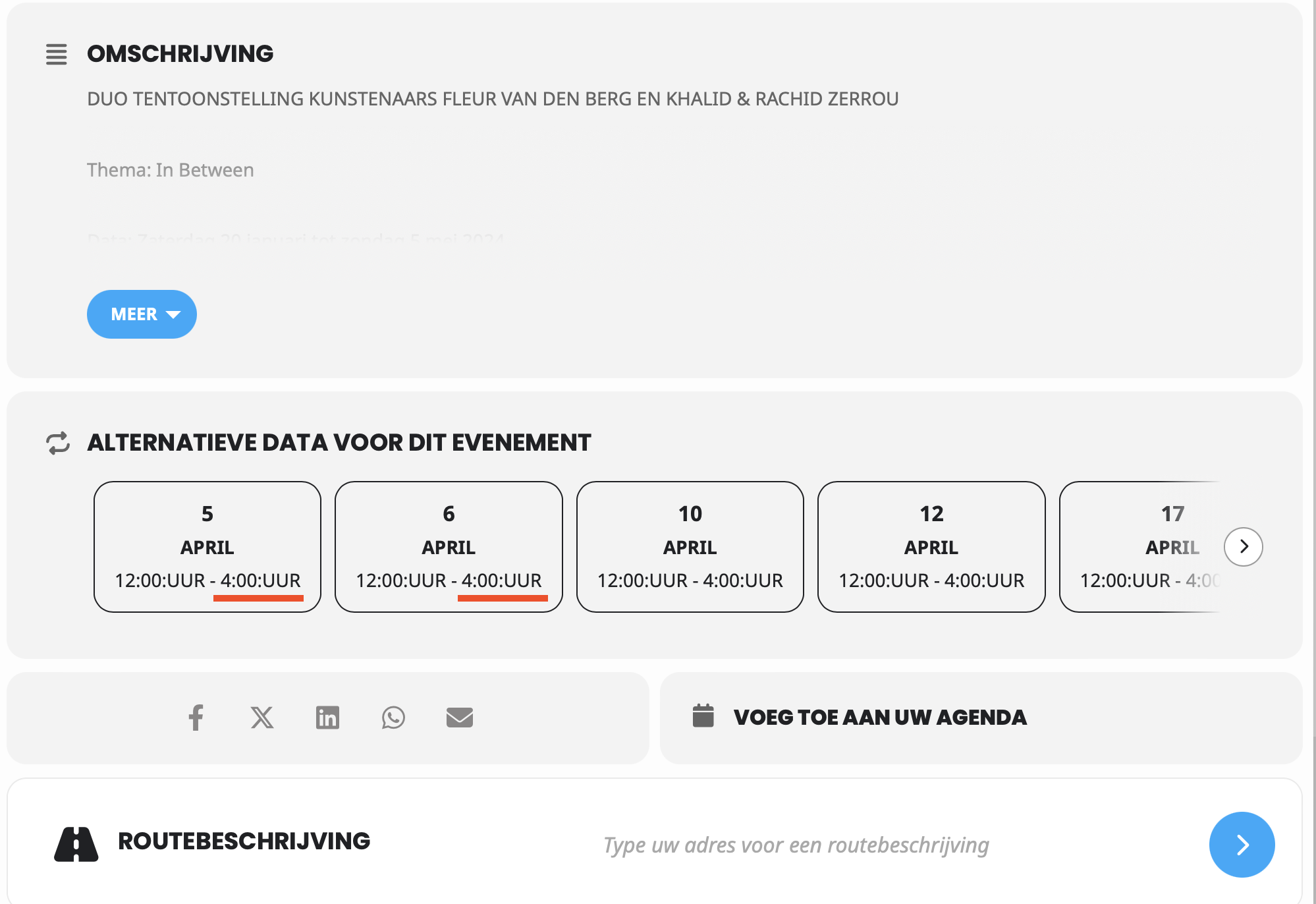
But unfortunately the times are still shown on a 12h format in stead of the 24h format. In the Netherlands we don’t use AM/PM so I prefer to use the 24h format for more clarity for our customers.
Currently it shows: 12:00:UUR – 4:00:UUR (these times are both PM)
How it should look: 12:00 uur – 16:00 uur
Also there is this weird “:” in between the times and the UUR indicator (> 12:00:UUR). Please take a look at the attached image.
How can I change this? I’ve looked through the settings but as far as I can tell everything is set for a 24h format.
Thanks in advance and kind regards,
Mark
Reply to: tickets(346095)
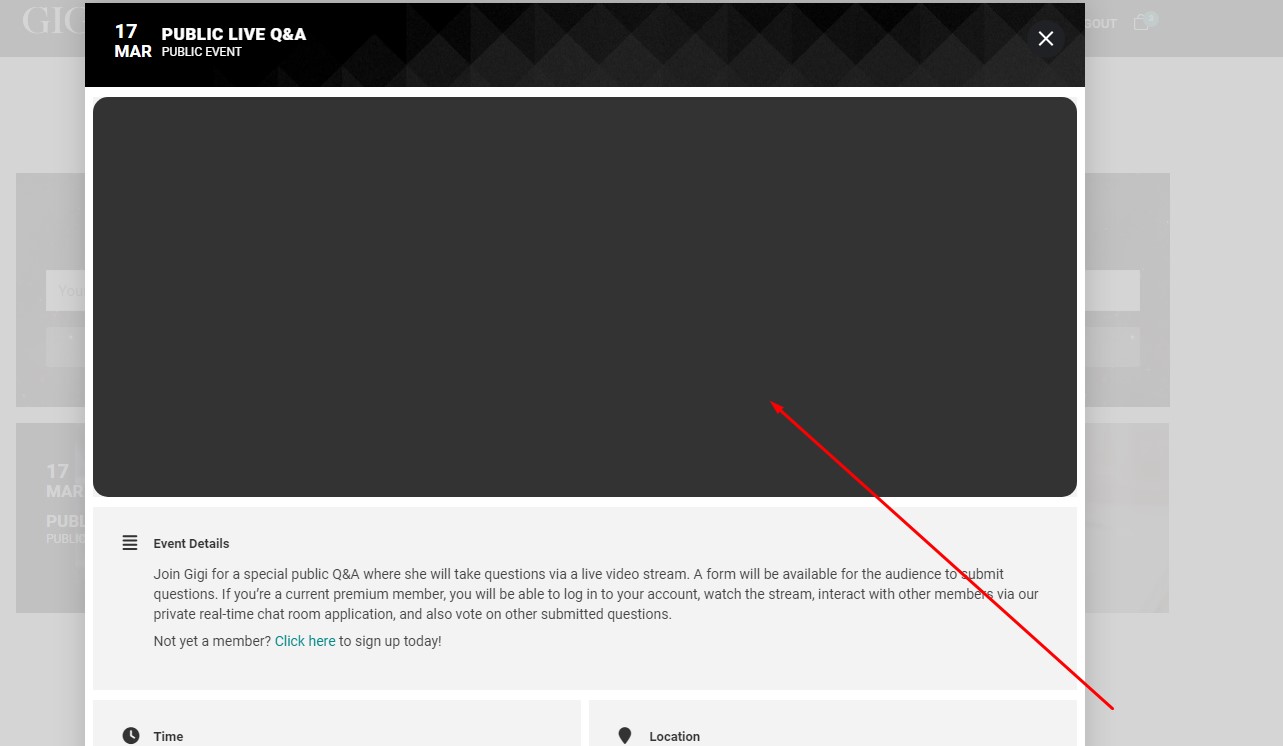
Just to be clear, we are currently using the “slide down” event card option for our events page. Once you click the event, you’ll then notice that the event image is now missing. Again, this is only a result of updating to the latest version (4.6.1).
Reply to: tickets(345957)
Hello,
You misunderstood me, did you take a look at the pictures I linked?
If you look here
https://kitz-magazin.de/kalender/
you will see the EventCard popping up. When I update to 4.6.1 it looks like on your test site.
There is no “Other events” in EventON > Language > General Calendar
Reply to: tickets(344472)
Hi Ashan,
Any update on this?