Hello,
Thank you for your messages, I am going to assign this ticket to Ashan and he will be able to take it from here and find you a solution. Please allow some time for him to get back to you, we greatly appreciate your patience and thank you for being a eventon customer! Also please disable any IP blocking on your site if there are any.
Hello,
Sometimes, after big updates, you need to go EventON > EventCard > Designer and save it. Also re-save EventON Settings as well.
Should work now, please check and let me know.
Hello,
Unfortunately, we cannot fix this from our side, so please apply this patch to Fusion files:
https://helpdeskx.s3.amazonaws.com/wp-content/uploads/2023/02/08180337/Screen-Shot-2023-02-08-at-5.02.20-PM.png
Ah sorry, I set the color to white. Please replace white with #8c8c8c.
Hello,
Please go to EventON > Tickets > select Default event ticket stop selling time base: When Event Ends.
Hello,
Thank you for your great suggestion, at the moment it is not supported. However please create a new ticket and select Feature Request as category so others can vote on your idea and get it moved into development faster.
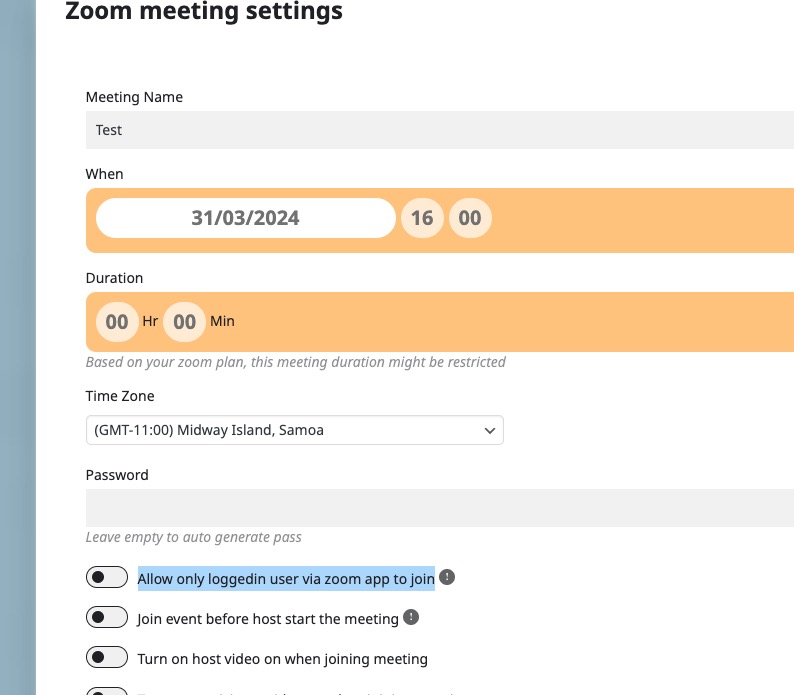
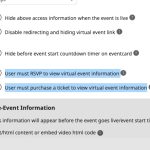
You can restrict access with Zoom and this option:
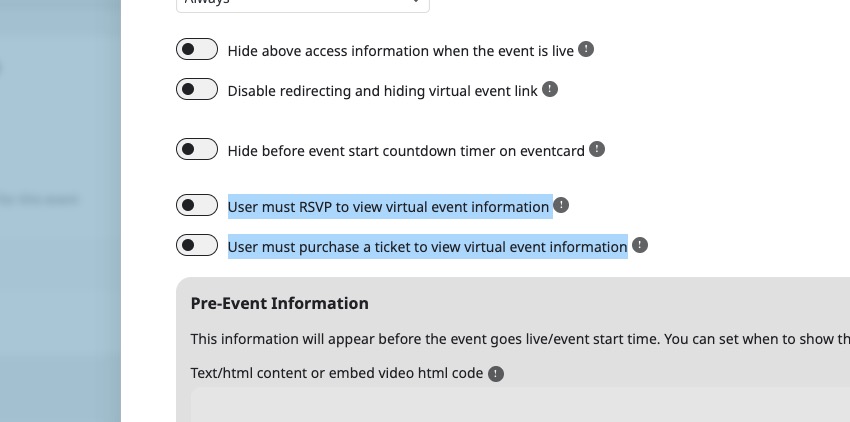
And also (need RSVP or Tickets add-on):
Hello Mark van Dam,
Please update to 4.6.1. Should solve the issue.
Hello,
4.6.1 should solve the issue. Please try updating.
To update eventon to latest version: If you are unable to do autoupdate, you can go to codecanyon your account > download and get the latest eventon version as zip file. Then you can go to your website > make sure “Delete eventon settings & data when EventON is uninstalled” is Deslected from eventon settings, delete old eventon, install new one and activate. This link will further explain the process it. Also you can follow us on twitter to get real-time announcements on updates!
Hello,
Seems to be working on our test site:
https://dev2.myeventon.com/test-457/
Please find this event:

Cold you manually clear your browser cache?
“Other events” can be found in EventON > Language > General Calendar.
Hello,
No issues on our test site:
https://dev2.myeventon.com/test-456/
Could you make sure there are no additional CSS that affect CSS? Also try clearing your browser cache manually.