Sounds good Brendan. We will be pushing the above fix in the next version 4.6.1
Archives: Replies
Replies for tickets on suppota
Reply to: tickets(343227)
Also please make sure you have set the correct timezone via eventON settings > time settings.
Reply to: tickets(345285)
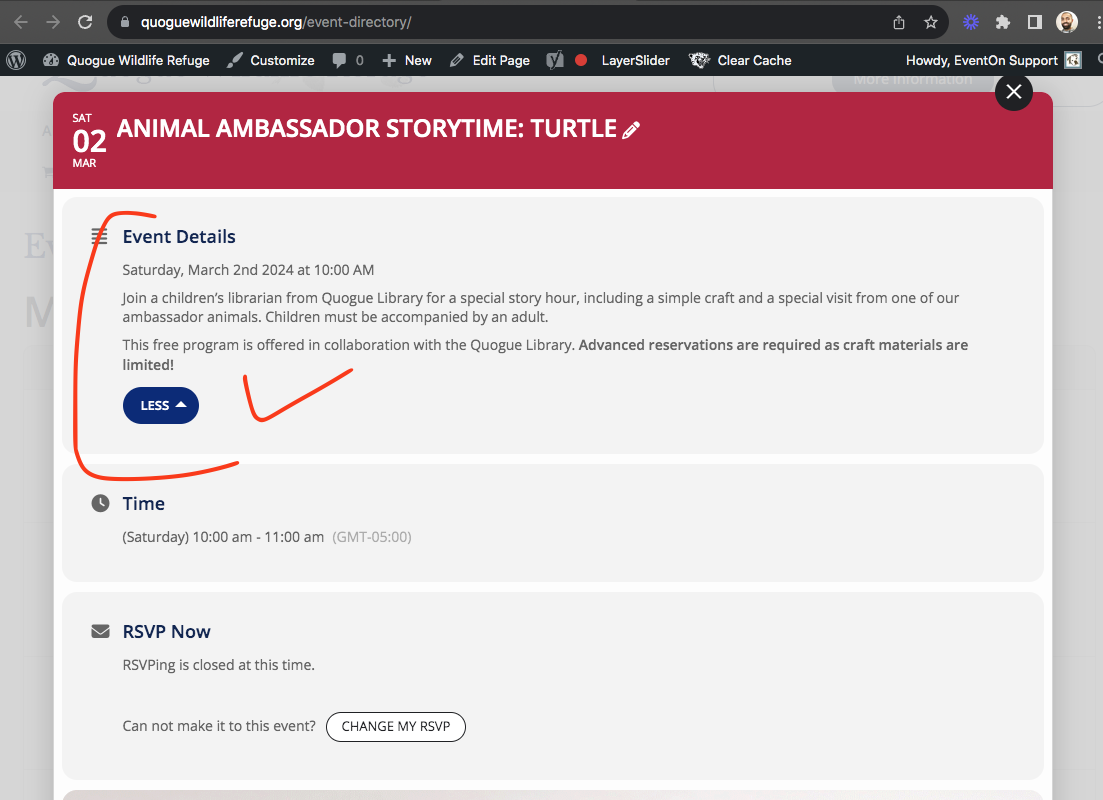
got the more/less button working on your site. the code changes I made wil be in the next version update to eventON
Reply to: tickets(345592)
And for your reference; I’m using Litespeed cache, which I disabled completely for testing/debugging purposes.
Reply to: tickets(341932)
Did that. ics import of GEO values as well as Long/Lat creation are still dead. Please refer to attached video. Did I do anything wrong?
Feel like that: https://www.youtube.com/watch?v=xgS4I-47mJc
Reply to: tickets(345592)
Reply to: tickets(345590)
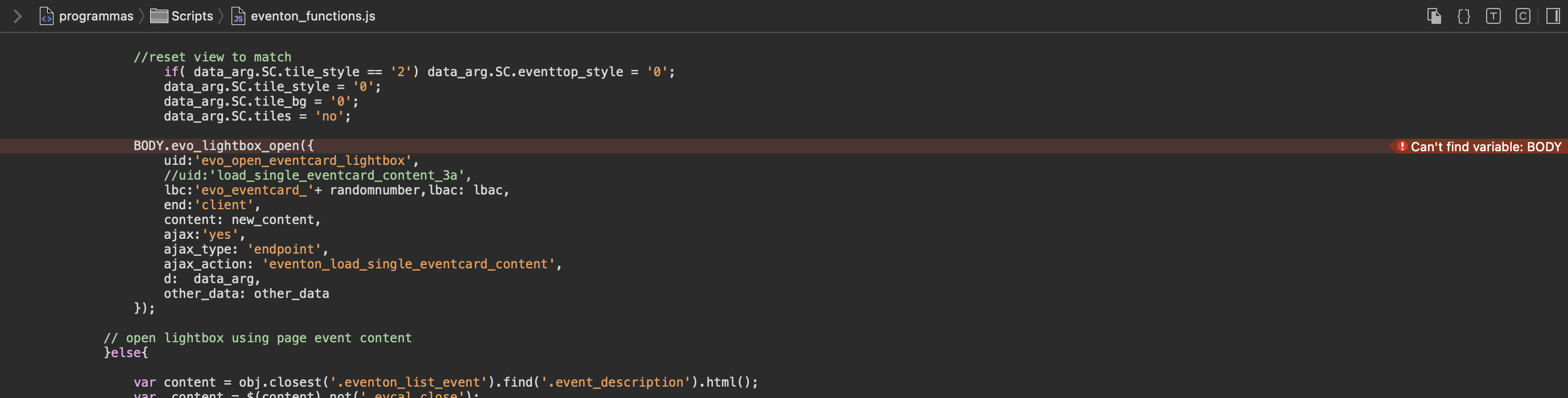
here a picture of the problem
Reply to: tickets(345004)
Hello
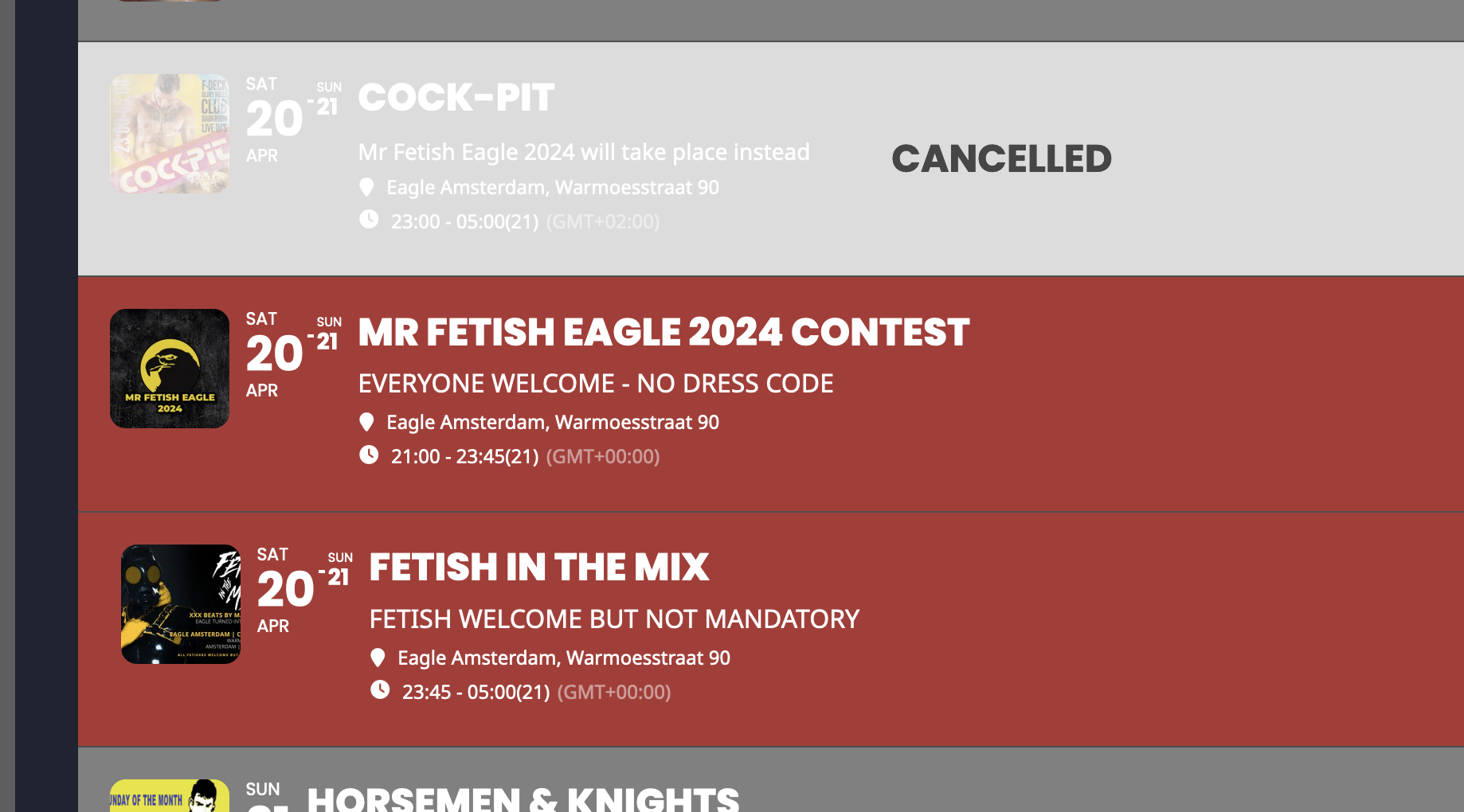
I checked everything, quotes are correct and still not do what i want. Please note (hope i made that clear in my request) i want that the canceled event is hide (removed) from my event list. I do see the event with a grey layer and “CANCELED” but i want it out of the list and it still there.
I got an extra problem on top of it but will make new ticket for that.
Reply to: tickets(345425)
magic. it worked. thank you.
Reply to: tickets(344065)
Hello!
We pushed our site to staging and updated the EventON plugin on that site: https://jewishcostage.wpengine.com/
The username and password for your use are the same as what we provided earlier in the ticket. The login is at https://jewishcostage.wpengine.com/wp-admin
After the update, I downloaded the events via EventON > Download all eventON events (CSV download) and the download contains 1396 events. The dashboard shows 2,127 events.
One note: I noticed that the timezones are back to GMT-0. Are you planning to include the code changes for that issue in your core software package or should we save those code change instructions and apply manually to the class-admin-ajax.php file when needed?
Can you help us troubleshoot the number discrepancy so that we can extract all of the events from the site?
Thank you!
Ignore the attached image. I had issues initially with the download but the error went away. I couldn’t figure out how to remove the attached image.