
Hi,
I used your suggestion with Elementor to resolve the issue and now things are showing up as we’d like on the list view. However, when you click on an event and go to the eventCard page the event listing at the top of those pages is doing the same thing (see attached image). How do I resolve this? And, is there a template I can edit somewhere to so I can change the event date to be on a single line? For instance, March 25 – 27?
Thanks, Artem. You’re using the wrong link: https://staging.tannwestlake.net/tinwoodestate/wp-admin
This is the page the calendar is on: https://staging.tannwestlake.net/tinwoodestate/experience/vineyard-tours
I’ve not updated the shortcode to hide cancelled events, so you’ll want to try this.
We’ve activated debug mode.
EntertainerDave,
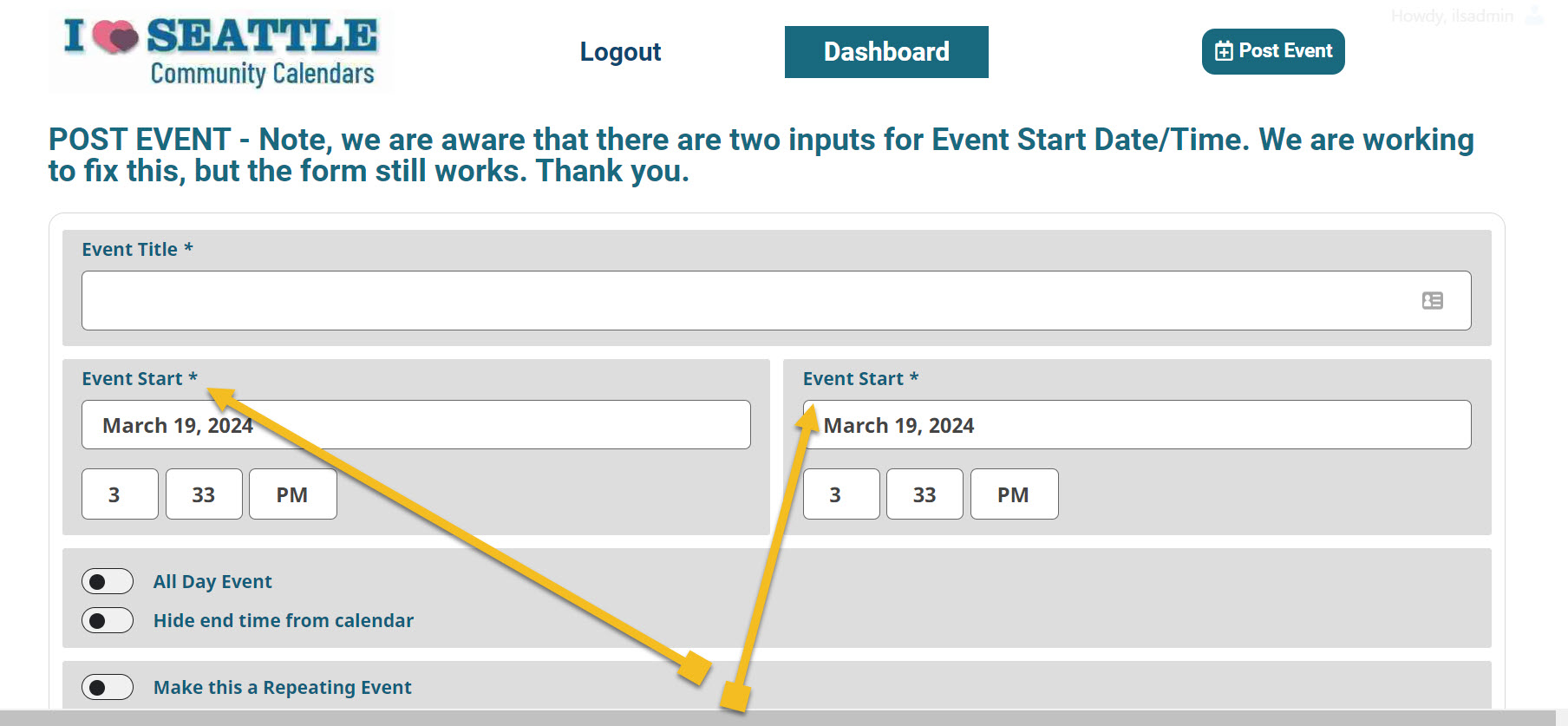
events.iloveseattle.org is part of a WordPress multisite. We disabled all SG optimizing and security plugins and cleared all caches in WP Admin and SG Control Panel. We checked for changes in the form in multiple browsers and incognito/private modes. The problem persists – there are two fields labeled Start time and no field labeled End time in the public form powered by Action User.
We would only like to provide access to our backend as a last resort because it requires escalation to executive/owner level. If we provide eventON this level of access, does it need access to only the subsite? Would be informed of what eventON does on our site afterwards?
You can see that there are still two Start time fields in the submission form powered by latest version of Action User (2.4.3) at https://events.iloveseattle.org/submit
Thank you.
Hello,
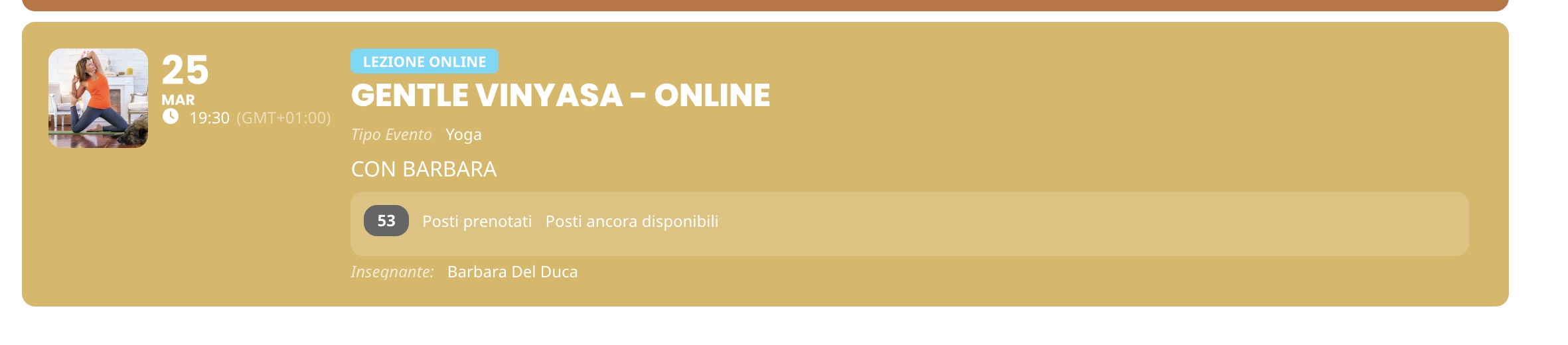
yes, now it is working because we re-introduced the capacity limit for every repeat.
When we disabled it we got this (see attached). The system was showing 53 reserved spot (but these were old rsvp and not the one related to the date of the repeated event). It make sense somehow because there’s no capacity limit but it is confusing because it seems that for that date 53 spots have already been taken.
I suggest you give it a try on your machine but feel free to copy the event a try it if necessary.
Thanks
Hi,
i have few new things.
1. We couldn’t wait any longer, so i hid this button by CSS, for now.
https://prnt.sc/QExVLKTf9NJ6
2. We figured it out, that Events which are twice, are 31 day. It would help you.
https://prnt.sc/-qSuM3zAcg4-
Tank you for early change.
Best regards.
Lukas
thank you for responding quickly.
Yes it works!
Great! Thanks.
Carmen
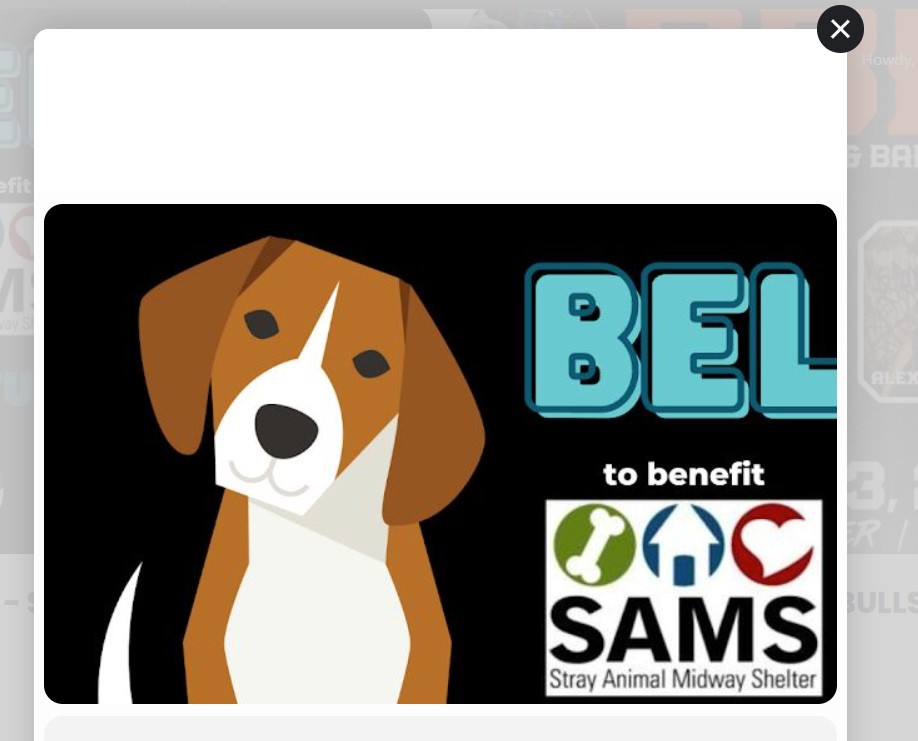
It apparently will only let me upload one image per reply – this is a screenshot of the pop up where it’s cropped.
Sorry, but I just noticed another weird thing the plugin has never done before – when you click on an event and the pop up displays, now the image is cropping. I’ve attached an example. You can see more of the image on the main calendar page, which is normal.
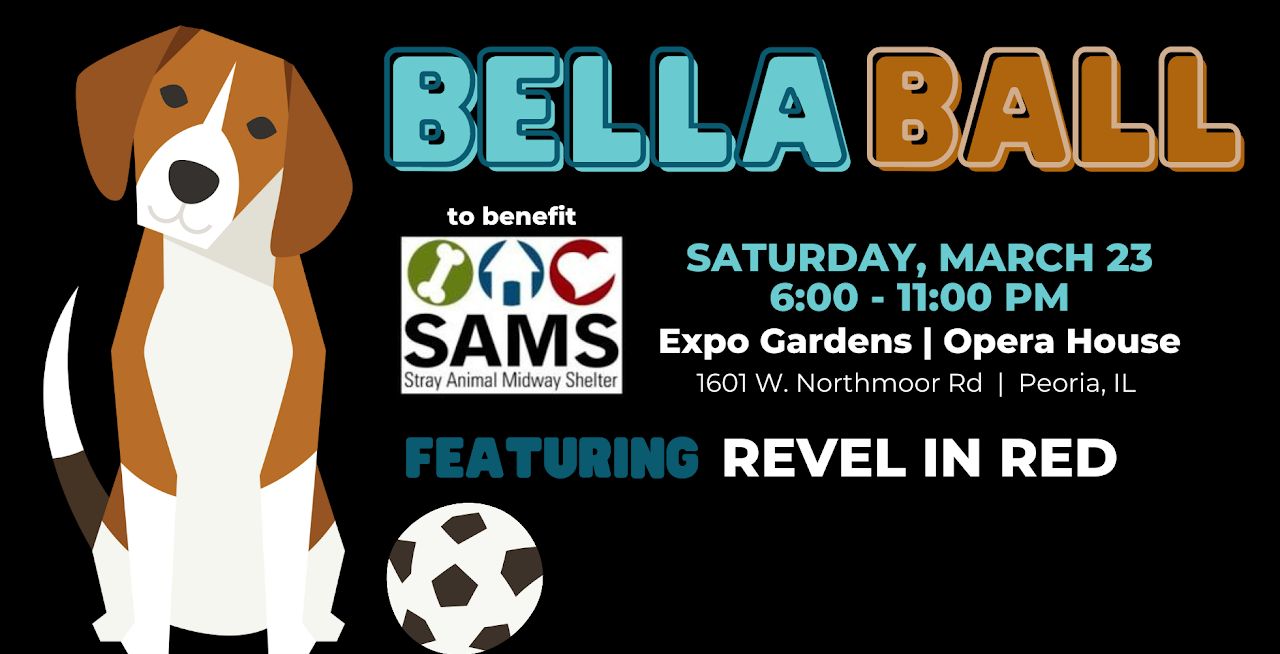
Normally, the entire image is displayed on the popup.
I am attaching the actual image also for you to see.
Re-saving the settings, as is, fixed the display issue. Thank you!
What do you think could’ve been causing that issue?