Hello,
Please take a look at
https://docs.myeventon.com/documentations/hook-eventtop/
You can also use Custom Meta fields and put the image inside and then show it on EventTop:
https://docs.myeventon.com/documentations/setup-use-custom-meta-fields-events/
Ashan,
The same on dev2:
https://dev2.myeventon.com/wp-admin/edit-tags.php?taxonomy=post_tag&post_type=ajde_events
Hello,
Thank you for your messages, I am going to assign this ticket to Ashan and he will be able to take it from here and find you a solution. Please allow some time for him to get back to you, we greatly appreciate your patience and thank you for being a eventon customer! Also please disable any IP blocking on your site if there are any.
Ashan,
Another ticket with the Feature Image issue.
Please check #344865
Al Jameson and Petr Jaroň,
Thank you for letting us know. We are looking into this. The fix will be available soon.
Hello,
Could you update QR Code to 2.0.1?
To update eventon addons: You can download latest eventon addons from myeventon > my account. Then you can go to your website, deactivate old addon and install new one and activate then delete the old addon. This link will further explain the process. Also you can follow us on twitter to get real-time announcements on updates!
Hello,
Sorry for the issue. Could you let us know more about the issue?
Is this started happening after updating Tickets add-on or EventON?
Please also send us the current working wp-admin access to your site as a private message for us to further assist your situation.
Hello,
Please add this CSS code to EventON > Styles (If you don’t see any change, EventON > Scripts & Styling > turn off Write dynamic styles to header > save settings > turn on Write dynamic styles to header):
.eventon_events_list .eventon_list_event .evoet_cx span.evcal_event_subtitle, .evo_pop_body .evoet_cx span.evcal_event_subtitle { text-transform: none !important; }
.eventon_events_list .eventon_list_event .evoet_cx span.evcal_desc2, .evo_pop_body .evoet_cx span.evcal_desc2 {text-transform: none !important;}
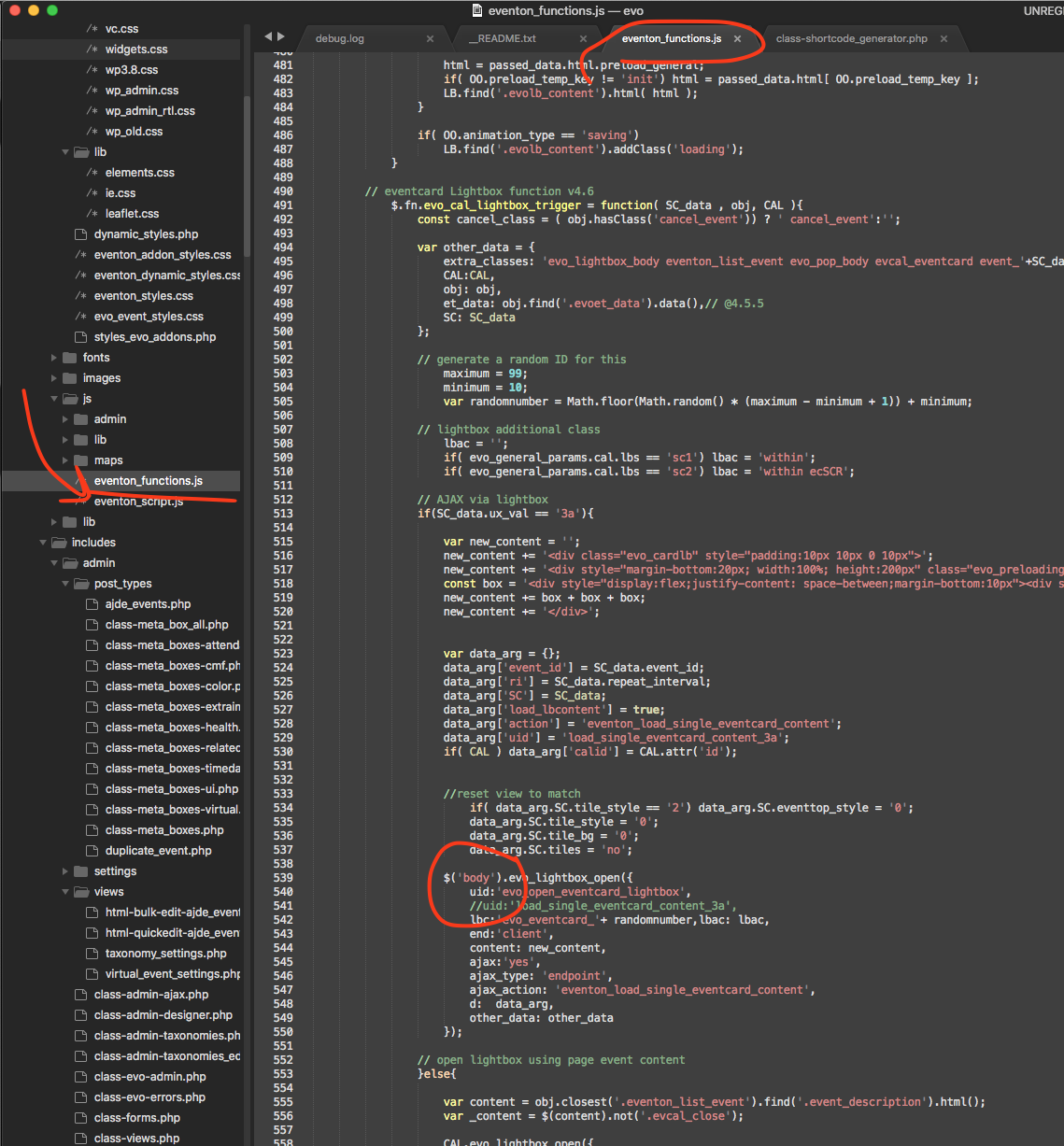
Please try applying this patch fix.
In the code change the BODY into $(‘body’)
Hello,
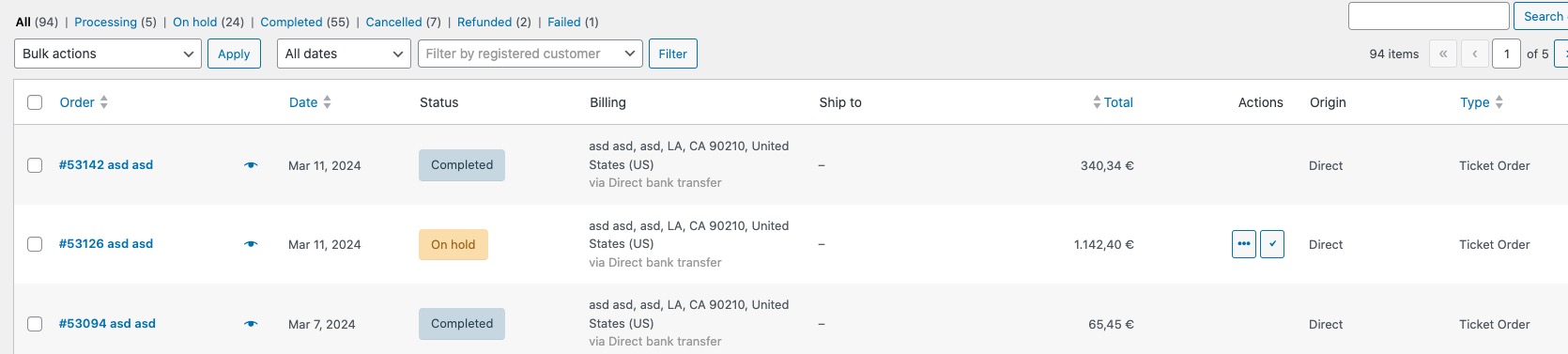
Your orders (wp-admin > WooCommerce > Orders) are Non-Ticket Orders.
They should look like this:
Could you please try the instructions mentioned in this documentation?