Hello,
Are you having the same issue with 4.6 version? Could you check?
Replies for tickets on suppota
Hello,
Are you having the same issue with 4.6 version? Could you check?
Hello,
Please add hide_cancels=”yes” to your shortcodes to hide canceled events.
Hello,
Please add this CSS code to EventON > Styles (If you don’t see any change, EventON > Scripts & Styling > turn off Write dynamic styles to header > save settings > turn on Write dynamic styles to header):
span.evo_btn_arr.evolb_trigger { display: none !important; }
We are glad your issue is resolved, if you have any further questions or concerns please create a new ticket.
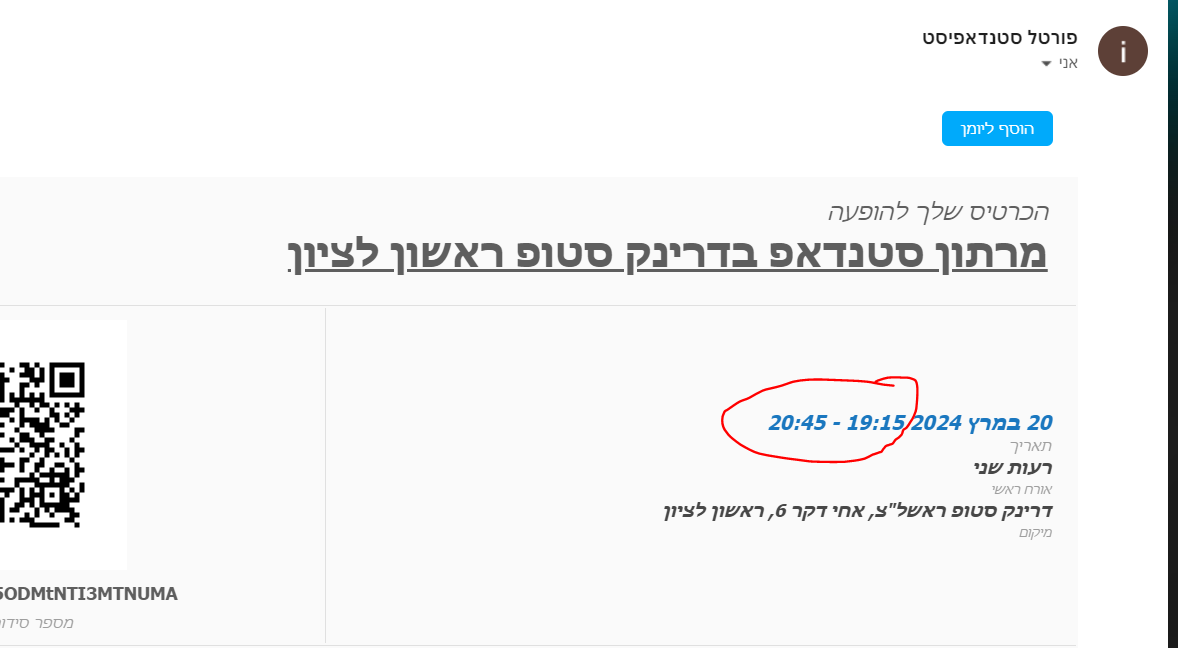
Hello
Attached the issue with the time on the ticket
the correct time should be “21:15-22:45”
From the wocommerce the time looks OK in the order, The problam is on the ticket as sent through EVENTON
Please advice ?
Thank you
Nitzan
Hi
Yes, removing cal_init_nonajax=”yes” has fixed the problem
Good morning! Just checking in on this ticket. Can you please provide an update on the status of the troubleshooting?
Thank you!
That site in my previous reply is the staging site.
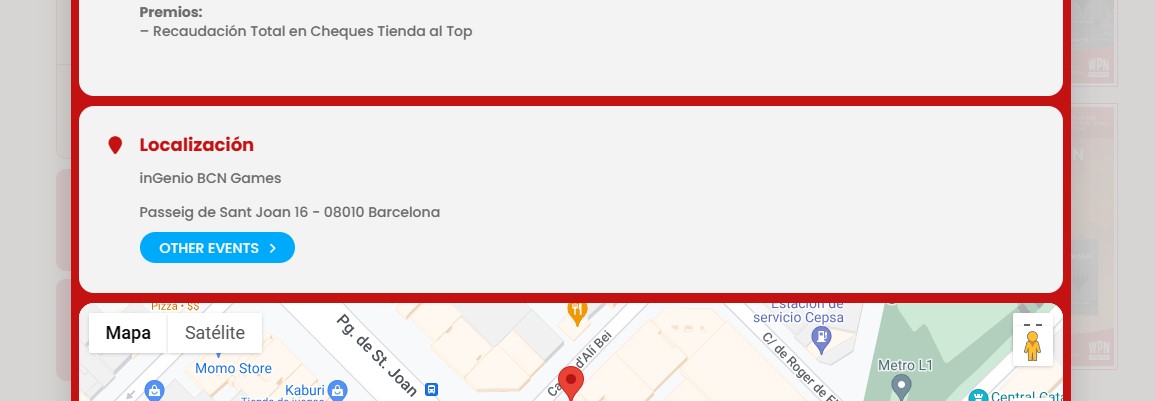
After reviewing the new version 4.6, I take advantage of this thread to ask you a new question.
I see that in “Location” you have added a button that shows Other Events. I have looked everywhere how to make it not show, but I don’t see the option.
Is it possible to remove this button?
Using Full Call it makes no sense to open a new pop up, within another pop up, with that information.
The documentation is not clear on this subject. I’ve created an event, I select within the event that I want to use a ticket. That’s it. When I look in the dashboard at Ticket Orders is see 4 orders but none of them send an e-mail with the QR code.