Access to www.floydsroom.com was deniedYou don’t have authorization to view this page.
HTTP ERROR 403
can’t login sorry
Replies for tickets on suppota
Access to www.floydsroom.com was deniedYou don’t have authorization to view this page.
HTTP ERROR 403
can’t login sorry
I logged-in and installed Health plugin to enable Troubleshooting Mode, but now it’s showing “There has been a critical error on this website.” error.
The website works as it supposed to, the error only for the dev@tannwestlake.com logged-in user.
Please send us FTP access to your site as a private message, so we can perform several tests from our end and resolve your issue fast!
We are glad your issue is resolved, if you have any further questions or concerns please create a new ticket.
If you have a moment, we would greatly appreciate if you could kindly leave us a review at myeventon/my-account!. Cheers!
Please check for latest version of this software from here Your issue might be related to an older version you are running and we might have resolved this already in the newer version update. If you are on latest version of our software and the issue still persist please let us know.
Hello,
I cannot access the website:
Due to protection of web servers from repeated attacks, we were forced to restrict access to administrative interface of web pages to selected countries. If you are currently in a foreign country, please sign in to WebAdmin, proceed to your domain management and disable this GeoIP filter in CMS section.
Could you check?
Please try
https://docs.myeventon.com/documentations/how-to-show-past-events/
Please add this CSS code to EventON > Styles (If you don’t see any change, EventON > Scripts & Styling > turn off Write dynamic styles to header > save settings > turn on Write dynamic styles to header):
h4.evo_h4.evotx_addtocart_total span.evo_label, h4.evo_h4.evotx_addtocart_total span.value {color: white !important}
Hello,
There are custom CSS styles that affect arrows:
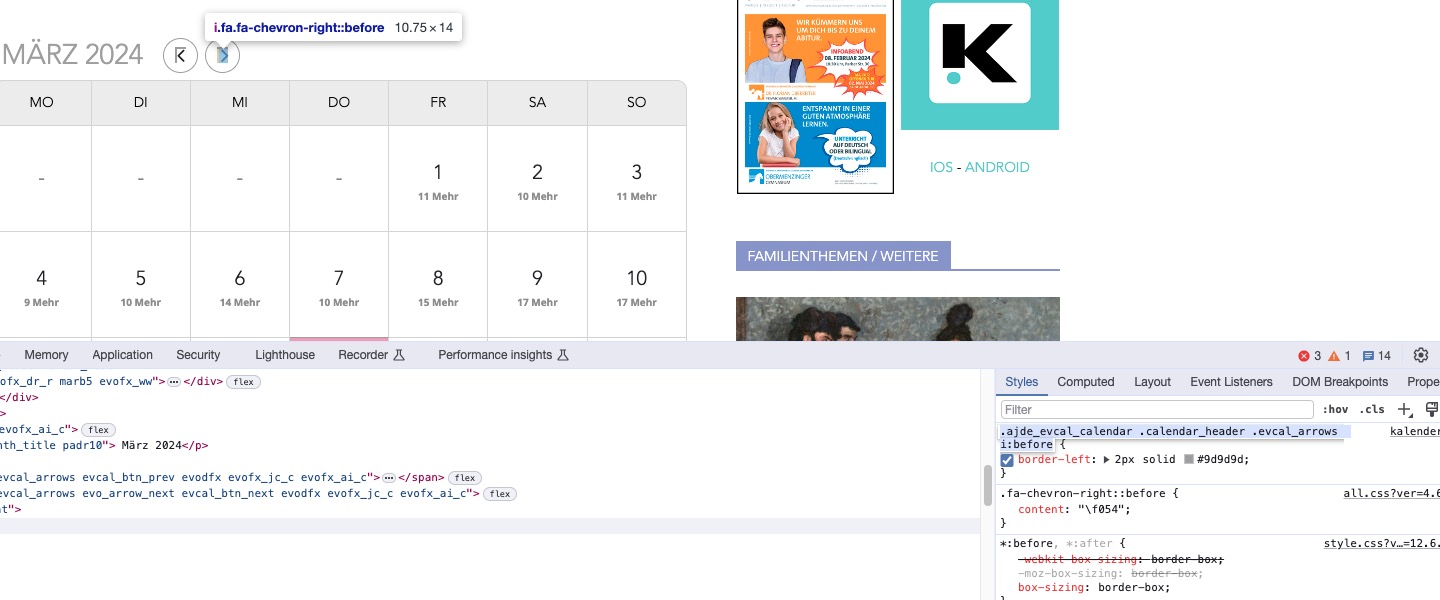
Could you remove/comment them?
Hello,
There is a new version of Tickets add-on available. Could you update?
To update eventon addons: You can download latest eventon addons from myeventon > my account. Then you can go to your website, deactivate old addon and install new one and activate then delete the old addon. This link will further explain the process. Also you can follow us on twitter to get real-time announcements on updates!
Also please note that
https://wordpress-484777-1685604.cloudwaysapps.com/wp-admin/options-general.php
and
https://wordpress-484777-1685604.cloudwaysapps.com/wp-admin/admin.php?page=eventon#evcal_001b
show different Timezone. Please make sure that these are correct.
Hello,
Thank you for your messages, I am going to assign this ticket to Ashan and he will be able to take it from here and find you a solution. Please allow some time for him to get back to you, we greatly appreciate your patience and thank you for being a eventon customer! Also please disable any IP blocking on your site if there are any.