each site would have to have it installed
Archives: Replies
Replies for tickets on suppota
Reply to: tickets(344235)
perhaps try using the events main calendar for mobile view so that will show one month at a time with the ability to switch months
this will thus only load one months events for example
https://hxclife.com/eventon-speed-test/
from what I understand about your page builder you can have content for dekstop and content for mobile so for mobile use the most fastest loading calendar
also use ux_val=”4a” instead of ux_val=”4″
ux_val=”4a” will open the event in a new window- where as ux_val=”4″ will open in the same window- requiring them to hit the back button to load the page again
there are backend settings that can make the calendar load faster see video below
https://vimeo.com/923230384
Reply to: tickets(344246)
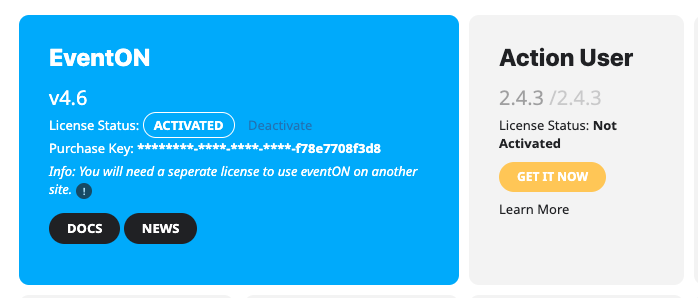
The issue is that for the Add On – there is no option to even activate, no button to push.
I do suspect this might be realted to this being a child site of a WP multi-site installation?
Reply to: tickets(344233)
Please send us wp-admin access to your site as a private message for us to further assist your situation.
Reply to: tickets(344248)
where is this error displayed?
Reply to: tickets(344246)
Hi Shannon,
To activate Eventon/add-ons please refer to the instructions on the link below.
https://docs.myeventon.com/documentations/how-to-activate-eventon/
Let us know if this works for you.
Reply to: tickets(344246)
Hi there,
From the wp admin dashboard, have you tried Eventon>Addon & Licenses?
You’ll have to activate each addon/plugin with the appropriate license key.
Hope this helps.
Reply to: tickets(343227)
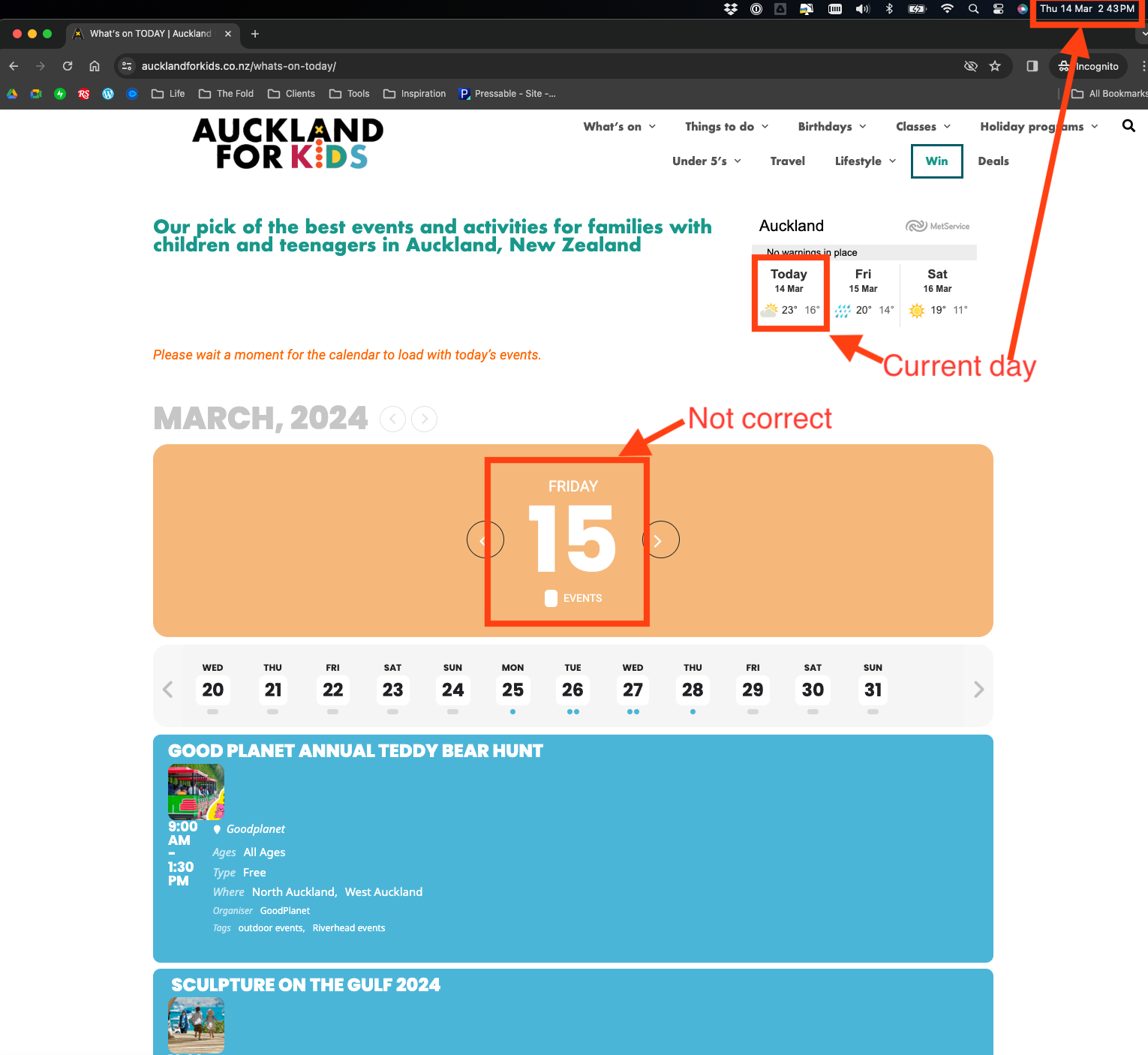
Hi – we have updated the plugin and it has not made any difference.
The attached screenshot shows the date is out of sync with the current day. Dates are working fine through out the rest of the site – its just the Eventon plugin that is not getting it right.
Please advise on how to fix this issue.
Thanks
Reply to: tickets(342652)
Hello,
Apologies for the belated reply – the website had a DNS issue and was unaccessible for a few days.
I did update the FullCal add-on which fixed the problem – thank you very much!
Reply to: tickets(344236)
You can see it here
https://drive.google.com/file/d/1UDkuxqwM9GJZQkUtzugH0BNleY9H9GXH/view?usp=sharing