Hello Tim,
Please follow this guide:
https://docs.myeventon.com/patch-fixes/organizer-and-social-icons-not-showing-on-eventcar/
Let us know if this works for you.
Replies for tickets on suppota
Hello Tim,
Please follow this guide:
https://docs.myeventon.com/patch-fixes/organizer-and-social-icons-not-showing-on-eventcar/
Let us know if this works for you.
Hi Markus,
We are glad your issue is resolved, if you have any further questions or concerns please feel free to create a new ticket.
Hello again.
So I am sorry, but i made some test orders in Booking system, but there is not working how it should.
I suppose, i am doing something bad, from begin. Is possible, you will help me with it, and set for me one Event with time slots, which will works fine?
I need Event with 8 timeslots by 1 hour, 10-17 oclock. One slot cost 200 Kč. Maximum tickets in slot is 4 pieces.
You know. On my created Tickets, when i buy some slot, so nowhere is showing it is bought. I can again buy this slot. I am not see remaining tickets. Nothing works :/ System looks, and should do exactly what i need, but doensnt :/ I am bit sad of it.
Thank you a lot for your help and assitence.
Best regards.
Lukas
Hi,
i did it but not resolved..
Now i create a new shortcode but i don’t see events of April.. why?
[add_eventon event_count=”6″ accord=”yes” hide_arrows=”yes” event_past_future=”future” hide_so=”yes” show_et_ft_img=”yes”]
let me know
thank you
regards
The Events (posts) option is not even in the dashboard. I need this fixed ASAP. I have several events happening and it’s a bloody mess right now. Something is seriously wrong.
I am looking for another solution. If I find something I wand my money back for the 3 plugins I have just purchased. this is unacceptable to sell a faulty product.
I have a solution created, a native app for IOS for eventon tickets. write me! david@creativesur.es
You also have the option to select all available inputs in the same order and change the status 1 to 1.
The backend login to my copy of my website where I updated the plugin:
https://update2403.start-up-events.de/herein
The user and password are the same as for the live website.
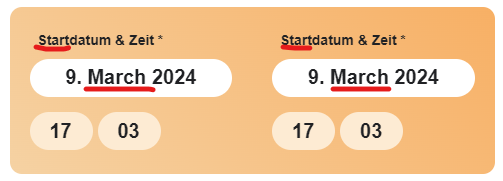
here you see the screenshot for the point 5 and 6
(I was not able to delete my previous screenhot upload)
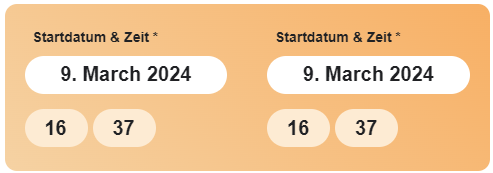
here you see the screenshot for the point 5 and 6
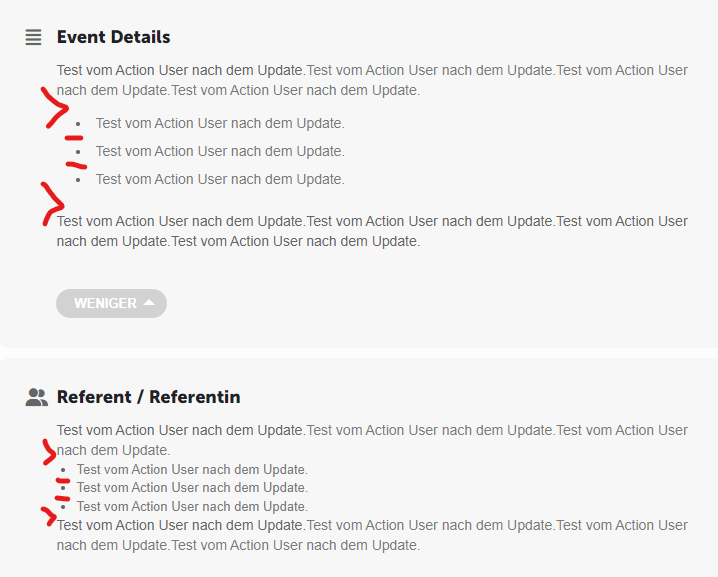
here you see the screenshot for the point 2