Hello!
The AMP plugin has been disabled and the calendar now shows correctly!
Thank you.
Replies for tickets on suppota
Hello!
The AMP plugin has been disabled and the calendar now shows correctly!
Thank you.
Thanks, yes that is now working.
Done. The site is now saying there is a critical error.
Thank you for the reply.
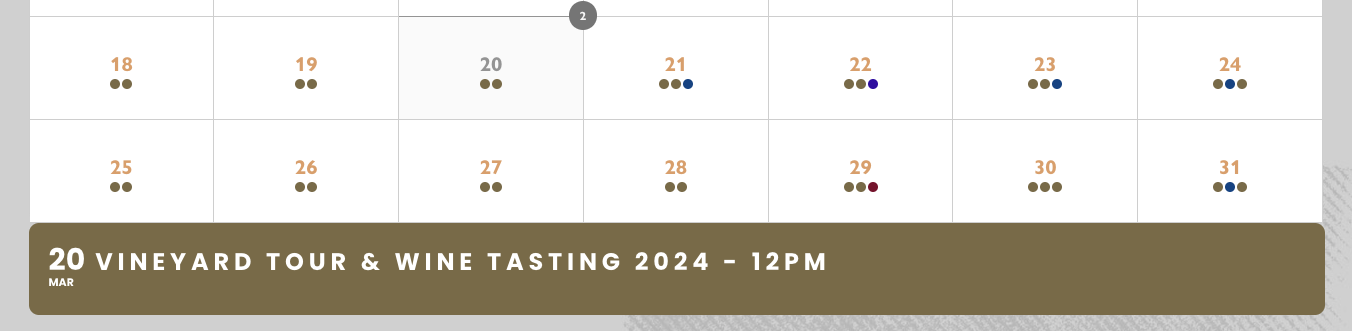
Unfortunately, we disagree that this should be correct behaviour. Because the event has been cancelled, the event itself doesn’t show when you click on the date. So, effectively, the date might show two dots for two events, but when you click on the date to reveal the events on that date, it will only show one (as the other is cancelled).
I’ve attached a screenshot as an example. There is only one event on 20th March, but it’s showing two dots. This is because another event on this same day was cancelled. There were originally two events on this day, but now there is only one.
This makes no sense. Either the dot should show AND the cancelled event, or neither. It shouldn’t be one or the other. Given the event is cancelled, we believe the dot should not show and neither should the event listing.
Is there a way to fix this or a setting that can be added to prevent dots showing if an event is cancelled?
Hi Jimena,
To change the tag color, please add the custom CSS code below to your site.
.eventon_events_list .eventon_list_event .evoet_cx span.evoet_tags span.vir {
background-color: red;
color: #fff;
}
To add the CSS code go to Appearance > Customize > Additional CSS.
Thanks. Now the tag does appear but I need to change it colour and I do not finde where to do it.
I wait for your assistance.
Best regards
Hello Artem,
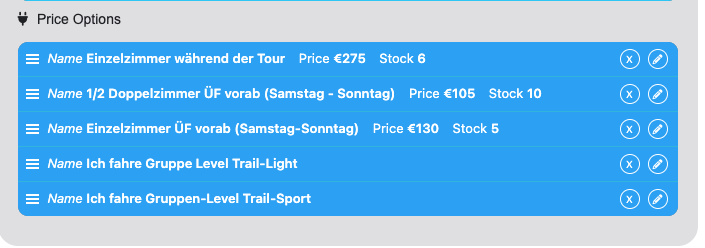
I am referring to the “options” like “Einzelzimmer während der Tour” and others.
In the order you referred to i can see that the user has a “25% Anzahlung” which equals to something 372,50€ and then he booked additional options which results in the price being 647,00 €.
But we cannot see what options he booked in the csv export as the value is missing.
For me this worked: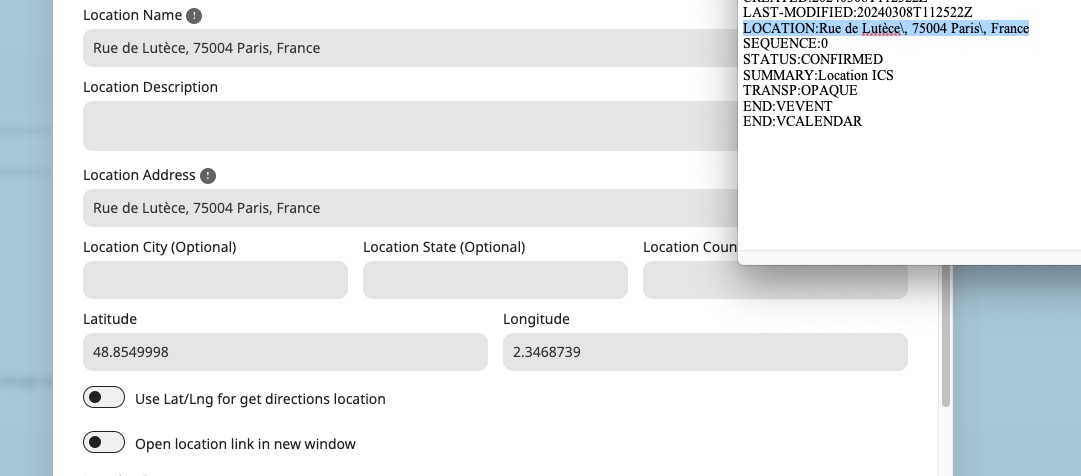 Please send us wp-admin access to your site as a private message for us to further assist your situation.
Image 3
Image 2