
Reply to: tickets(343505)
Replies for tickets on suppota
I will focus on the second part of the answer. This seems the way forward. So you say Lat/Long will be generated automatically when the location address’ has the right syntax. Currently we have the venue name within in the ics. So I understand this may prevent recognizing the address. If I manually remocve the venue name I end up with an address like e.g. “Wulfsdorfer Weg 71, 22926 Ahrensburg” in the field “Location address”. This is street, house no, ZIP code, City. I have added “, Germany” and also “, Deutschland” to this. None of them ist generating the Lat/Long values by clicking “Generate Location Coordinates”. So how to set the address right?
I wanted to follow the link to itouchmap.com, but this page seems dead (not answering the request). May that be a reason for not getting the coordinates?
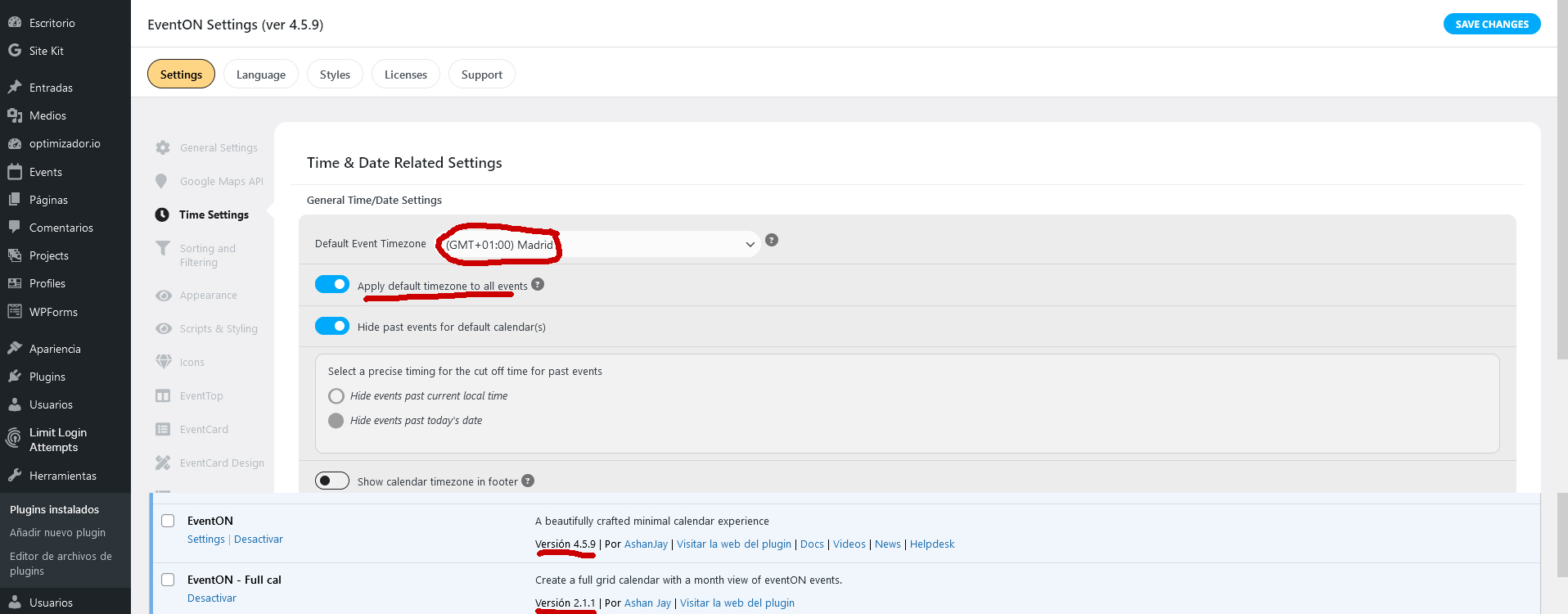
If everything is with the latest updates and the timezone of the plugin configuration is the one that corresponds to me (Madrid)
That could be happening?
Thank you
Apologies. I tested these credential below and they are active:
classicalkuco.org/login
USER:tempadm
PASS:efLuP18nczrkSX!BKZustv@a
ok thanks.
Oh, sorry, it’s ok now…
https://le-point-commun.ch/wp-admin/
User: EventOn
PW: EventOn_Point-Commun
never mind.
grid_ux = 0 addressed the issue.
Before this is closed, I need to disable the scroll down feature on the full calendar. when you use the Left/Right arrows to choose a new week it auto scrolls down to the list below the calendar.
I figured it out by accident.
the setting is Select event calendar WP Query method was set to only created within 3 months. since majority of the events were created in November 2023 this prevented them from being displayed.
updating to the latest versions of Eventon and addons did not fix the issue we are having. It actually created new issues.