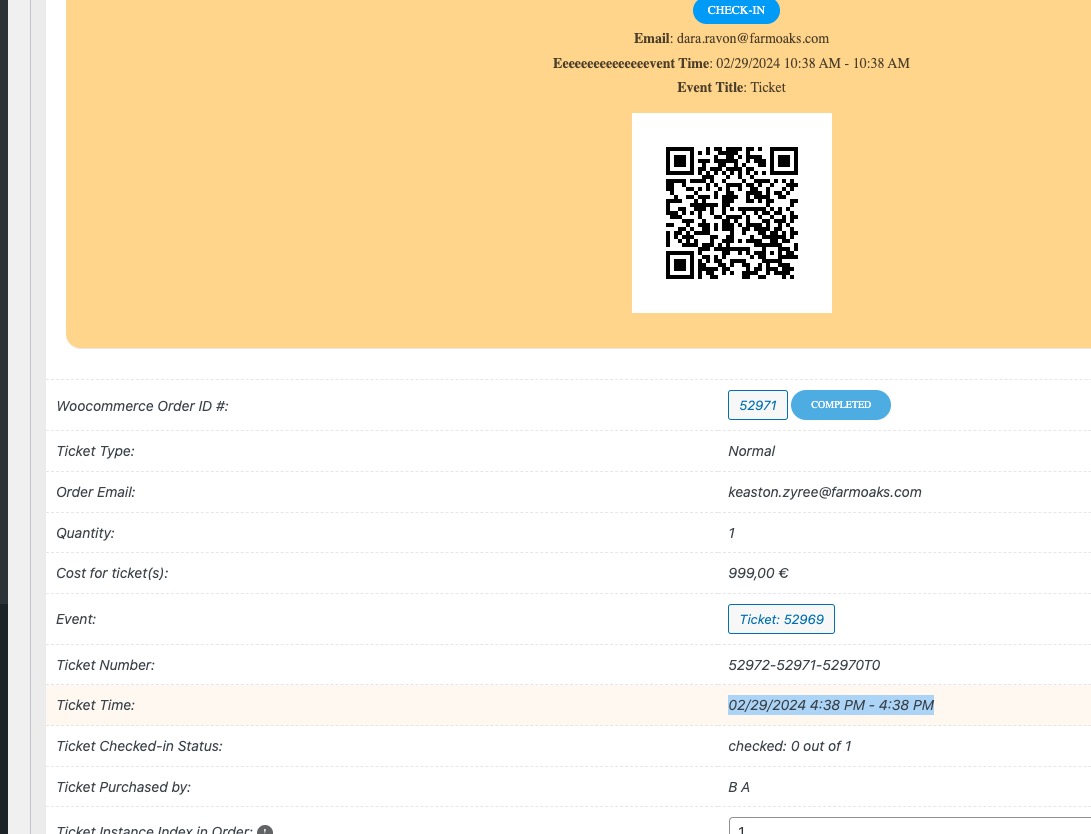
This is the actual Jyorei event. There is one image, the Event Image.
Replies for tickets on suppota
This is the actual Jyorei event. There is one image, the Event Image.
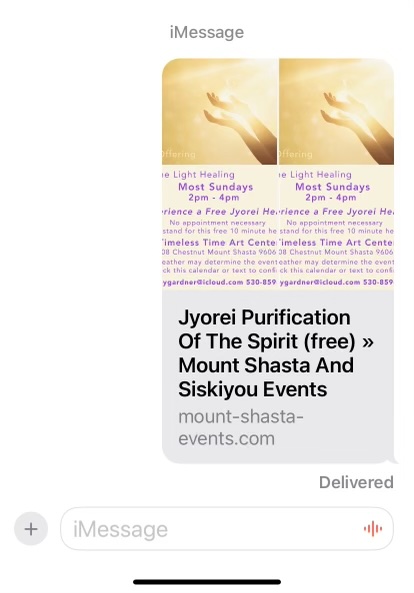
Thank you Ashan, yes it does for the All Events listing, when you click into it though the layout is 2 columns instead of the one column as seen in your screenprint.
We combined 2 ticket issues in this one ticket.
I am still experiencing the duplication resulting in 2 half images in link preview when texting an event link.

Hi Roger,
We are glad your issue is resolved, if you have any further questions or concerns please feel free to create a new ticket.
Good morning from Switzerland 🙂
Thank you very much for your quick sSupport!
I have no idea how this piece of code crept in.
Now everything looks wonderful again.
Thank you very much, have a good day and best regards
Roger
How do I downgrade?
https://www.loom.com/share/e58c909aa22c4c87ae11875f9fe84fb5?sid=3c47b8f5-62db-499c-b36f-6c6c5bb3c90e
When you select a page in “Select which page to get content from”, EventON takes the data from the selected page and show it on it’s own template. It doesn’t use anything else from the page, ie Template, only the data under the title section.
The only way of customizing the archive template is to follow
https://docs.myeventon.com/documentations/how-to-customize-events-archive-page/
Or use this protip:
PROTIP: If the /events page does not work due to theme/plugin conflicts, create a new page, call it “Events Directory” Insert eventon shortcode and use that as your main events page which will have a URL ending like /events-directory. This would be a perfect solution if you have conflicts with /events slug.
Ashan is working on the next update of eventon which fixes a timezone issue and I suspect thats what is causing your issues
being that on the morning of the event you can’t rsvp as the timezone is out of wack so to speak. we are testing that at the moment on the test sites
you can test say a single event page event on a live site- in the right hand side of the edit page- is a “hide from calendar” toggle that allows you to create events but they don’t show up in the calendar
so from past tickets that lead us to understand the timezone issue- it is between 1 hour and 3 hours off the actual timezone
you could temporarily in myeventon>>>>rsvp allow people to RSVP even when the event is ongoing or even when its over to ensure no one misses out while you wait for the next eventon
not an ideal solution, however from your customers point of view they can get into the event.
Your checkout page is custom made and not using the default Woo’s checkout shortcode: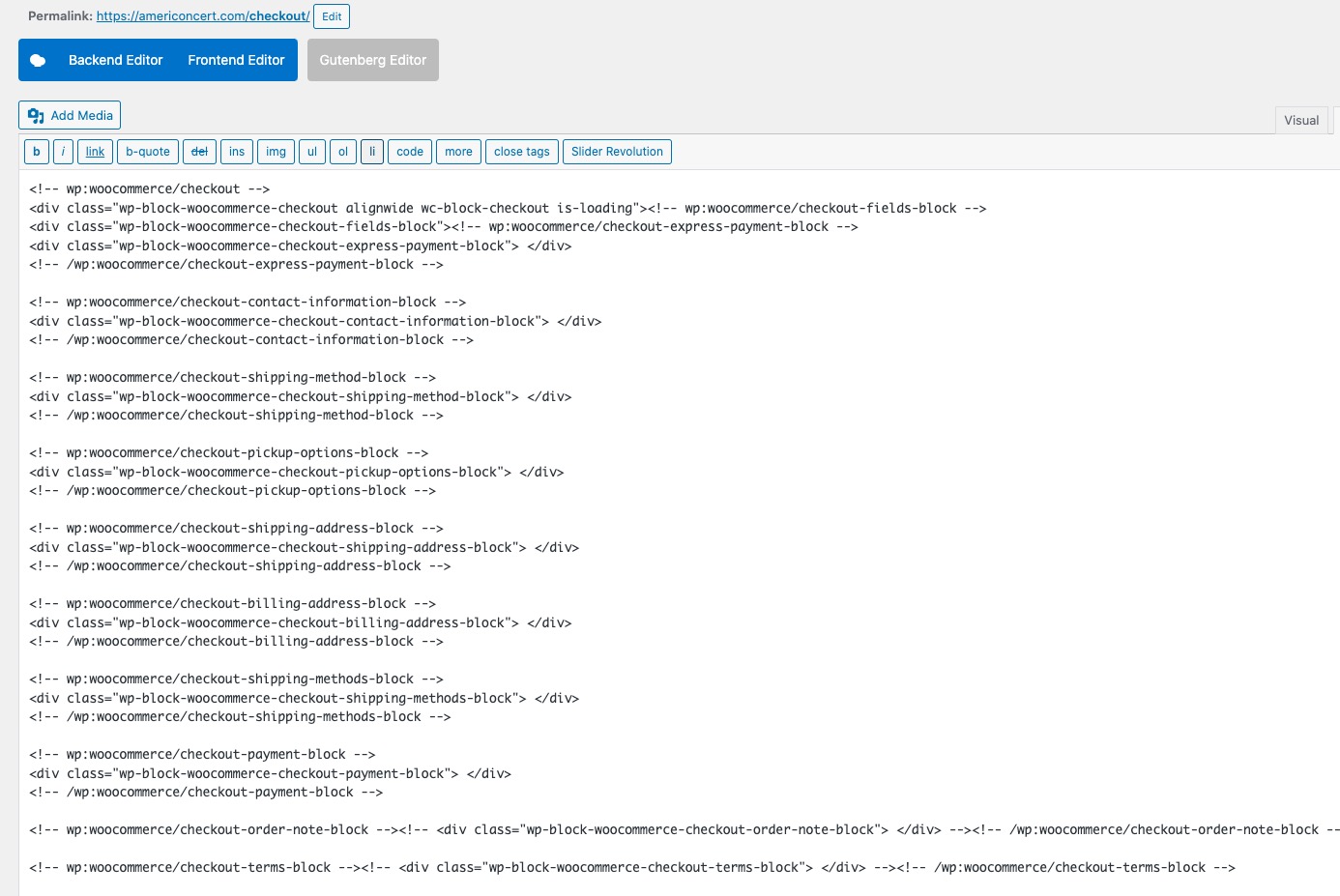
You can purchase a seat, yes, but there is some kind of incompatibility issue between EventON and your custom Checkout. So after the purchase the order is still Non-Ticket.
Could you use the shortcode from this screenshot and then try making a purchase?
https://helpdeskx.s3.amazonaws.com/wp-content/uploads/2024/02/29133941/Screenshot-2024-02-29-at-21.39.21.jpg
I don’t see any images attached. Could you check?
Are you referring to these times? From our test site: