Hi, sorry please try on htauth:
username: kaoloi
password: Kk7JxEoHDkE4
Replies for tickets on suppota
Hi, sorry please try on htauth:
username: kaoloi
password: Kk7JxEoHDkE4
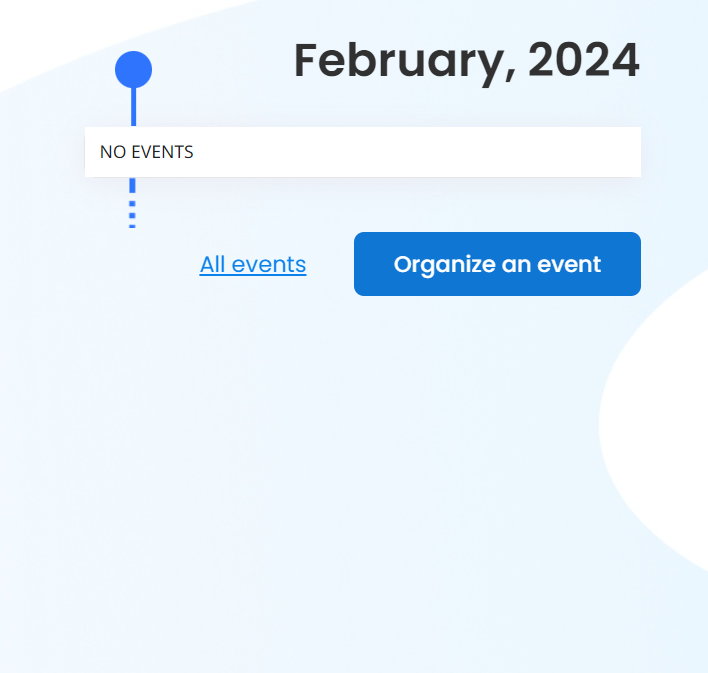
No I need https://tehnopolis.me/en/front-page or https://tehnopolis.me/en/ url calendar from the image to start showing english translated events by polylang
Hi Artem,
changing the “Load Eventon styles” has solved the problem of switching months.
Thx,
Axel
I have create a staging environment
here is a link to the staging site – https://tcgr6bkjfe-staging.onrocket.site/login
Same login should work
This whole ticket is private.
I tried multiple combinations, but still cannot sign-in. Could you let us know what login/pass should we use?
Hello,
Please go to EventON > EventCard Design > make sure that RSVP Event Box is added.
Please send us wp-admin access to your site as a private message for us to further assist your situation.
Hello,
Could you manually clear your browser cache to see if it helps with the login issue?
As for the main issue, could you try this code to make all text black:
#evcal_list .eventon_list_event .evoet_cx em, .evo_lightboxes .evoet_cx em, .eventon_events_list .eventon_list_event .evoet_cx .level_4 em i, .evoet_cx .evoet_time_expand .evcal_time i.fa, .evoet_cx .evoet_location .evcal_location i.fa { color: black !important; }
Where can I find the calendar?
Seems to be showing all available events on
https://www.itdojo.com/test/
hi – I don’t seem to have an option using Live Now Calendar View to choose the events I want to show.
Let me give you an example of what I need, if your app can’t do this, please let me know so I can search for something else. I really thought the recurring events would do this:
EG – I have a monthly workshop, there is a new topic each time, and it is open to anyone who wants to come. On my website I have it listed on a specific page.
I want to display the upcoming date (of this specific event), and when that date passes, I want to display the date of the NEXT event (which will now be upcoming).
I have a total of 7 of these types of repeating events, all different.
Thank you.
Helo,
Please add this CSS code to EventON > Styles (If you don’t see any change, EventON > Scripts & Styling > turn off Write dynamic styles to header > save settings > turn on Write dynamic styles to header):
.ajde_evcal_calendar.boxy .eventon_list_event.hasbgimg::after { background-color: red !important; }