Hello,
Thank you for your great suggestion, at the moment it is not supported. However please create a new ticket and select Feature Request as category so others can vote on your idea and get it moved into development faster.
Replies for tickets on suppota
Hello,
Thank you for your great suggestion, at the moment it is not supported. However please create a new ticket and select Feature Request as category so others can vote on your idea and get it moved into development faster.
Hey Artem, thank you for getting back to me. Please see details below:
1. Would this be able to be a toggle-able option?
My client exports these csv files and has to manually remove that section each time. Maybe keep the current method as default, then an opt out or similar.
2. https://www.ardex.co.nz/services/training/
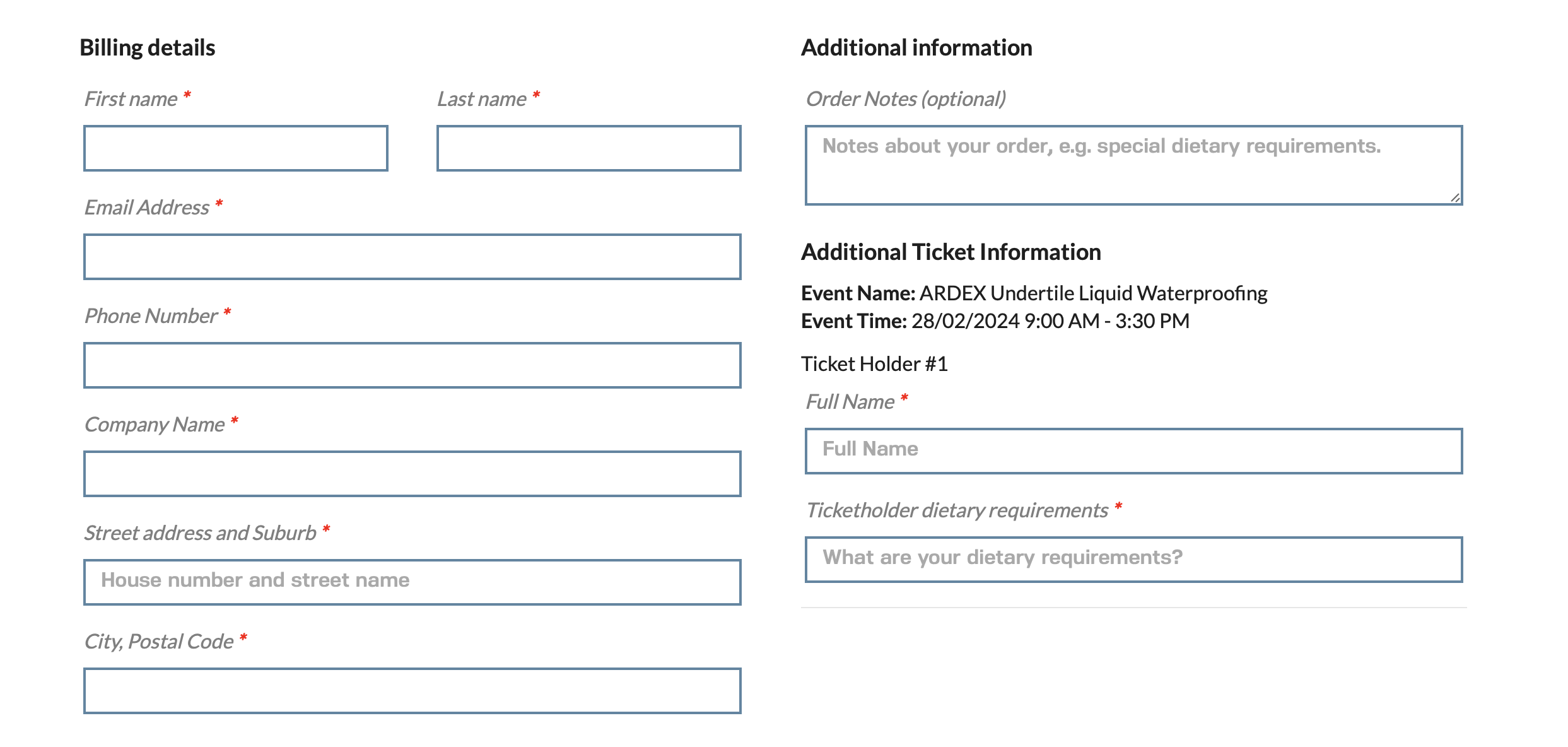
Add to cart, check out item, checkout page, WC phone input section in the checkout/cart. I’ve added a screenshot as well.
Thanks again
Thank you, I use different shortcode on various pages – here is admin access:
www.nlpworldwide.com/wp-admin
info@nlpworldwide.com
temp260224
I have this issue on many pages – if you can help me to know what you do on these pages, I would appreciate it:
2022 Home
Learn NLP in Australia
Thank you.
I have updated to the latest version.
On my browser(s) it wokrs fine, hover I get many complains from users who cannot switch month in the event list. I asked them to clear the browser cache and the problem still occurs.
Can you pleas fix this asap or do I need to downgrade again?
all the test events have changed their date to 1970.
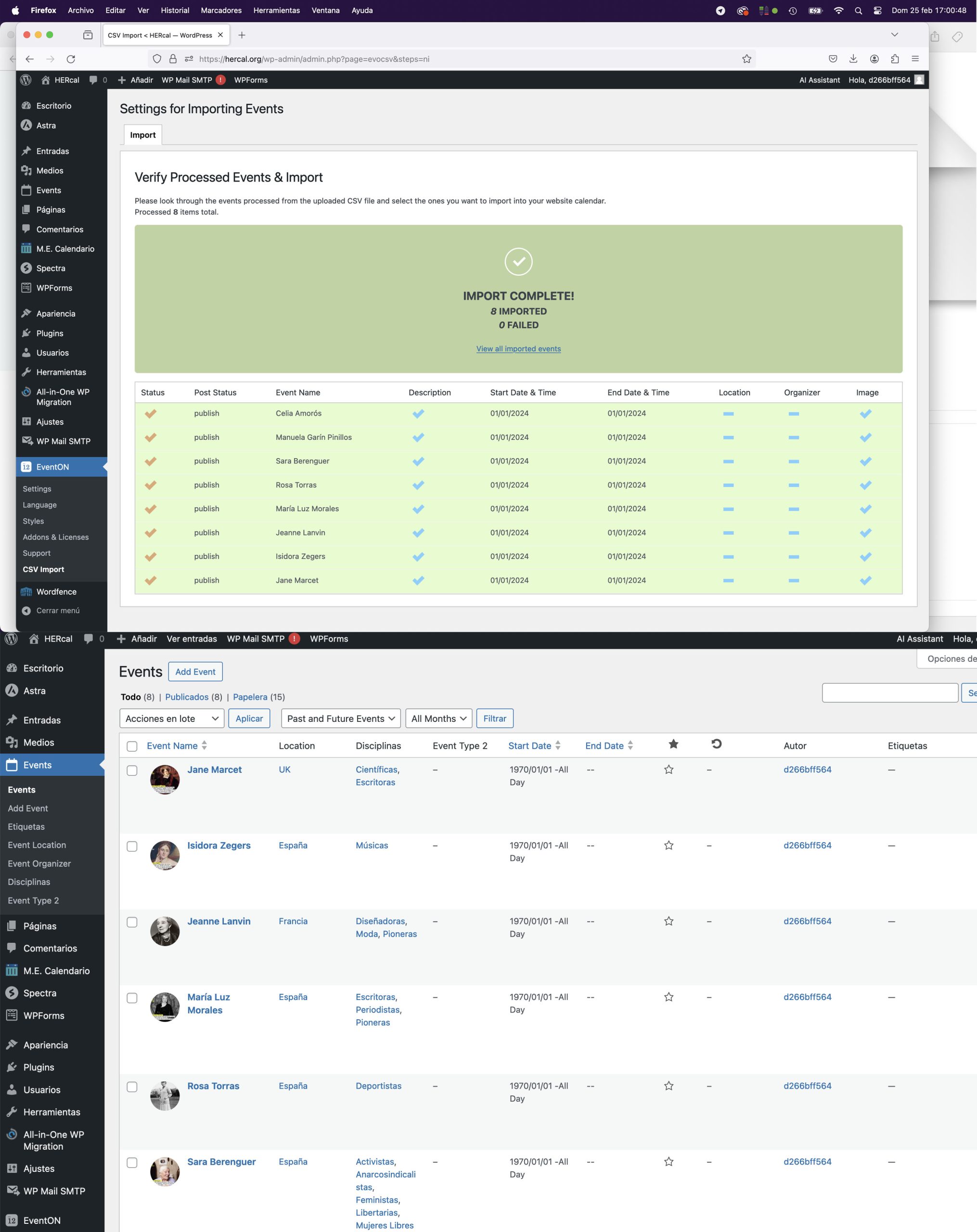
Can we take a look at the file you are trying to upload?
The format should be like this:
event_start_date & event_end_date – Start/End date in format mm/dd/YYYY
event_start_time & event_end_time – Start/End time in format h:mm:AM/PM
Please also note that time should be present as well.
Please go to
https://docs.myeventon.com/documentations/shortcode-guide/
Check these parts of the guide:
show_et_ft_img (yes|no)
Adding this variable to the shortcode will show featured images as thumbnails on the eventTop.
…
tiles (yes|no)
This will activate the tile view for EventON calendar. Tile support was added since EventON 2.3 Couple of other supporting shortcode variables for the tiles shortcodes are:
…
is there an option the show the Eventphoto on the preview but hide it on the eventcard when opened?
Please go to EventON > EventCard Design > remove Featured Image.
You can also go to EventON > EventCard > select Feature image display style.
if there are 3 events in a month makes a big different to if there are 2 events. Would like to get some infos about what resolution I should take best or how I can manage the pictue been shown in the tiles.
How can we take a look at the current shortcode and how it looks like? I cannot access the website because it’s password protected.
Hi.
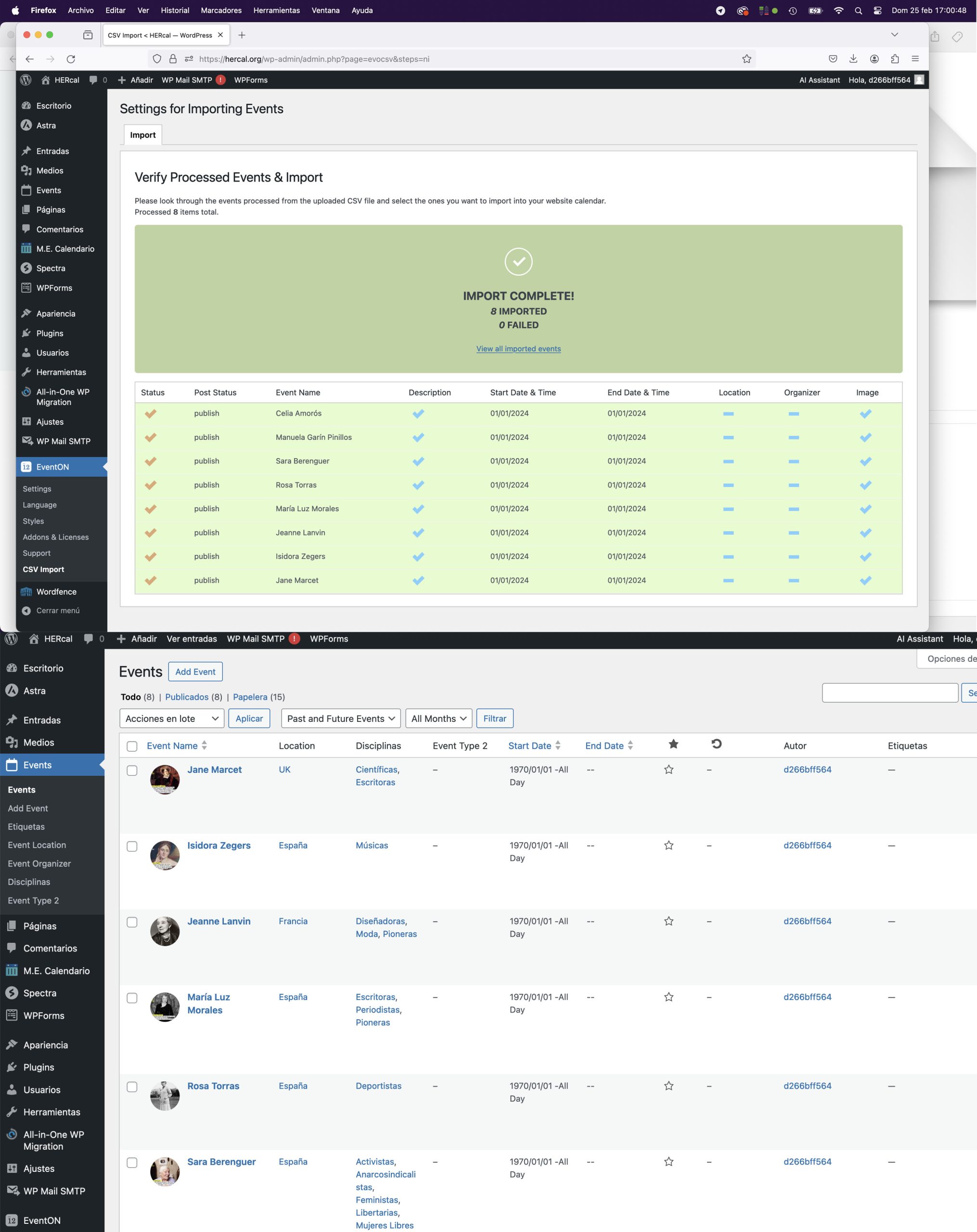
After deleting all the events from my calendar to see if I can do anything to make the events load faster, a new problem has arisen.
I have uploaded a csv with dates of 2024 (only 8 events). The import has been correct however all the test events have changed their date to 1970.
What happens now?
Honestly, I’m pretty tired of all the problems this calendar is giving me and the little help I’m getting after months of asking questions.
I would like you to give me a solution, please.
My time costs the same as yours and I haven’t been able to get the 2024 calendar ok for months now.
Thank you,