With to many headers Google degrades the imprtance for each header. So the fewer the more power to thoose headers wich are important. That´s why it´s not good to have headers as Description, Time, Location etc. Lets say you have 20 events and suddenly you have at least 50 headers just for this, which is not so good.
For the all images needs a TITLE attribute and all images needs a ALT attribute for SEO. Otherwise Google will not see this. And there need to be an anchor text to all links.
This is what the SEO company tells me, so all this is important. Maybe you will implement this in a later update would be very nice for all users.
The headers i managed to fix myeslef, though there is a double icon in card view but i can live with that. But would you be able to help me in the direction to add TITLE and anchor text to links and ALT to images?
Hi Ashan,
thank you for your answer! Removing the organizer description is no good idea for us 🙁 Removing features is generally no good idea – it’s a nogo as we trust on existing features. So right now I have fear to do any future updates, because I can never be sure, that all setup features do still exist.
So: when will the feature be back – and if this takes more than a few days: how can I get it back with a temporary workaround?
Christian
if I am reading that screenshot correctly
the wordcamp event on the 12th goes for the 12th and 13th
however on eventon no that display is not currently an option but its a good idea its just that no ones asked for it before
Thank you for your great suggestion, at the moment it is not supported. However please create a new ticket and select Feature Request as category so others can vote on your idea and get it moved into development faster.
its the optimize plugin which I see you turned on
in the settings I’d change the cache lifespan to longer than 24 hours- unless you are changing stuff everyday.
which you could manually flush the cache after you do that so perhaps set it to a week or even a month- and after adding an event or tweak to the site- manually flush the cache (in the top admin bar)
when the cache is flushed everything has to load again so it will be slow until the site loads again
theres a few console errors on the editing page
Could you please try the instructions mentioned in this documentation to make sure your issue is indeed coming from eventon.
wp-admin access would help but what is the shortcode you are using to display the calendar?
Please send us wp-admin access to your site as a private message for us to further assist your situation. we’d need to check your settings, shortcodes and options- probably just a tweak to the shortcode to sort it out
you would have purchased eventon on codecanyon and they have the update
https://codecanyon.net/item/eventon-wordpress-event-calendar-plugin/1211017?ref=ashanjay
so try out your emails to see which one you used to log into that site-
once logged i visit https://codecanyon.net/downloads to download the lastest and also you will be able to set up activation
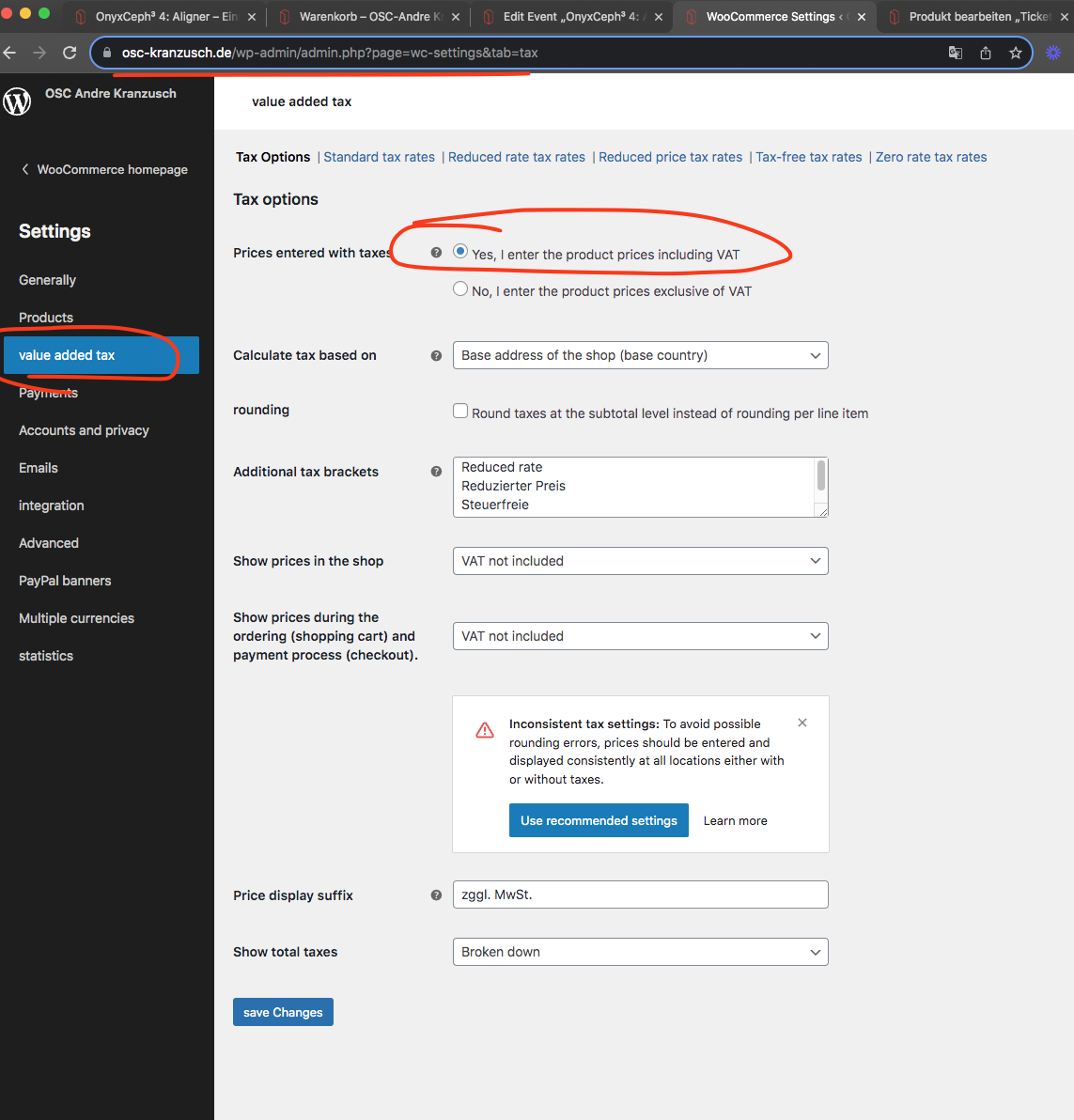
As Artem has previously disgnosed, it is an issue with Tax configurations.
You can chosen to enter ticket product price INCLUDING the tax so in single event page, the price for ticket is calculated without the taxes. and then on cart page it is correctly shown with taxes.
Ok just released new version for event lists ext. addon v 1.0.2
https://docs.myeventon.com/documentations/changelog-event-lists-ext/
Should resolve the event date range calculation according to the calendar timezone.
Hi,
Thanks for fixing that.
I am not sure where to turn on the cache – is that from within Eventon? If so, where do I find that? I poked around and didn’t see anything that said cache.
Please let me know.
Thanks,
Amy Blain