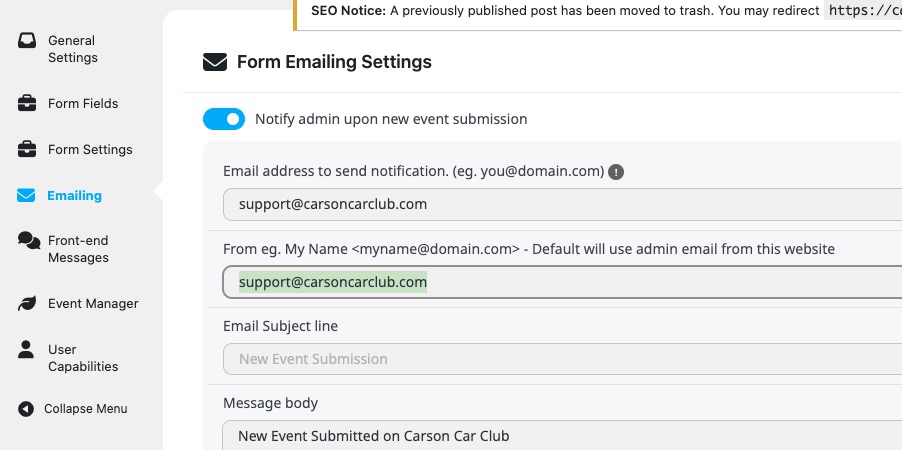
Hello,
Please take a look at evorm_reminder_email_body filter:
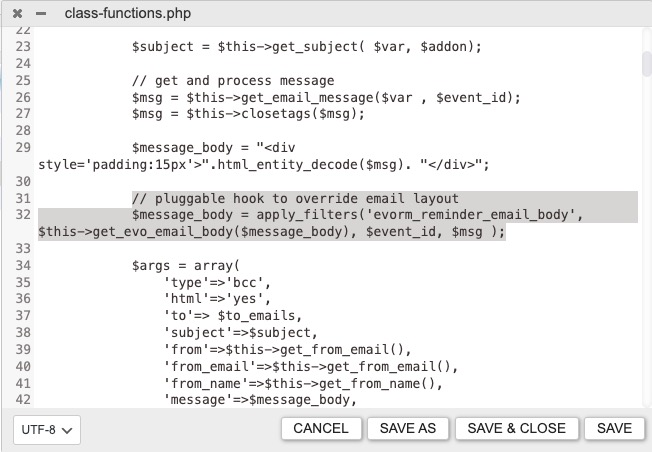
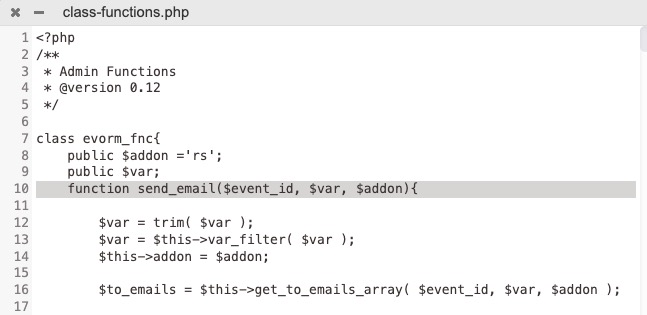
Everything related to the email is located in this function:
Replies for tickets on suppota
Hello,
Please take a look at evorm_reminder_email_body filter:
Everything related to the email is located in this function:
Could you try disabling the cache plugin to see if the form will be fixed?
Artem, Hi
Thank you for getting back to me about this. The Calendar option is very bizarre, as I changed nothing on this end over the weekend, didn’t update anything, and this morning the link now works for the .ics without issue. Everything looks to be working great, and I appreciate your your kind assistance on this.
Have a good one.
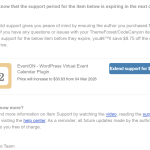
Further to the above, I thought you might like to see the latest support offer I have from Code Canyon / Envato.
I assume this another example of them attempting to fleece your customers?
Regards
Peter
Thank you for adding the code — I appreciate it. I’ve gone ahead and changed one of the emails.
I also noticed that sometimes the submit event form doesn’t show up. Could that be a browser issue, or is there something else that might cause it? https://carsoncarclub.com/submit-an-event/
Could you send us a screenshot of which parts you want to change and also colors? I am going to send you custom CSS code.
We are glad your issue is resolved, if you have any further questions or concerns please create a new ticket.
Ashan,
I believe that they are referring to this purchase:
#223101
CSV Event Importer – Single Site
Hello,
Could you send us Order ID of your purchase?
I am going to escalate this ticket. Please allow us some time to address this, and we truly appreciate your patience. Thank you for being a valued EventON customer!
1. ”Write dynamic styles to header” can be found here:
https://carsoncarclub.com/wp-admin/admin.php?page=eventon#evcal_002sc
I added the code and now the text isn’t white anymore.
2. Is it possible to change one of emails, so they stop duplicating each other?
https://carsoncarclub.com/wp-admin/admin.php?page=eventon&tab=evoau_1#evoAU2