Hello,
Please follow this guide on how to enable compatibility with WPML:
https://docs.myeventon.com/documentations/wpml-eventon-front-end/
Adding lang to the shortcode isn’t correct in your case.
Replies for tickets on suppota
Hello,
Please follow this guide on how to enable compatibility with WPML:
https://docs.myeventon.com/documentations/wpml-eventon-front-end/
Adding lang to the shortcode isn’t correct in your case.
Hello,
Please update FullCal add-on to the latest version.
To update eventon addons: You can download latest eventon addons from myeventon > my account. Then you can go to your website, deactivate old addon and install new one and activate then delete the old addon. This link will further explain the process. Also you can follow us on twitter to get real-time announcements on updates!
Can we take a look at wp-admin? Please send the login info as a private message.
Hello,
Please add hide_mult_occur=”yes” to the shortcode.
After you updated EventON, have you also updated Tickets add-on?
The show event guest list option – I have selected this but the event card did not change. is there an additional setting that must be selected for this option
Hello,
Please update WeeklyView to 2.1.1.
To update eventon addons: You can download latest eventon addons from myeventon > my account. Then you can go to your website, deactivate old addon and install new one and activate then delete the old addon. This link will further explain the process. Also you can follow us on twitter to get real-time announcements on updates!
Next, make sure that EventON > Time Settings > Timezone and wp-admin > General > Timezone are the same.
Please follow this guide on how to use Shortcode Generator:
https://docs.myeventon.com/documentations/shortcode-generator/
Hello,
With Action User add-on you can use
https://www.myeventon.com/addons/action-user/
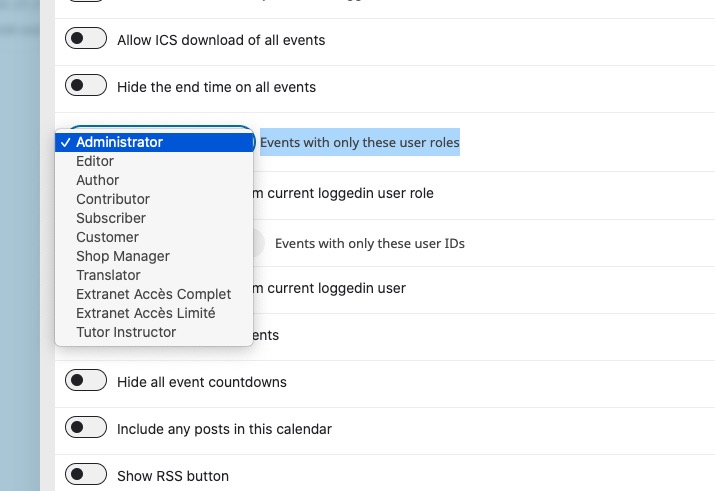
Try on https://dev.myeventon.com/wp-admin/
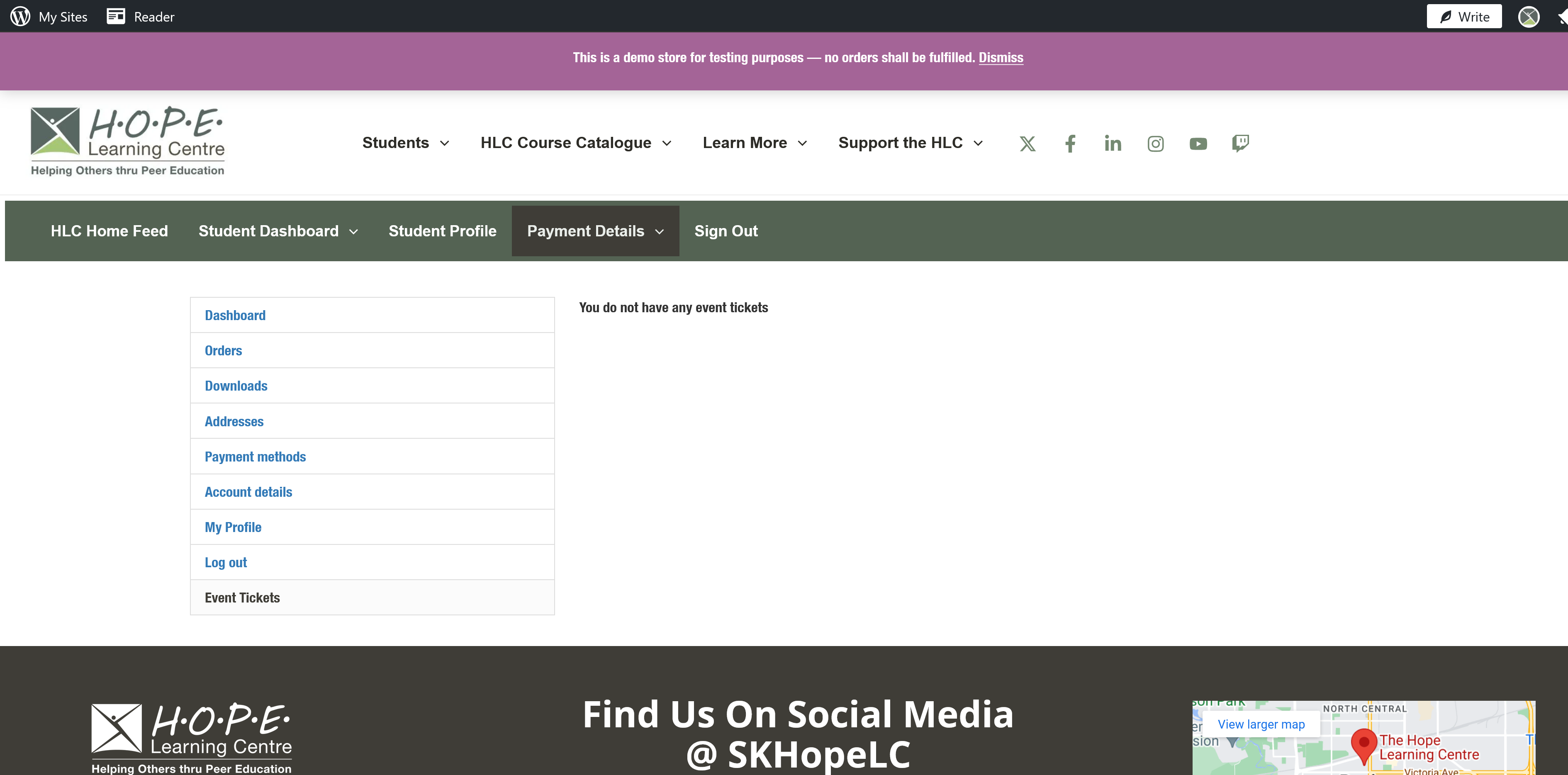
I also notice that once a ticket is purchased it is not displaying in the ticket order page for WooCommerce. The order is displayed in the woocommerce orders page, but not the ticket orders page. What could be causing the issue.
I can make an Event on admin account for you to look into the site but I need your email to do so.