And the Event Type field was visible in that old version?
https://helpdeskx.s3.amazonaws.com/wp-content/uploads/2024/02/15144021/Bildschirmfoto-2024-02-15-um-22.37.46.png
I am not sure that this was a thing in any of our versions of the plugin.
Replies for tickets on suppota
And the Event Type field was visible in that old version?
https://helpdeskx.s3.amazonaws.com/wp-content/uploads/2024/02/15144021/Bildschirmfoto-2024-02-15-um-22.37.46.png
I am not sure that this was a thing in any of our versions of the plugin.
Are you referring to Event Card? Or when you open the organizer?
Add different submission levels: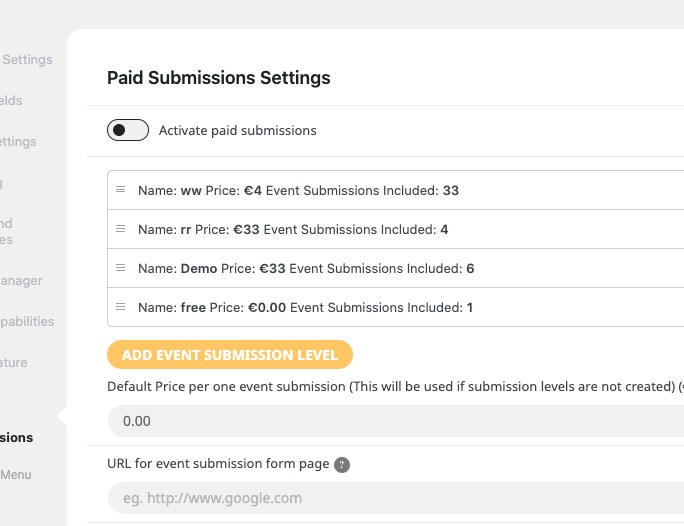
As for coupons, please use Woo’s discount codes functionality for this.
I cannot find Tickets add-on among your purchases. Could you send us the email and order id?
Hello,
Thank you for your messages, I am going to assign this ticket to Ashan and he will be able to take it from here and find you a solution. Please allow some time for him to get back to you, we greatly appreciate your patience and thank you for being a eventon customer!
Hello,
PHP Warnings don’t affect which events are shown.
Please send us wp-admin access to your site as a private message for us to further assist your situation.
Also go to EventON > Advanced > make sure that Select event calendar WP Query method: Query all the event posts.
In another one page with the calendar, after march, i only see one event. And when I click in more events it dont show more.
Can you see?
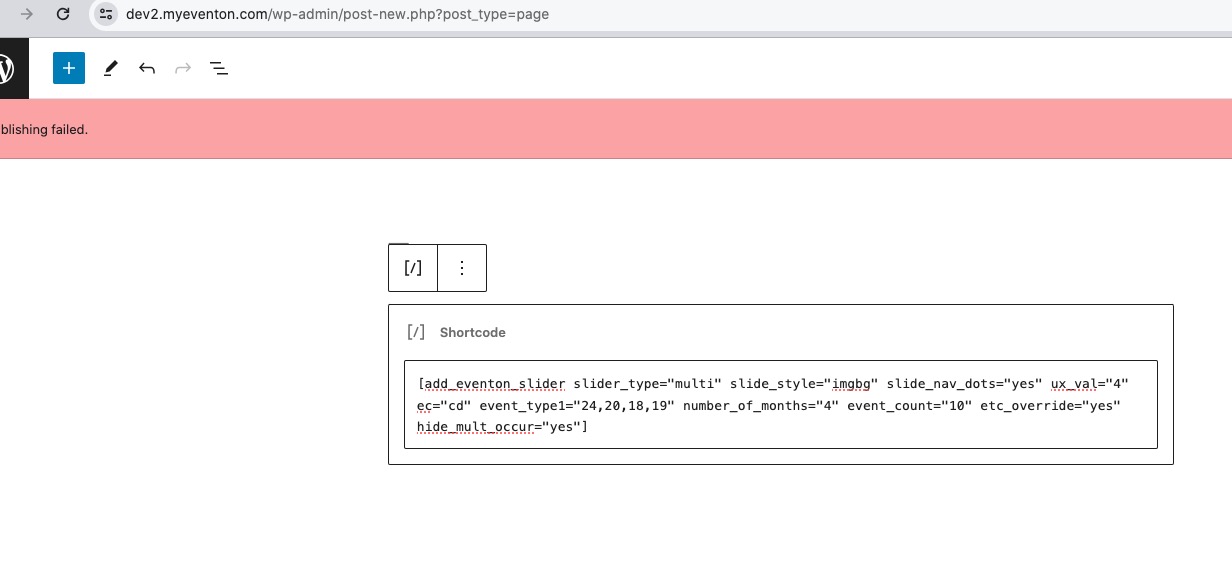
Could you send us the shortcode?
Ok, i disabled, But I cannot have a cache plugin activated?
The thing is that it’s cache plugin’s job to figure it out when not to cache requests. But does it work with disabled cache plugin?
Ashan,
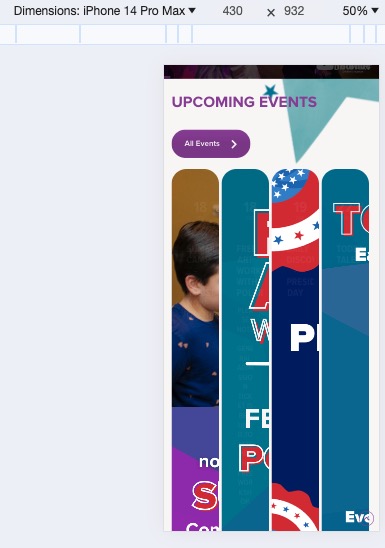
How it looks on customer’s website:
On dev2
Hello,
Thank you for your messages, I am going to assign this ticket to Ashan and he will be able to take it from here and find you a solution. Please allow some time for him to get back to you, we greatly appreciate your patience and thank you for being a eventon customer! Also please disable any IP blocking on your site if there are any.
Hello,
…the link of the button…
Event Type doesn’t have any buttons. Could you elaborate?
For Custom Meta fields please use these acceptable CSV file fields:
cmd_{x} => Custom meta data values. You can add upto 10 custom meta field values with sepeate columns with column headers in format cmd_{x}
cmd_{x}L => can be used for custom field button url data