Ok, I renamed /eventon folder in the theme, so please check if the issue has been fixed.
Archives: Replies
Replies for tickets on suppota
Reply to: tickets(339740)
We unable to help with such customisations since it’s against CodeCanyon’s Support Policy, I am afraid.
Please follow
https://docs.myeventon.com/documentations/customize-rsvp-emails/
Simply comment the code in the file to hide fields. If it’s HTML content, use https://www.w3schools.com/html/html_comments.asp and for PHP content https://www.php.net/manual/en/language.basic-syntax.comments.php
Reply to: tickets(340570)
Hello,
I added show_limit_ajax=”yes” to the shortcode to dynamically load events. Also went to https://www.portugalrunning.com/wp-admin/admin.php?page=eventon#evcal_001_advance > set Select event calendar WP Query method to Query only the event posts created this year. Could you check?
Reply to: tickets(340595)
There is “Use eventON time formatting for event time in RSS event item description” option in EventON > RSS Feed that changes the date format. Will this work for you?
Reply to: tickets(340712)
Hello,
I think that your issue is connected to these HTML tags in the shortcode:
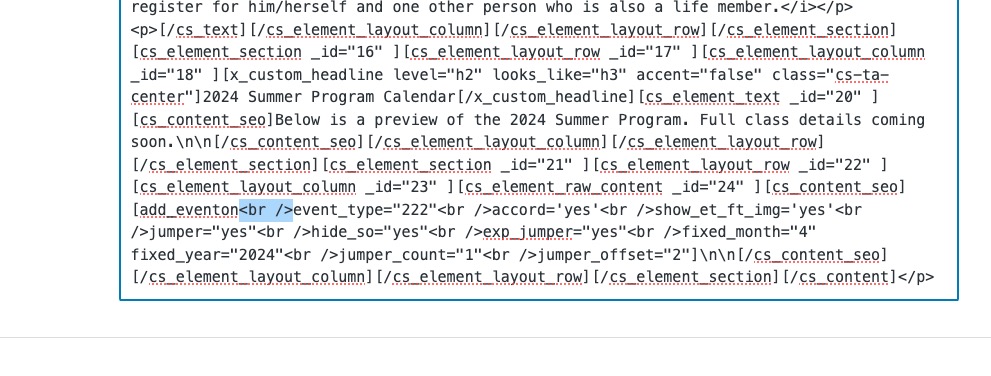
Works when I remove them:
https://theclearing.org/wp/test/
Could you check?
Reply to: tickets(336428)
Not enough memory:
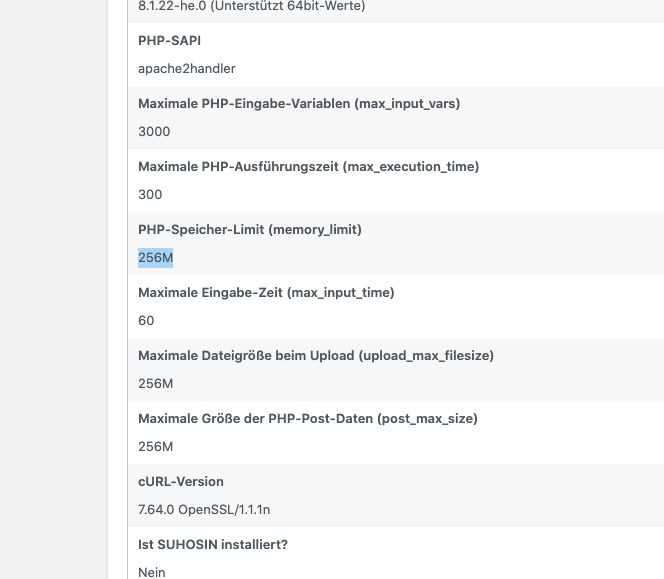
2024-02-12T22:17:14+00:00 CRITICAL Allowed memory size of 536870912 bytes exhausted (tried to allocate 16777240 bytes) in /is/htdocs/wp1144136_Y8C518TW2I/www.notfalltrainingszentrum.de/wp-includes/class-wpdb.php in Zeile 2320
You put ‘WP_MEMORY_LIMIT’, ‘1024MB’, but sometimes you cannot change this from wp-config. Server’s limit is till 256:
https://www.notfalltrainingszentrum.de/wp-admin/site-health.php?tab=debug
Reply to: tickets(340745)
Hello,
Please use this code to hide the header:
.ajde_evcal_calendar.sev.cev.bub.color.esty_3 .evo_header_title.right {display:none}
Reply to: tickets(340720)
1. Event Type 2 IDs are different from the ones on the page:
https://align360.it/wp-admin/edit-tags.php?taxonomy=event_type_2&post_type=ajde_events
Should be 51, 52, 53. Could you check the rest of types as well?
2.2 Go to Main Calendar and use these options to select the year range:
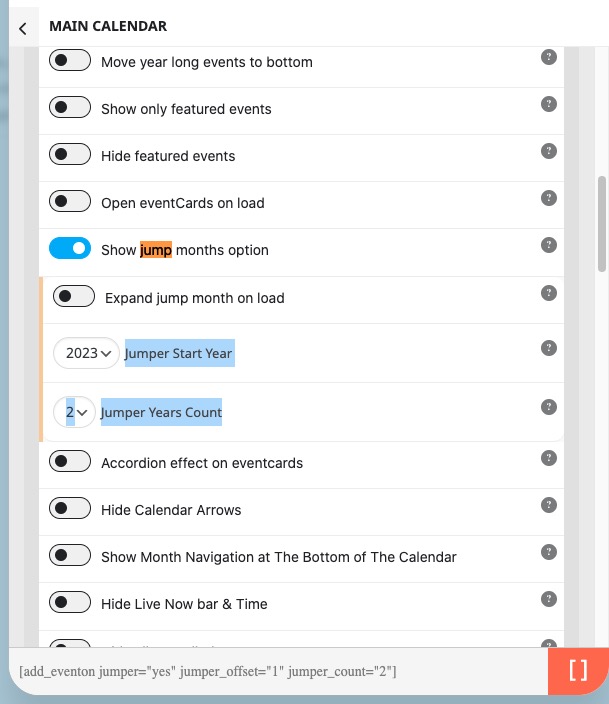
Copy them from the shortcode below and then use it with FullCal.
Reply to: tickets(339972)
Hi,
Can you please send us feedback regarding this issue?
Thanks
Regards
Reply to: tickets(340748)
Hello,
How do you cancel one of tickets in the order?