Hi,
We are experiencing this issue as well. The social share icons have been added to the EventCard and show up on the first event for any iteration of our calendar, but the share icons are missing from all other events for the month or list. For example, on our main calendar, the icons are only present on the first listed event for February, March, etc. This page’s list spans several months, but only the first event on the list is showing the social share icons.
sil vous plait check now. I have made some code changes and they will be in the next version update.
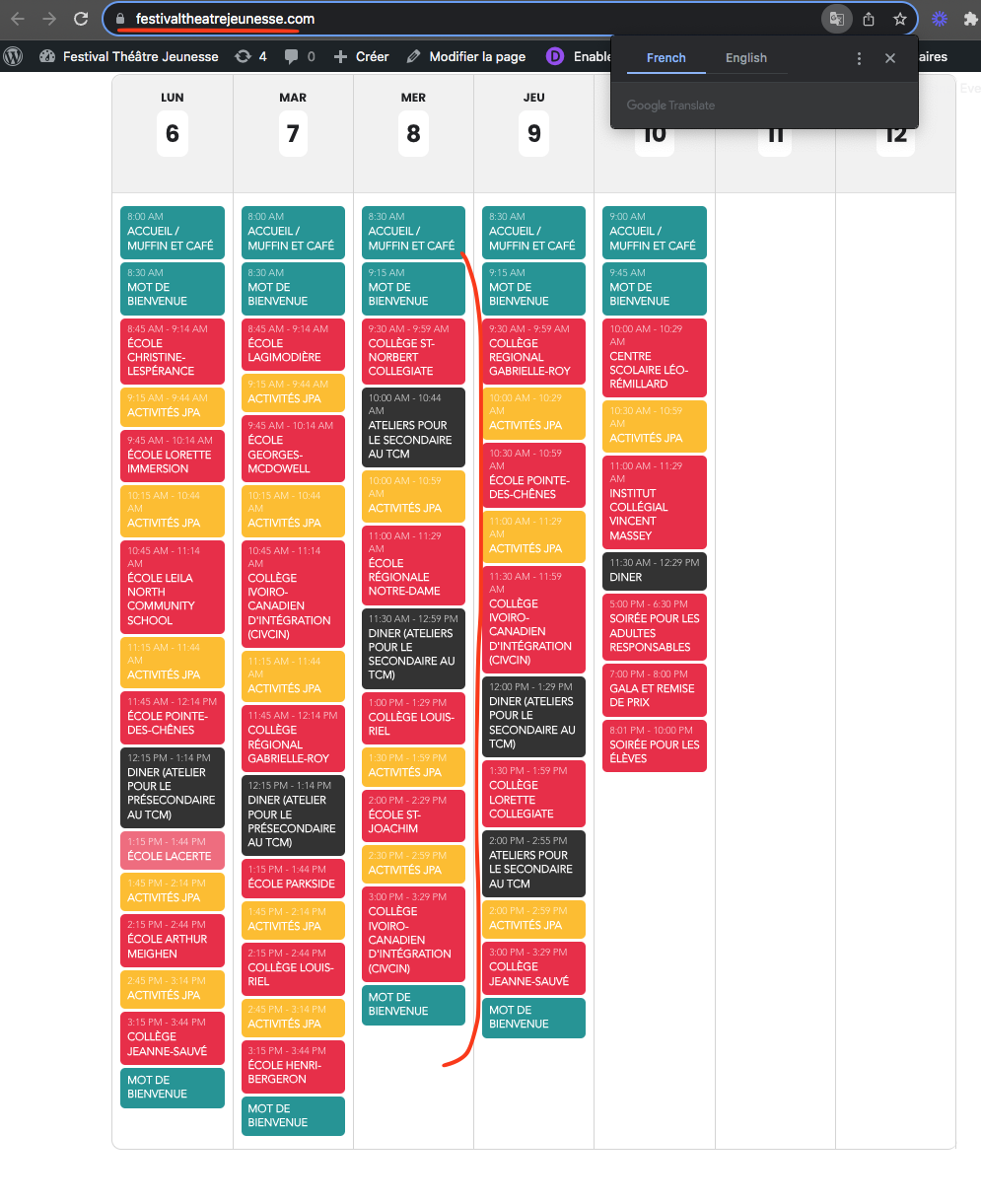
It seems to be correctly ordered now.
In the future we are going to improve this table view to show grid with time line so it is easier to see the events 🙂
Hi,
thx for your fast answer!
I’m will update the version. IP Blocking should be disabled.
Best
Dennis
I am having the same problem, it is correct in the cart and checkout but wrong on the order confirmation, please help!
Helen
and
Show on WP
Deprecated: Creation of dynamic property evovo::$admin is deprecated in /is/htdocs/wp1144136_Y8C518TW2I/www.notfalltrainingszentrum.de/wp-content/plugins/eventon-ticket-variations-options/eventon-ticket-variations-options.php on line 117
Hi,
Fatal error: Allowed memory size of 536870912 bytes exhausted (tried to allocate 16777240 bytes) in /is/htdocs/wp1144136_Y8C518TW2I/www.notfalltrainingszentrum.de/wp-includes/class-wpdb.php on line 2320
Hi,
I have now been able to set the error to be shown.
This one is currently standing.
Kindly revert back to old version for the moment while we debug the error on your website.
I am sorry I do not understand what your issue is? If you add a seat to the cart, at the specified time for seat expiration, if the user did not proceed with seat purchase the seat will revert back to been available.
Are you seeing, even after purchase the seats are being revert back to available?
I can´t see any problems with https://usyoga.se/wp-admin/.
Works for me on different browsers.
Please try again.
/F
Hi, thanks for the reply. I did update the main EventOn plugin, that’s when the problem arose. It appears the shortcodes are different in the new version than they were in the old. I re-created the full calendar, and it now works. The problem with the list views was that the dates changed color to something that wasn’t viewable against the color of the background. I changed the date color to white and they are now viewable.
Regards,
Randy Okins