hmmmm… ok I’ve followed your steps and I’ve done it several times, but it doesn’t seem to be picking it up.
thoughts?
Replies for tickets on suppota
hmmmm… ok I’ve followed your steps and I’ve done it several times, but it doesn’t seem to be picking it up.
thoughts?
Ok I think I fixed it!
we just need to fix the header on this page.
Is there a way to indicate on the eventTop that an event is over?
there is a way to create the shortcode live? everything I create a shortcode with elementor, than to change something I need to start from 0
Hello
about this
1. Use this code to fix this:
#site-header-wrapper.site-header-wrapper-transparent { position: static; } #page:not(.vertical-header) #site-header.animated-header { background: #333144 !important; }
it doesn’t work well. I just need to have a black header
2. it works thanks
3. Try adding event_order=”DESC” to the shortcode. However, please note that this sorts events by months and not for the whole list.
I need to hide the month, here all the events (future and past) has to appear in a discending order (so from the most future event to the most old)
So should I recreate the shortcode? How can I hide the month and have tales with all the events (past and future)?
Hello,
I think i will buy it and test it. As i see in myeventon website it’s possible to ask for a refund in less than 30 days or if i find that it will not work for my business or required setup. Is that correct?
Thank you
Cool! thanks Artem, it works now.
Best regards,
omar
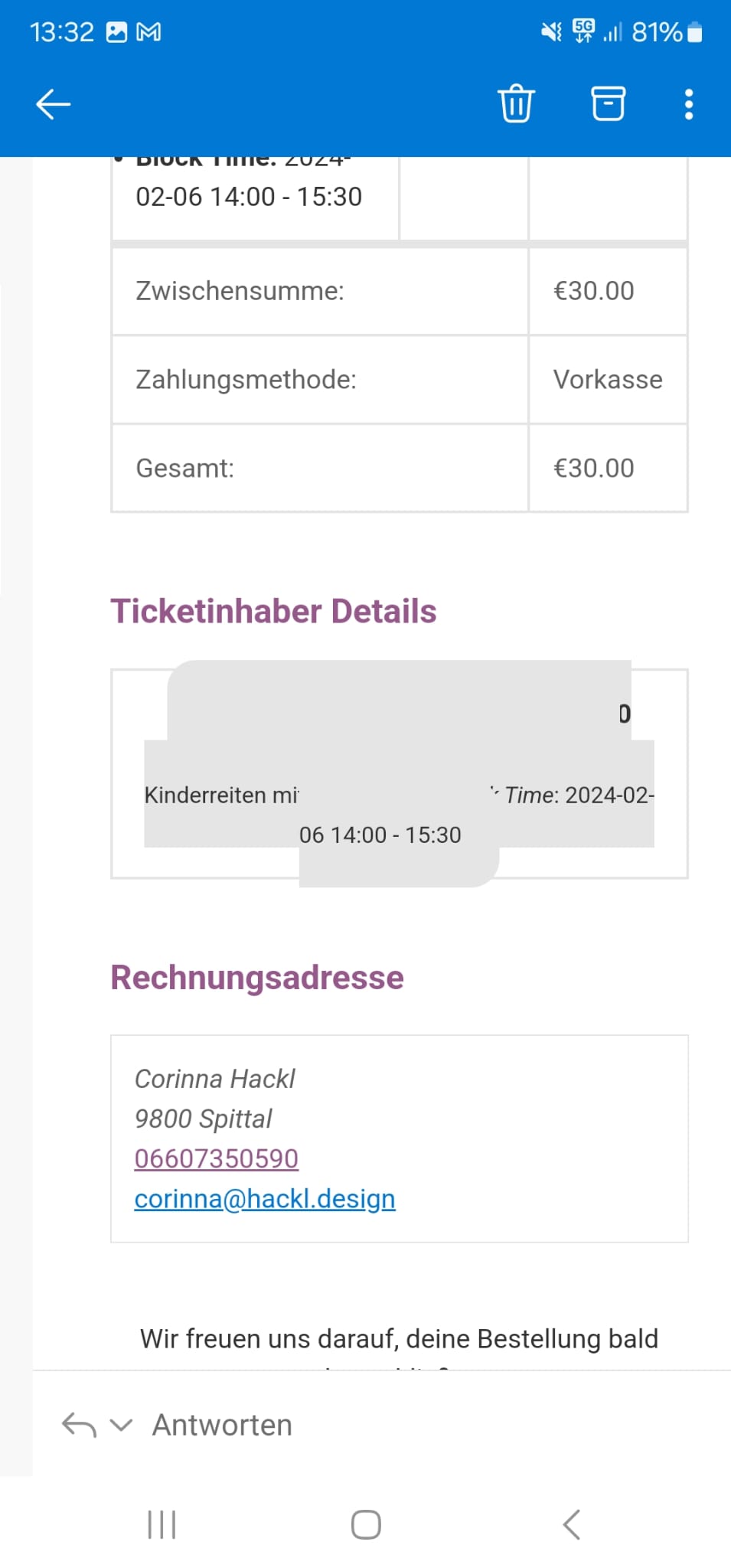
My issue is the confirmation mail to the website owner and the one to the ticket holder. Since the update the Ticket Holder Details are blocked by a grey background colour on mobile devices. In desktop view the colour doesn’t cause a problem. See my screenshot below.
I don’t know where to adjust that. I can’t change the colour in the email template nor in the event-on style settings.
Please help!
Regards Corinna
Siteground access didn’t work for me.
Do you have FTP access? Here’s the guide for Siteground:
https://world.siteground.com/kb/create-manage-and-edit-ftp-accounts/
1. Use this code to fix this:
#site-header-wrapper.site-header-wrapper-transparent { position: static; } #page:not(.vertical-header) #site-header.animated-header { background: #333144 !important; }
2. Please use:
.block-content { padding-top: 10px; }
3. Try adding event_order=”DESC” to the shortcode. However, please note that this sorts events by months and not for the whole list.
4. You need to go to Edit Event > Event Color and change it there. Or in the shortcode replace tile_style=”1″ with tile_style=”2″ and then go to EventON > Appearance > EventTop Styles > Background. If you don’t see any change, EventON > Scripts & Styling > turn off Write dynamic styles to header > save settings > turn on Write dynamic styles to header.
Hello,
Can we take a look at wp-admin? Please send us wp-admin access to your site as a private message for us to further assist your situation.
Could you also update RSVP add-on and Reminders add-on if needed?
To update eventon to latest version: If you are unable to do autoupdate, you can go to codecanyon your account > download and get the latest eventon version as zip file. Then you can go to your website > make sure “Delete eventon settings & data when EventON is uninstalled” is Deslected from eventon settings, delete old eventon, install new one and activate. This link will further explain the process it. Also you can follow us on twitter to get real-time announcements on updates!