Hello,
Since you enabled “Enable language corresponding events” and set events to L2, please add lang=”L2″ to your shortcode to show them.
Adding lang also translates the calendar. Do the same with Search.
Replies for tickets on suppota
Hello,
Since you enabled “Enable language corresponding events” and set events to L2, please add lang=”L2″ to your shortcode to show them.
Adding lang also translates the calendar. Do the same with Search.
We are glad your issue is resolved, if you have any further questions or concerns please create a new ticket.
If you have a moment, we would greatly appreciate if you could kindly leave us a review at myeventon/my-account!. Cheers!
Ashan,
Stage site:
This is what’s happening:
https://helpdeskx.s3.amazonaws.com/wp-content/uploads/2024/02/08042421/Screenshot-2024-02-08-at-12.23.41.jpg
Their side doesn’t have Event Seat.
Thank you for the stage site.
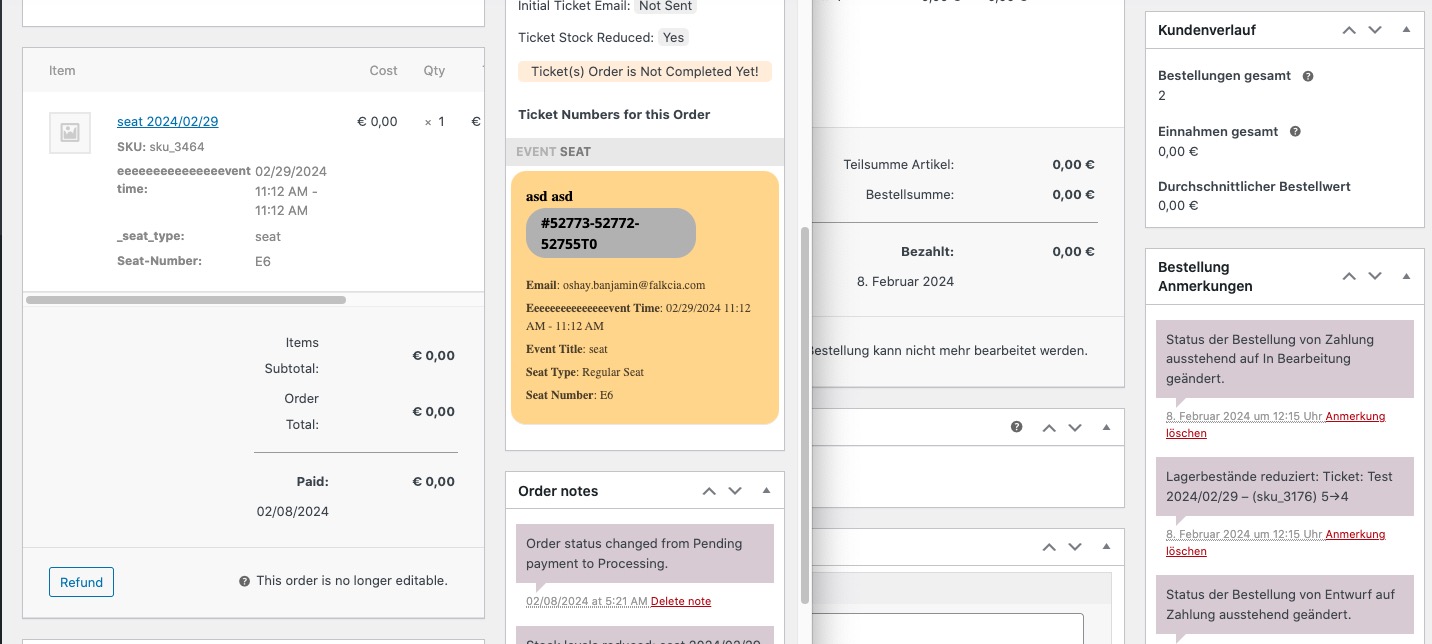
It seems that when an order is created on your website it lacks the most important part – “Event Seat”:
 Thank you for your messages, I am going to assign this ticket to Ashan and he will be able to take it from here and find you a solution. Please allow some time for him to get back to you, we greatly appreciate your patience and thank you for being a eventon customer! Also please disable any IP blocking on your site if there are any.
Ashan will check this ASAP.
In order to request a refund, please create a new ticket under Billing & Accounts and be sure to include the order ID for which you need a refund for and the reason for requesting a refund.
I would be very grateful for any support. But I’m a bit worried that my theme will be destroyed when I update it?
What exactly do you want to do?
Unfortunately, the event preview as a single view is still not possible.
Hello,
Thank you for your great suggestion, at the moment it is not supported. However please create a new ticket and select Feature Request as category so others can vote on your idea and get it moved into development faster.
Hello,
I am not sure how to login. /wp-admin and /wp-login.php both show 404 error page. Could you help?
Here’s how the same part looks on my side:
As you can see it doesn’t show -11.
Hello,
Please update EventON to 4.5.9.
To update eventon to latest version: If you are unable to do autoupdate, you can go to codecanyon your account > download and get the latest eventon version as zip file. Then you can go to your website > make sure “Delete eventon settings & data when EventON is uninstalled” is Deslected from eventon settings, delete old eventon, install new one and activate. This link will further explain the process it. Also you can follow us on twitter to get real-time announcements on updates!
Make sure that EventON > Time Settings and wp-admin > Settings > Timezone is the same. Also the same on Edit Event > Timezone.
Could you make sure that Pasta Italiana – Pomeridiano’s timezone is set to the one on the server and EventON?
Pasta Italiana – Pomeridiano starts from Feb 14th. I try to test this by creating a duplicate of the original issue, but it shows that you for some reason work on two of them. Could you work on only one?