Ashan,
On dev2:
https://dev2.myeventon.com/test-344/
Check Feb 9th:
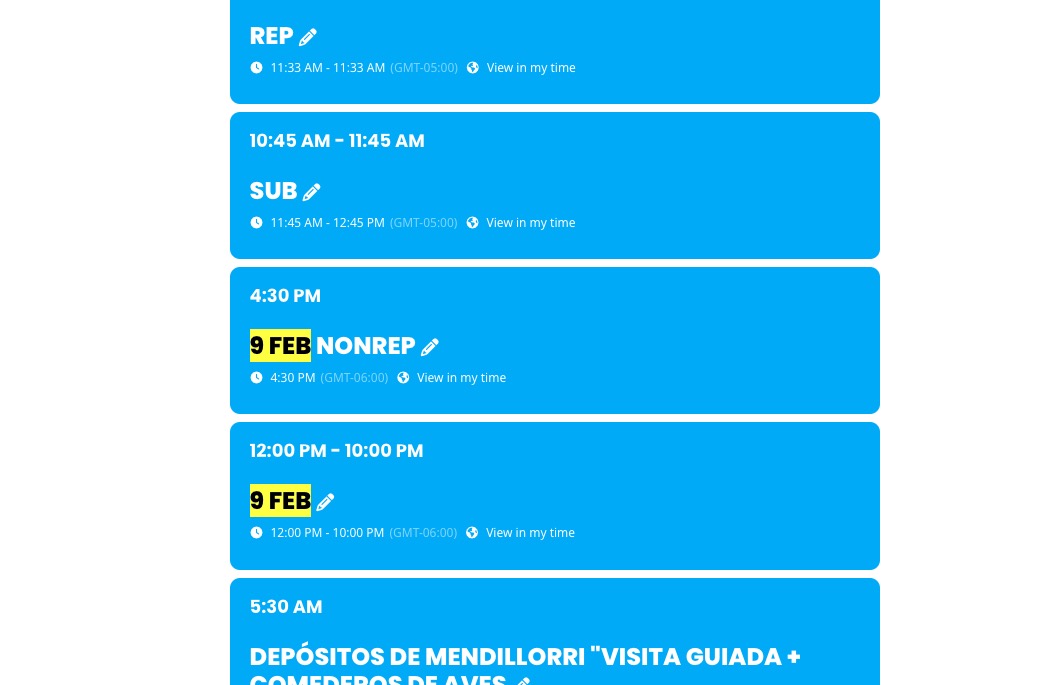
These two aren’t ordered:
https://dev2.myeventon.com/wp-admin/post.php?post=52693&action=edit
https://dev2.myeventon.com/wp-admin/post.php?post=52694&action=edit
Replies for tickets on suppota
Ashan,
On dev2:
https://dev2.myeventon.com/test-344/
Check Feb 9th:
These two aren’t ordered:
https://dev2.myeventon.com/wp-admin/post.php?post=52693&action=edit
https://dev2.myeventon.com/wp-admin/post.php?post=52694&action=edit
Hello,
Could you update DailyView to 2.1.5?
To update eventon addons: You can download latest eventon addons from myeventon > my account. Then you can go to your website, deactivate old addon and install new one and activate then delete the old addon. This link will further explain the process. Also you can follow us on twitter to get real-time announcements on updates!
Thank you for your messages, I am going to assign this ticket to Ashan and he will be able to take it from here and find you a solution. Please allow some time for him to get back to you, we greatly appreciate your patience and thank you for being a eventon customer! Also please disable any IP blocking on your site if there are any.
Hello,
By default organizers don’t have icons, so not possible to add one without the code customisation.
Hello,
Please send us wp-admin access to your site as a private message for us to further assist your situation.
Could you go to Edit Event > Options > Preferences > make sure that the section is selected?
Note this occurred with all the pre designated events which she schedules out almost a year in advance. It was not for a newly created event but I will have her create one as she always does. I am also attaching a screen shot from the day her and I noticed the issue from one of the events, as you can see it was set to New York time when she made the event but the calendar time zone setting defaulted to midway
Hello Irene just checking to see if you were able to revert back or any update from your side 🙂
Found the issue and here is the patch fix.
Please replace include_once with include.
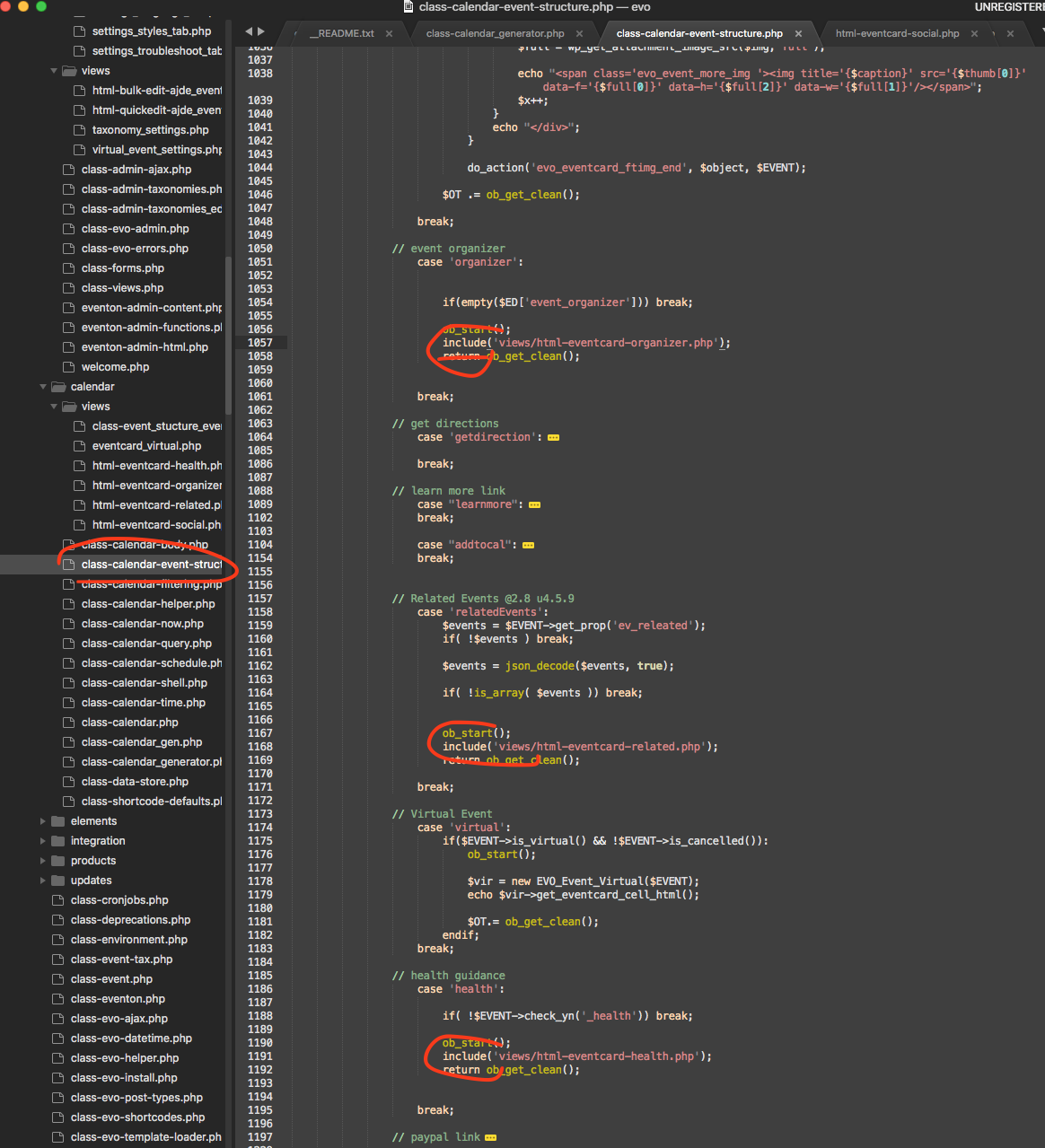
Nathan this sure is a part of the 4.5.9 update 🙂
Staci would you mind allowing us more permissions in the wp-admin? currently there is not much we can see. 🙂