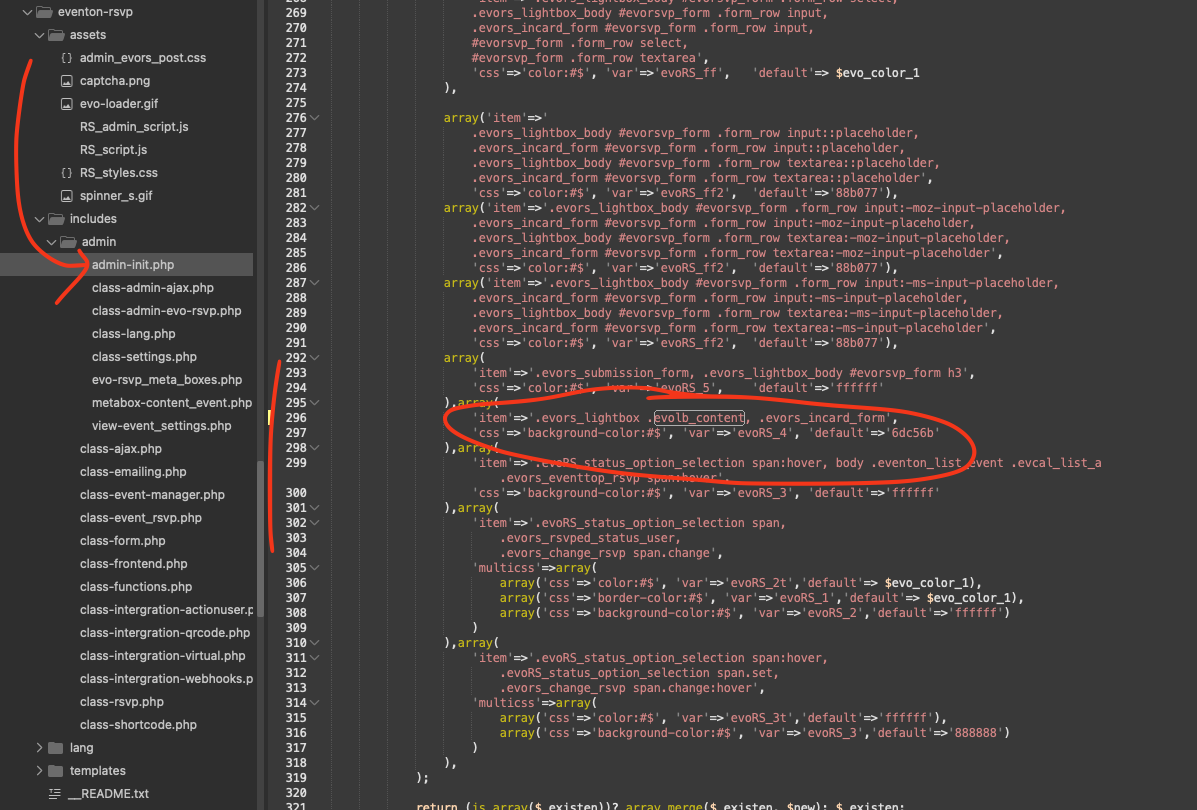
regarding form color not changing:
please make this change in your RSVP code. we will push this to next version when it comes out.
code: ’item’=>’.evors_lightbox .evolb_content, .evors_incard_form’,
Where:
Replies for tickets on suppota
regarding form color not changing:
please make this change in your RSVP code. we will push this to next version when it comes out.
code: ’item’=>’.evors_lightbox .evolb_content, .evors_incard_form’,
Where:
Hi Dev,
My web developer team had already removed the plugin from our website about 2 weeks ago and began using another plugin. Plus, our event has already passed. I don’t mean to be rude or direct, but can we just get our refund?
Ashan,
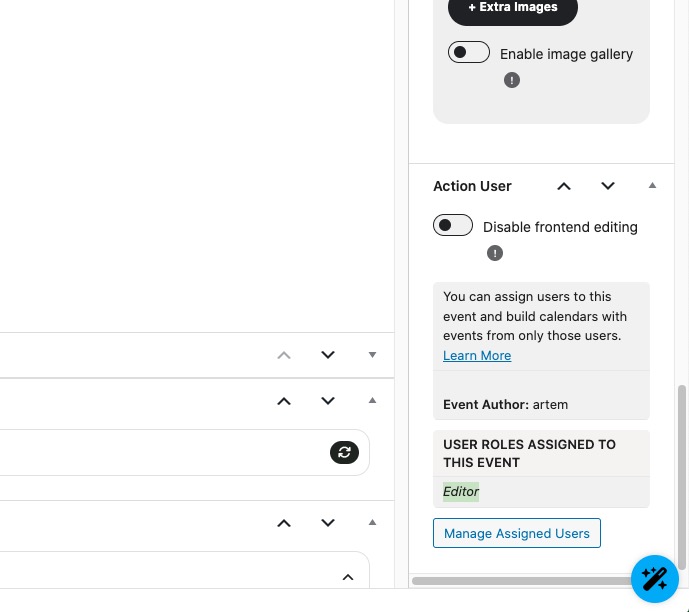
The same on dev2:
https://dev2.myeventon.com/wp-admin/post.php?post=74646&action=edit
I assigned Editor to the event:
Login info:
EditorTest
5@JEw#$SK%wmONq60o&3Dec8
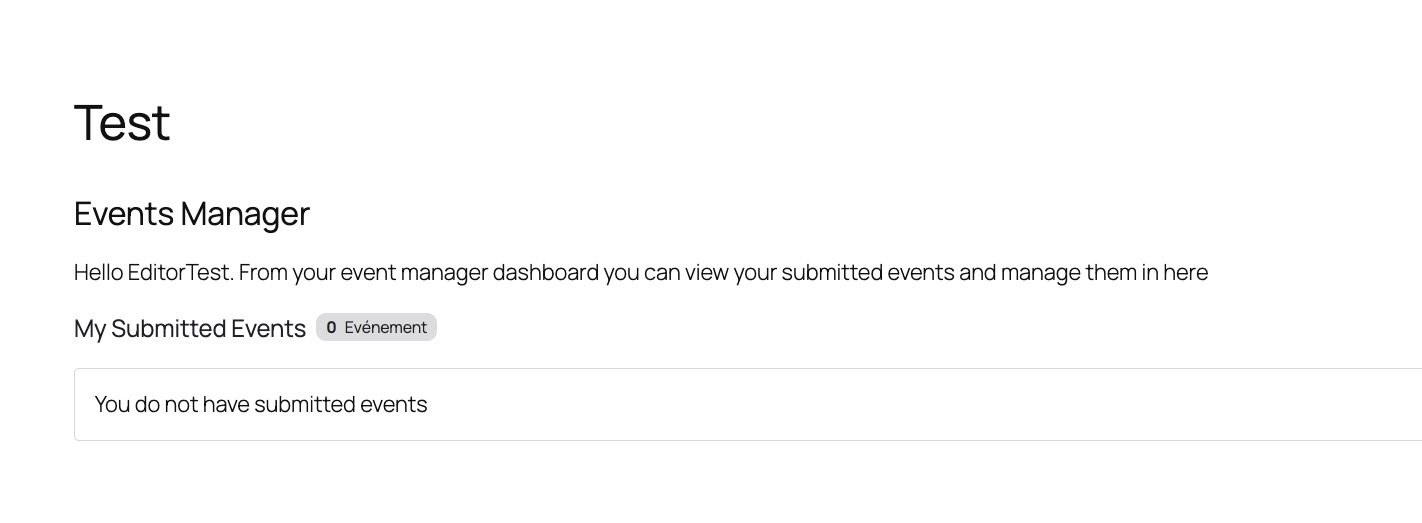
Test page:
https://dev2.myeventon.com/test-171/
No events:
Hello,
Thank you for your messages!
I am going to escalate this ticket to development to help in here. Please allow us some time to address this, and we truly appreciate your patience. Thank you for being a valued EventON customer!
Quotes are wrong, we are sorry for the inconvenience.
Please use the code from here:
https://dev2.myeventon.com/codeshare/h3nCZi2uZ480
Hello,
You don’t really need to configure anything as it’s already available by going to this page:
https://www.artimigarsai.lt/checkins/
However, if you need to, for example, edit User Permissions to Checkin, please go to EventON > Check-ins, where all options are available:
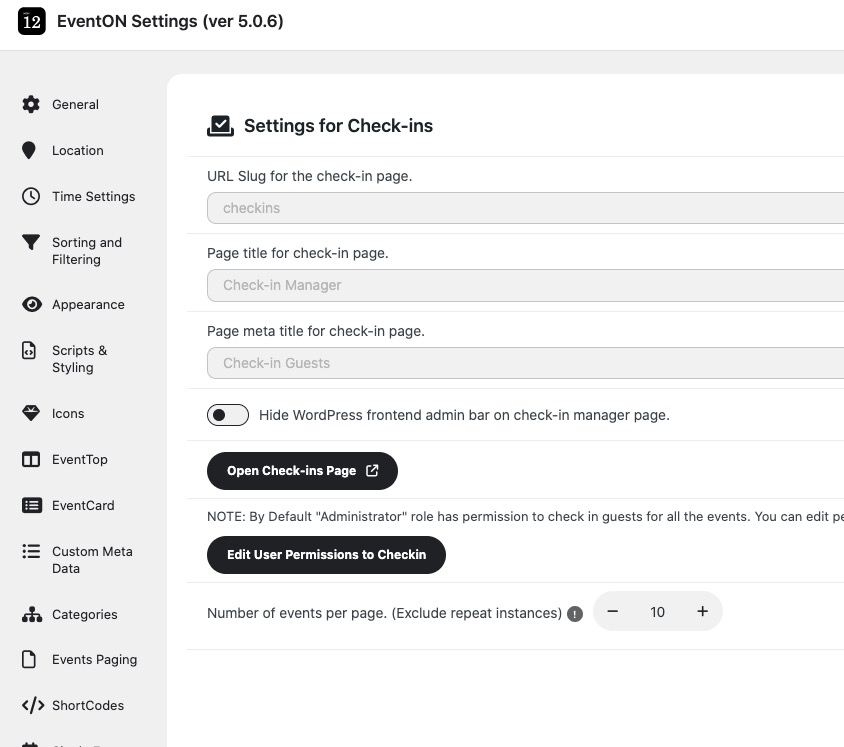
Please check and let me know.
Hello,
1. EventON and WooCommerce both send out confirmation emails to users who make a purchase.
You can stop EventON from sending it by going to EventON > Tickets > Emails > enable Stop auto sending ticket confirmation email to customers.
2. You can customize the EventON email template by following:
https://docs.myeventon.com/documentations/how-to-additional-data-to-confirmation-email/
https://docs.myeventon.com/documentations/how-to-add-additional-fields-at-checkout/
This is how you can customize the template from WooCommerce:
https://woocommerce.com/posts/how-to-customize-emails-in-woocommerce/
The translation can be made by going to EventON > Language > ADDON: Event Tickets. Parts of the email will be translated as well as other parts of Tickets add-on.
And what kind of device do you use when you click on the .ics link to download the file?
”Current Month” is a button that switches you to the current month, which is February, that’s why it shows everywhere, but not in February.
Please check and let me know.
We are glad your issue is resolved, if you have any further questions or concerns please create a new ticket.