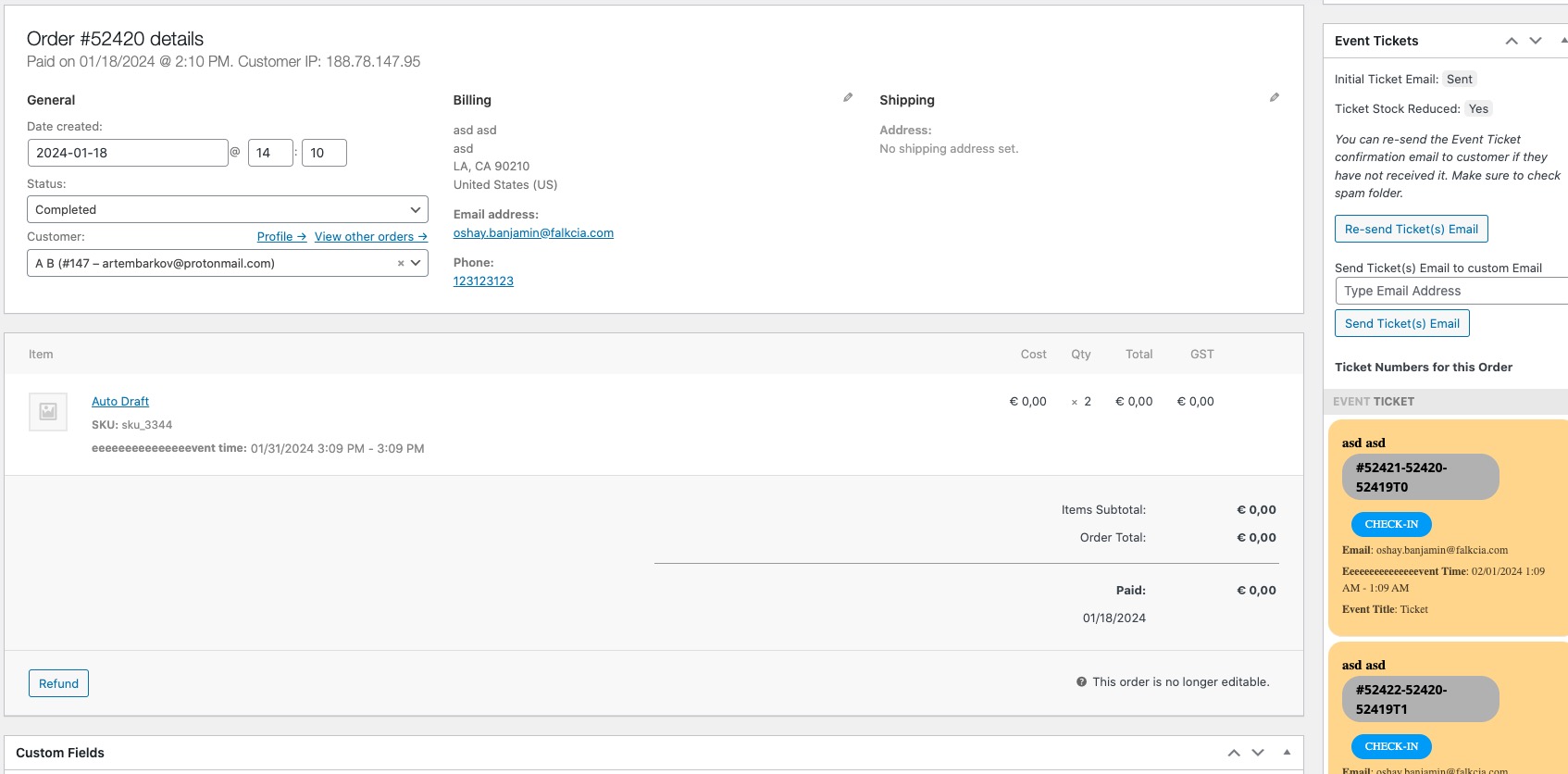
I made a test event and made this purchase:
https://dltickets.com/wp-admin/admin.php?page=wc-orders&action=edit&id=11128
But it doesn’t look correct, I am afraid. Supposed to look like this:
Is there some kind of plugin or the theme that affects EventON?
Could you or can we please try the instructions mentioned in this documentation?
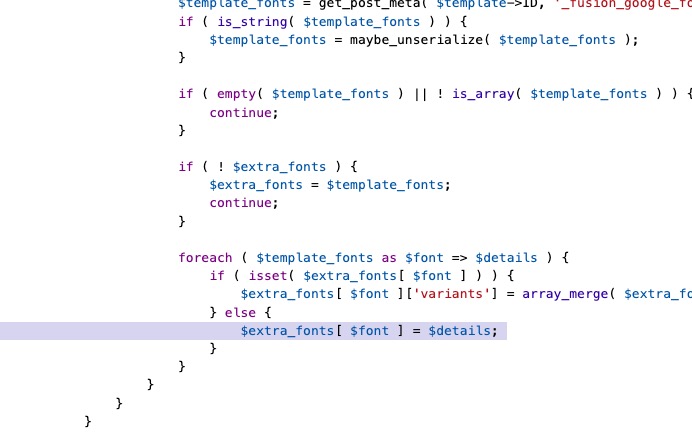
I don’t see the applied patch:
https://staging.canadianevents.ca/wp-admin/plugin-editor.php?file=fusion-builder%2Finc%2Fclass-fusion-builder.php&plugin=fusion-builder%2Ffusion-builder.php
Can we try commenting the line or could you?
It seems that the test page is showing Jan with the new version of EventON:
https://meraki.onl/test/
Could you check?
Please send us wp-admin access to your site as a private message for us to further assist your situation.
Your default Event Timezone https://www.robchrisman.com/wp-admin/admin.php?page=eventon#evcal_001b is different from the one on your server. And your events have UTC0 timezone.
Please also update EventON and FullCal to the latest version. Next make sure to clear your browser cache and cache plugins.
Please follow this guide on how you can override CSS:
https://docs.myeventon.com/documentations/change-css-calendar/
The code you need:
.evcal_cblock .evo_end { font-size: 30px; }
Hello,
Please update Tickets to 2.2.5 and make sure to clear the cache.
To update eventon addons: You can download latest eventon addons from myeventon > my account. Then you can go to your website, deactivate old addon and install new one and activate then delete the old addon. This link will further explain the process. Also you can follow us on twitter to get real-time announcements on updates!
Hi,
can you tell us approximately untill when you will be able to have a closer look at the issue? Our client wants to test the final solution before the event in four weeks. Thank you!
Best regards,
Kathi
I went to https://wemeetroma.asapcomunicazione.it/wp-admin/admin.php?page=eventon#evcal_004aa and added more fields to Event Top. Please move/remove them the way you like.
The event I previously created follows the demo:
https://www.soulfulsorrows.com/wp-admin/post.php?post=33675&action=edit
Just change titles the way you like.
The guide I followed:
https://docs.myeventon.com/documentations/how-to-setup-and-get-started/
Please check and let me know.