Thank you for your messages!
I am going to escalate this ticket to development to help in here. Please allow us some time to address this, and we truly appreciate your patience. Thank you for being a valued EventON customer!
Additionally, if your site has any IP blocking or security restrictions in place, kindly disable them temporarily to facilitate our support process.
Thank you, the issue is fixed!
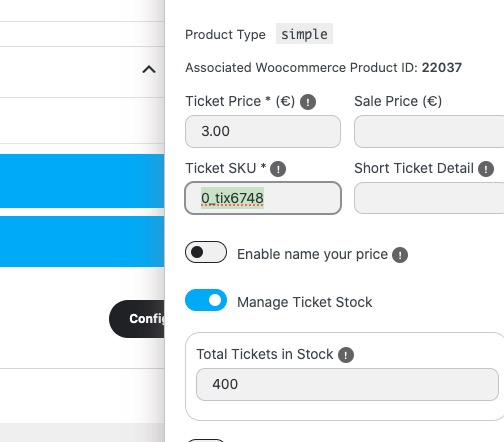
I believe that the issue is caused by SKU:
I duplicated the event and it’s working because SKU is changed:
https://firebrick-camel-838235.hostingersite.com/events/as-formas-do-amor-copy/
Did you duplicate this event? Did you reassign the associated product?
https://firebrick-camel-838235.hostingersite.com/wp-admin/post.php?post=22036&action=edit
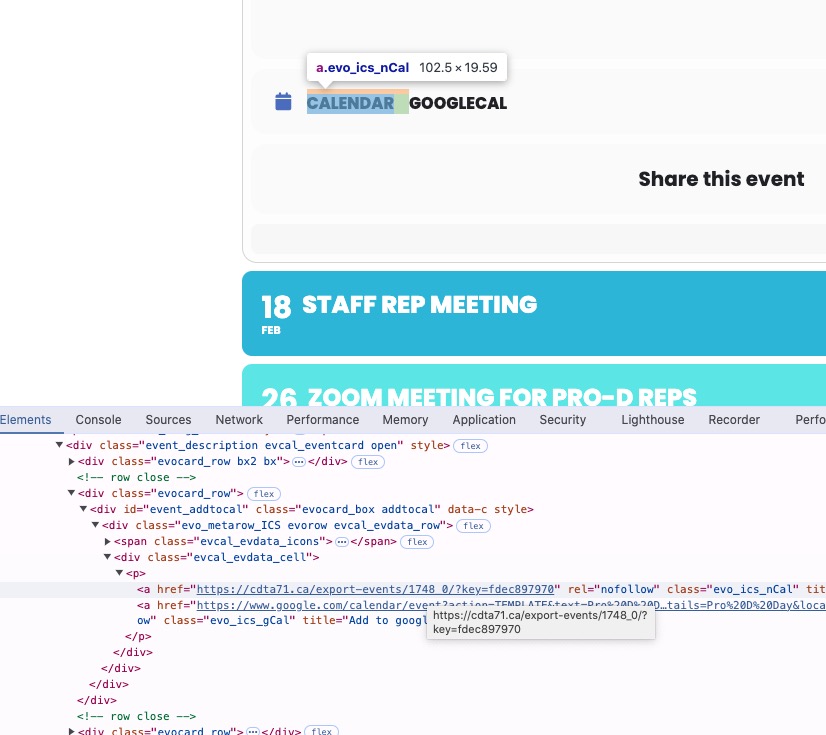
When you click on the link, it redirects you to ”a forbidden link within the originating website”, correct?
It doesn’t download the .ics file you can then import to your calendar?
As for the password. You can send it by using ”Access Info” box on right side menu.
WP_DEBUG lines were added to wp-config.php file, but debug.log wasn’t created.
Could you try following this:
https://wordpress.stackexchange.com/a/301298
It seems that log for errors is disabled on your server.
Hi guys, please don’t go on another bug hunt with me. We have a workaround for this in place. Use the information above to look into the issue of Action User 2.5.13 to fix it for ALL other users. 🙂 With kindest regards, Stephan (on behalf of Andrea).
Also kindly update to the latest version of RSVP addon 3.1.1 — this should fix sign in issue.
I have the ftp access information you requested. How do you want me to send the password? The site password was encrypted last time when I entered it into the ticket.
ftp.planodojo.com
Username = FullCal_Admin@planodojo.com
FTP and explicit FTPS port:21
Artem, Hi
Please forgive the delay as I am getting multiple 504 – Gateway Time-outs when trying to access the main website and the helpdesk.
Thank you for getting back to me about this, but no it is not that section which I need help with. On your demo, when you go to an event it will show the calendar and also the Google calendar on the particular event. If I mouse over the calendar (the one with the .ics file) then it will allow me to download this file (since I am on a windows machine), but on mine, the actual file (.ics) is non-existent when I mouse over the link on the cdta71.ca website. How do I get the plugin to create a .ics file for each of the calendar events and have it show up when I mouse over the Calendar for users?
For February 2026 I grabbed the links from the 3 events that are shown and the links that are generated for the ”Calendar” are as follows, but not .ics file?
https://cdta71.ca/export-events/1748_0/?key=de35991875
https://cdta71.ca/export-events/1749_0/?key=de35991875
https://cdta71.ca/export-events/1750_0/?key=de35991875
Any assistance would be greatly appreciated.
Kind regards
Dave