What is the style handler called so that I can deque and deregister the CSS from all pages except one. Here is an example of a short code that I will be using.
function my_custom_styles() {
// Check if it’s not the specific page
if (!is_page(42)) {
// Deregister and dequeue the style
wp_deregister_style(‘your-style-handle’);
wp_dequeue_style(‘your-style-handle’);
}
}
add_action(‘wp_enqueue_scripts’, ‘my_custom_styles’);
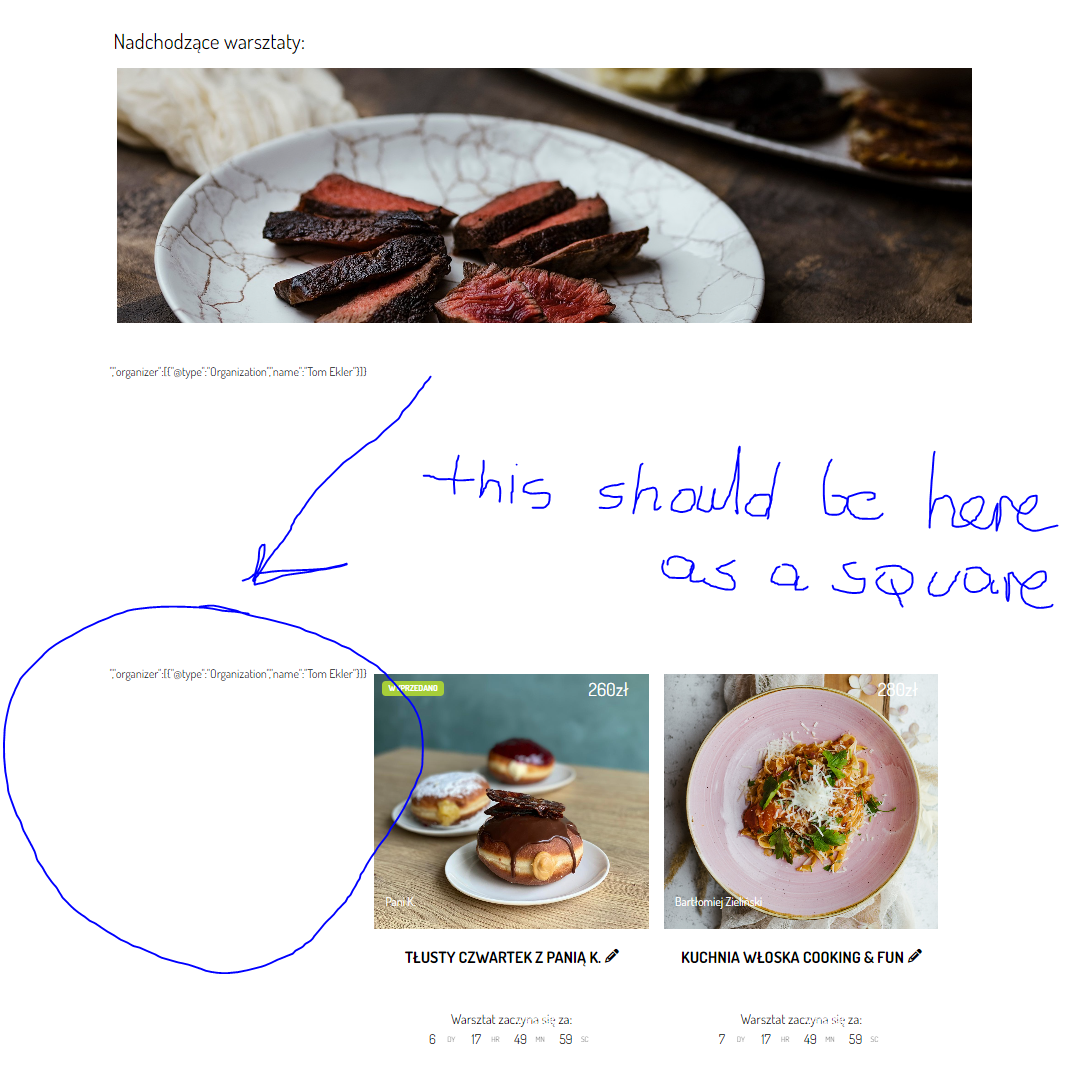
It did not help. Still the front end looks like this.
Hello, so in previous versions we had the time saved at UTC0 and then displayed on frontend as well at UTC0. But then we started adding live now and view event time in my timezone features, where this old method was showing incorrect times. So we had to switch to saving event time at UTC0 which was already happening, and then front-end offsetting to correct time unix value and then using timezone adjust and show correct time DST adjusted. So just few items thats a bit complicated thats needing some corrections. Once those are done. It should be good!
I am working on correcting the DST issue on fullCal and then I will update on your website.
Hello so the frontend content is translated via eventON settings > language. Only backend content is support translations with PO. I will look into this untranslated backend strings.
Yes please go ahead an update. There is one small issue we identified which effect DST on fullcal we will get that resolved and the next update to those will resolve that 🙂
So the backend GMT value is calculated based on the current time and on frontend the GMT value is calculated for the actual event date, which may be effected by daylight savings time.
Thanks you for your Support.
Hi! We’ve never encountered this before and I think the email address is the issue. Can you please send me a good email address to use for your user account and I’ll update and try again? Thanks!
Ok, how long do you think it might take?
One more thing. Right now when the tickets are sold out I can still click this “Buy now” button. Is it possible to disable or hide the button when the event is sold out?