As I said above, I already tried disabling it and the result was the same. I’ll try the debug method. I cannot shut down plugins one at a time. This is a woocommerce site with multiple plugins supporting it and tied to a point of sale at the store. The store is live and cannot be shut down just to fix the calendar.
The plugin was working normally until I applied the most recent update. Is there a way to just roll-back to the previous version? If not, I’m just going to have to find a different calendar solution.
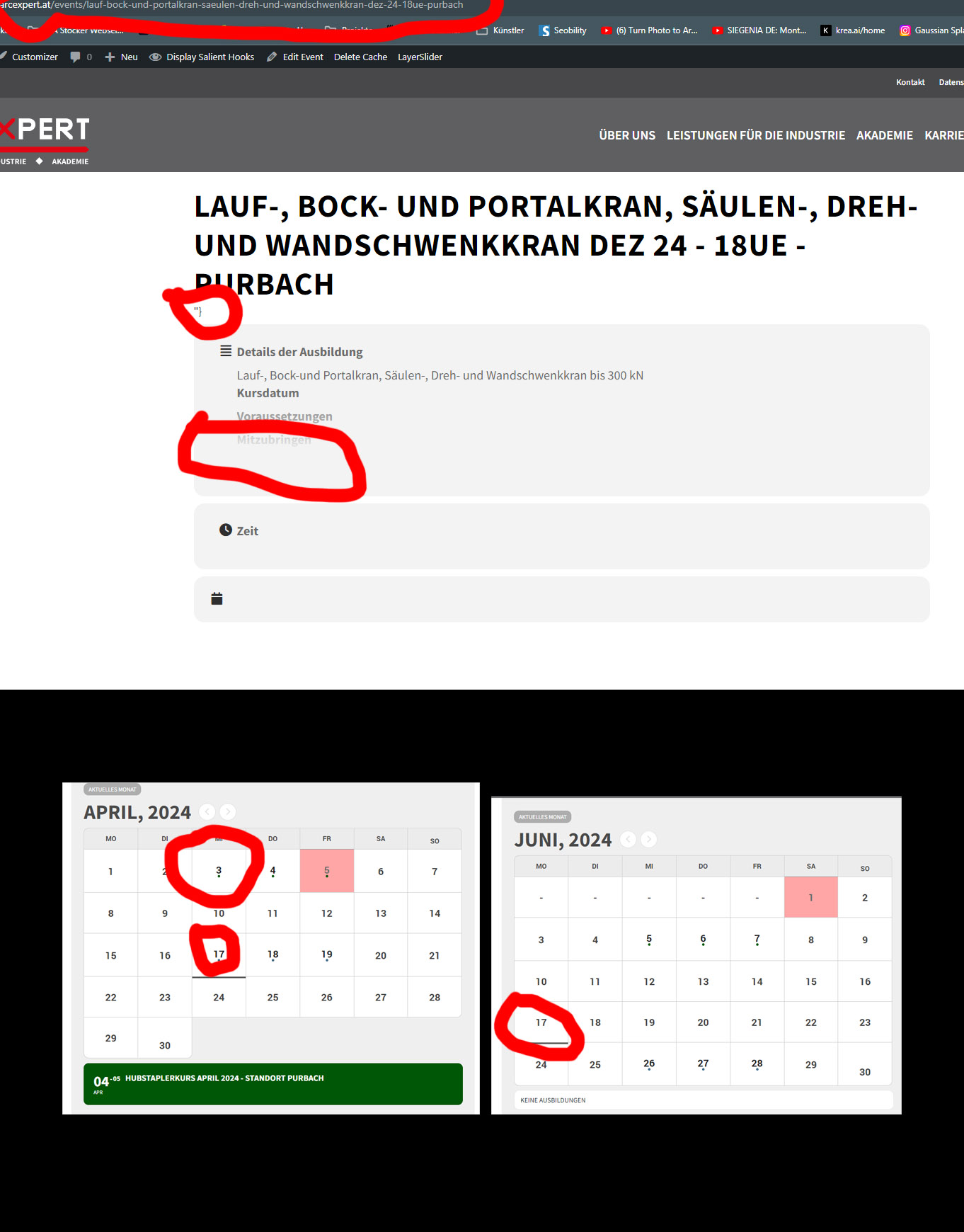
In this view it is, but not if you open the event directly:
https://arcexpert.at/events/lauf-bock-und-portalkran-saeulen-dreh-und-wandschwenkkran-dez-24-18ue-purbach
In addition, something is visually displayed a day before the appointment. It is also the case that some days are simply underlined in the calendar for unknown reasons. (See the screenshot)
Hello, I just wanted to touch base on this project and to see if there is anything else I need to do on my end. I greatly appreciate your help.
Jennifer
Hello again,
Have you had time to review this Ticket? I would appreciate if you could bring us some help. I can¡t follow with the development of my web.
Thank you in advance,
regards.
I haven’t heard from anyone. I would appreciate having this issue resolved.
Thank you
Thx! Just to confirm…I should add this code to the custom styles area? If I do, Will this also affect my other calendars? I have three calendars for our classes. One for winter classes: Jan & Feb. One for summer classes, this one: April – Nov. And one for Workshops: May – October.
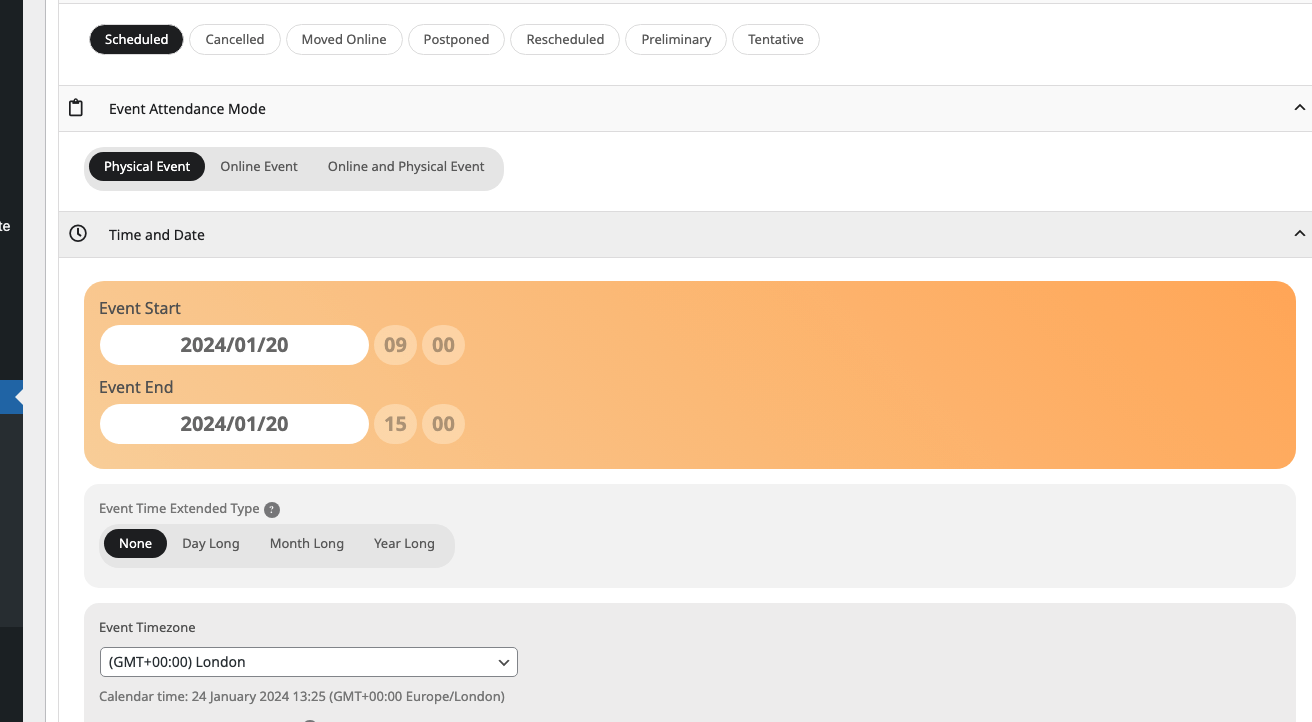
Also why are events showing on the first pic as all day, when I’ve set a start and end time with the day long option not selected? Is there somewhere else I need to deselect it? (second pic attached)
I have updated it but the problem remains
Hey, okay thanks for answering. Then i will do that. Best regards, Patrick
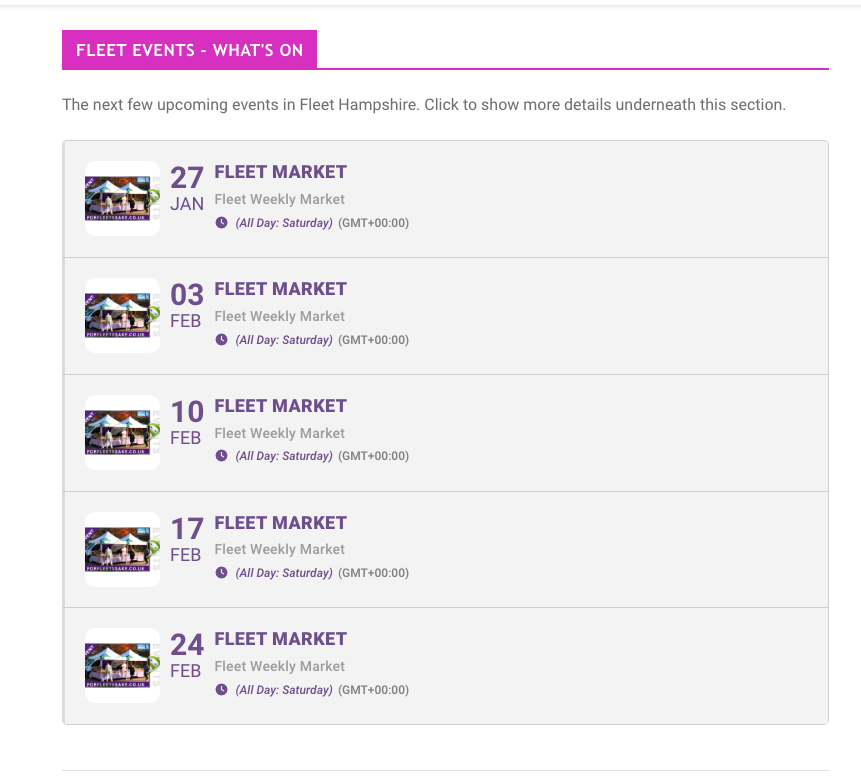
Thank you,
On this EventTop section (pic attached) could you tell me how to make the box corners rounded and add a space between each event please? Also I want the time to show but not the timezone?
The current shortcode for this section is:
[add_eventon_el number_of_months=”12″ event_count_list=”yes” event_count=”5″ hide_empty_months=”yes” show_et_ft_img=”yes” hide_end_time=”yes”]