#1 can you please share screenshot to clarify this?
Archives: Replies
Replies for tickets on suppota
Reply to: tickets(337582)
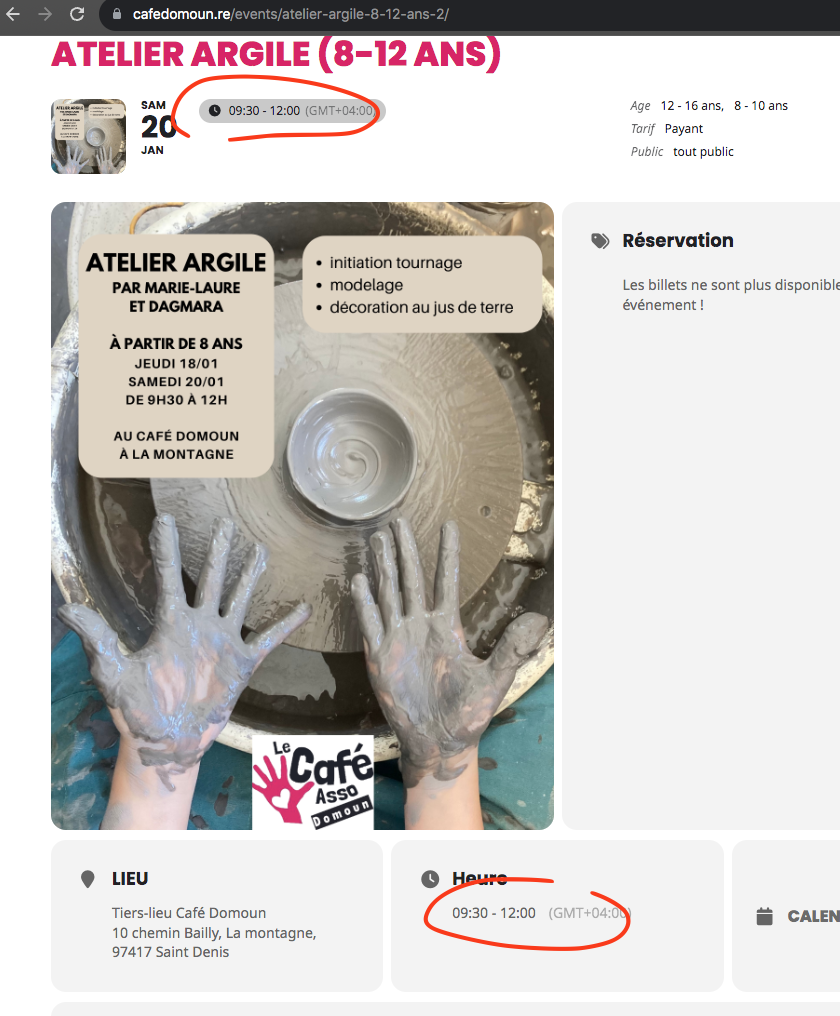
Seems you have updated the eventON and tikcets and the times are accurate now 🙂
Reply to: tickets(338020)
Main Calendar (add_eventon) still shows months even if they are empty.
Event Lists hides empty months:
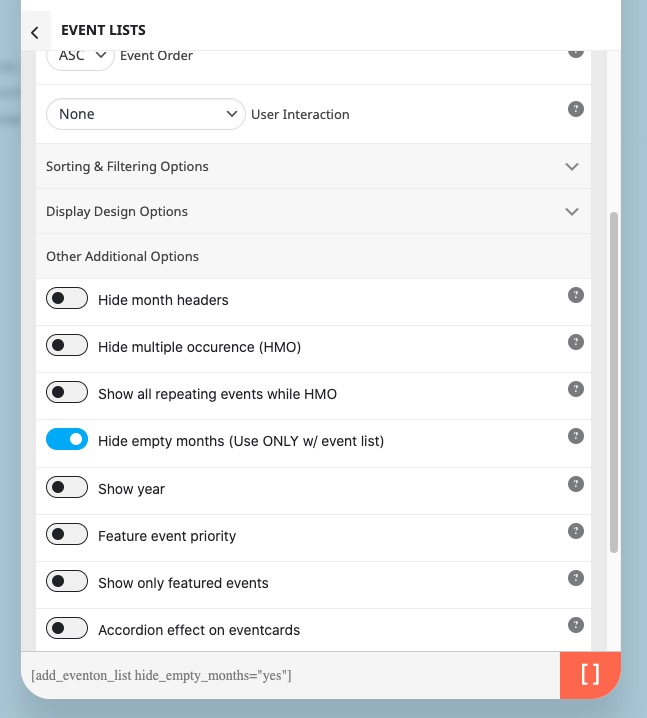
Please try
[add_eventon_list hide_empty_months=”yes” number_of_months=”12″]
Reply to: tickets(337790)
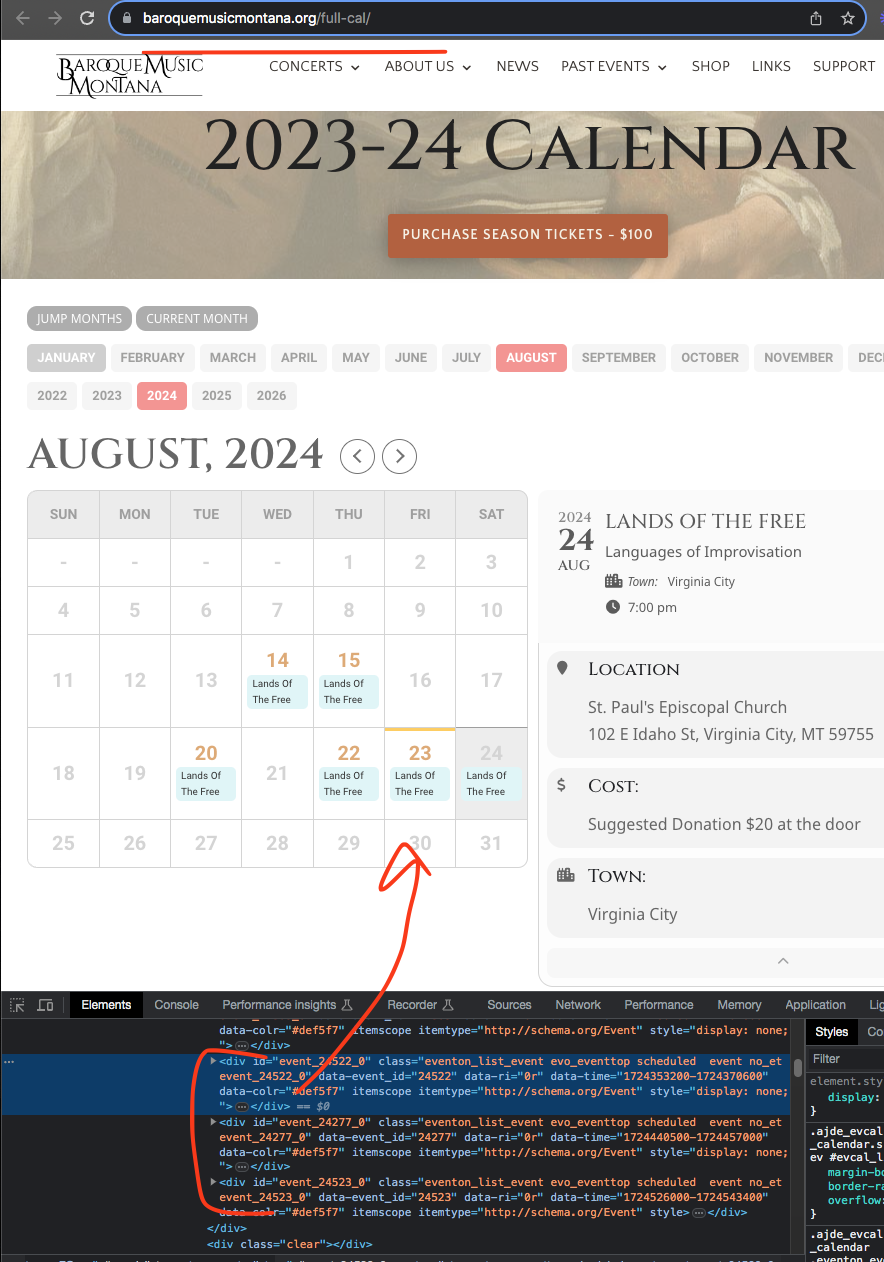
I am not sure I can replicate this issue. I see the events correctly in there day box.
Reply to: tickets(338134)
This whole ticket was private from the start. Please update RSVP to 2.9.10.
To update eventon addons: You can download latest eventon addons from myeventon > my account. Then you can go to your website, deactivate old addon and install new one and activate then delete the old addon. This link will further explain the process. Also you can follow us on twitter to get real-time announcements on updates!
Reply to: tickets(338081)
We are glad your issue is resolved, if you have any further questions or concerns please create a new ticket.
If you have a moment, we would greatly appreciate if you could kindly leave us a review at myeventon/my-account!. Cheers!
Reply to: tickets(338209)
Please send us wp-admin access to your site as a private message for us to further assist your situation.
Reply to: tickets(338299)
Please take the CSS code from here:
https://pastebin.com/v1sYM7QU
Reply to: tickets(338299)
Hello,
This code only shows months from Apr to Nov:
.ajde_evcal_calendar .calendar_header .evo_j_dates .legend a[data-val=”1″], .ajde_evcal_calendar .calendar_header .evo_j_dates .legend a[data-val=”2″], .ajde_evcal_calendar .calendar_header .evo_j_dates .legend a[data-val=”3″], .ajde_evcal_calendar .calendar_header .evo_j_dates .legend a[data-val=”12″] { display: none !important; }
…highlighted and those classes displayed, ie in May, the may classes are displayed…
This how it works by default. Could you elaborate? If you have events that span for multiple months, they are visible in each month.
Reply to: tickets(338123)
Now it works perfekt!
Thank you for your support!