Yes i think disabling that button made the more button javascript function not work. And the styles for the calendar as also off. Can you reset those eventON setting back?
Archives: Replies
Replies for tickets on suppota
Reply to: tickets(338054)
Thanks, that works!
Reply to: tickets(336098)
Actually I found out the issue. please make these changes in the yearlyview code. I will also release this as public update to yearlyview 0.9
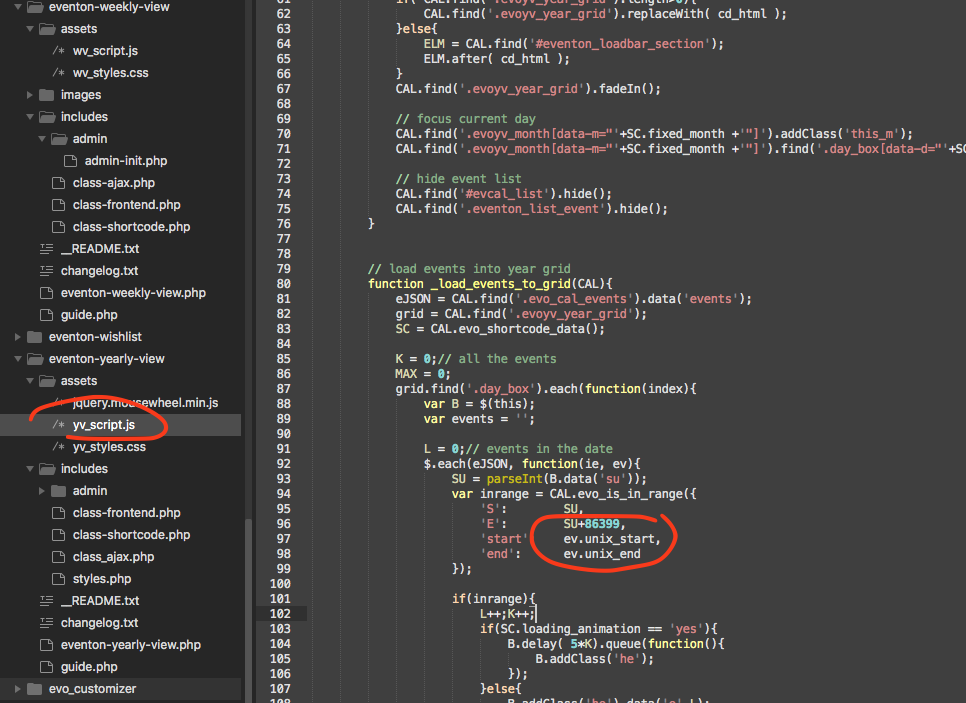
Reply to: tickets(336098)
That is very strange the exact same settings in my end show only 16th for the event. Are you able to share with me wp-admin access to your website?
Reply to: tickets(336428)
Could you try updating EventON, Tickets and Variations add-on?
To update eventon to latest version: If you are unable to do autoupdate, you can go to codecanyon your account > download and get the latest eventon version as zip file. Then you can go to your website > make sure “Delete eventon settings & data when EventON is uninstalled” is Deslected from eventon settings, delete old eventon, install new one and activate. This link will further explain the process it. Also you can follow us on twitter to get real-time announcements on updates!
To update eventon addons: You can download latest eventon addons from myeventon > my account. Then you can go to your website, deactivate old addon and install new one and activate then delete the old addon. This link will further explain the process. Also you can follow us on twitter to get real-time announcements on updates!
Reply to: tickets(337884)
You shouldn’t be able to change the ticket quantity for booking blocks:
https://dev2.myeventon.com/events/book-7/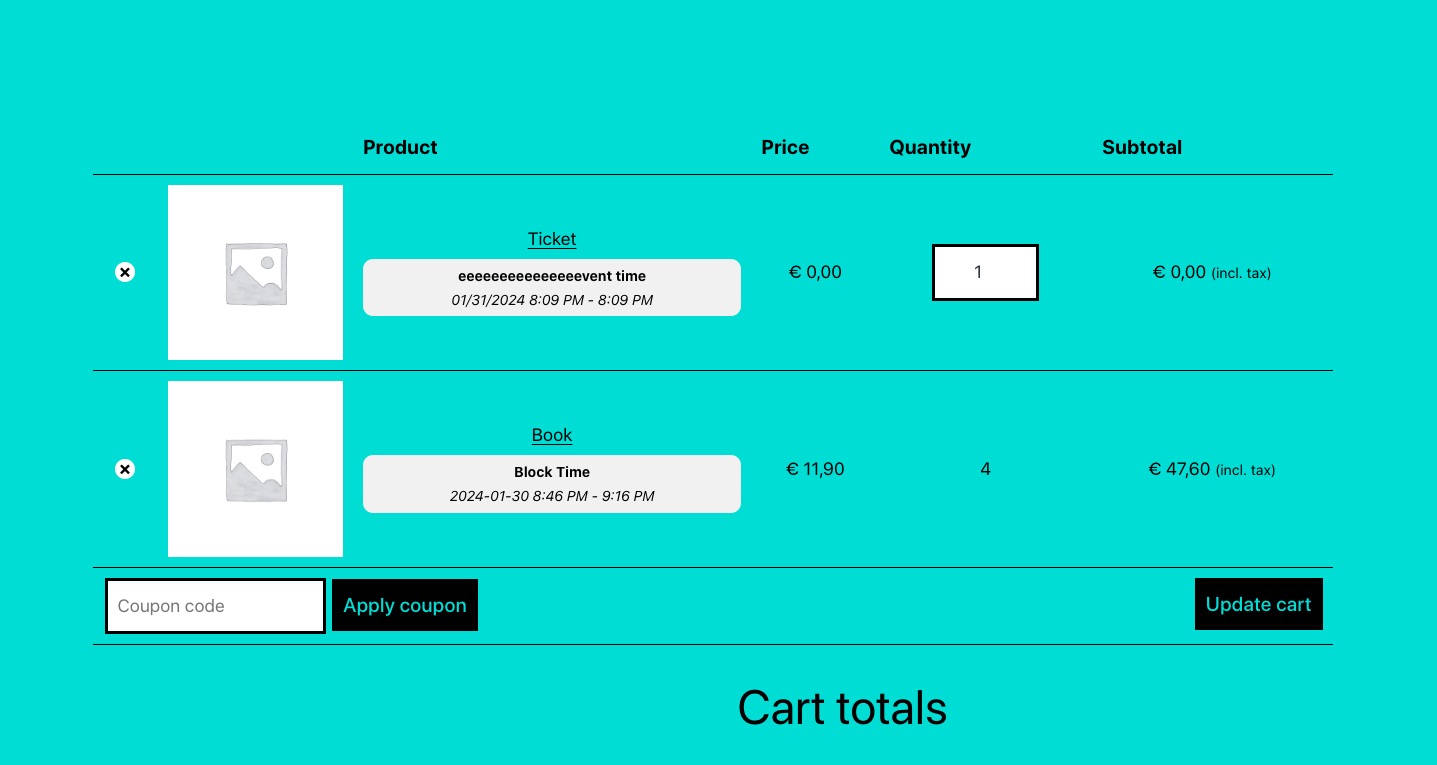
Could you please try the instructions mentioned in this documentation?
Reply to: tickets(338123)
Your Login
URL: https://www.start-up-events.de/wp-admin
User: ARTEM
Password: 5gErpNrG*#PS
Please check this sample event: https://www.start-up-events.de/events/event-with-spacing-between-list-elements/
Reply to: tickets(338020)
I’ve tried both of those solutions and January still showing up.
https://www.biggromeo.com/events/
This is the shortcode I am using.
[add_eventon event_past_future=”future” show_limit=”yes” show_et_ft_img=”yes” tiles=”yes” tile_count=”3″ tile_bg_size=”med”]
Reply to: tickets(337875)
The login info has stopped working.
As for the issue, please update to 4.5.7, so we can take a look, since both 4.5.4 and 4.5.7 has issues.
Reply to: tickets(338137)
Oh, I see… In this case I am sorry, and said nothing, closing the ticket.
Thank you for your prompt kind help!