Hi Evan,
I can see that you are using PHP version 7.2, can you upgrade to at least version 7.4 and check if that fixes your issue?
Replies for tickets on suppota
Hi Evan,
I can see that you are using PHP version 7.2, can you upgrade to at least version 7.4 and check if that fixes your issue?
Hello,
You can use the custom CSS code below to make the letters appear in lowercase.
.EVOWV_content.wk_1 .evowv_col_events .event{
text-transform: inherit;}
Add the code to Appearance > Customize > Additional CSS
Hi Morten,
Thanks for the reminder and for your feedback. Ashan has already replied to your ticket, so I am going to go ahead and close this one.
You have two variations (All + Member and All + Non member) and they both work:
This is not right I’m afraid.
I just want one price variation – Member/non-member
The variation labelled ‘Price’ has the 2 options but neither option actually changes the price. Also, on the event admin, there is no option to manage this variation.
The variation labelled ‘Ticket price’ has 2 options and changing this alters the price. This is also shown in the ticket admin.
Just about all the events used to have the ‘Price’ variation and were already set up with Member/Non-menber prices. This has now been lost since the update. I need to get this back to avoid having to repeat a lot of work.
Many thanks.
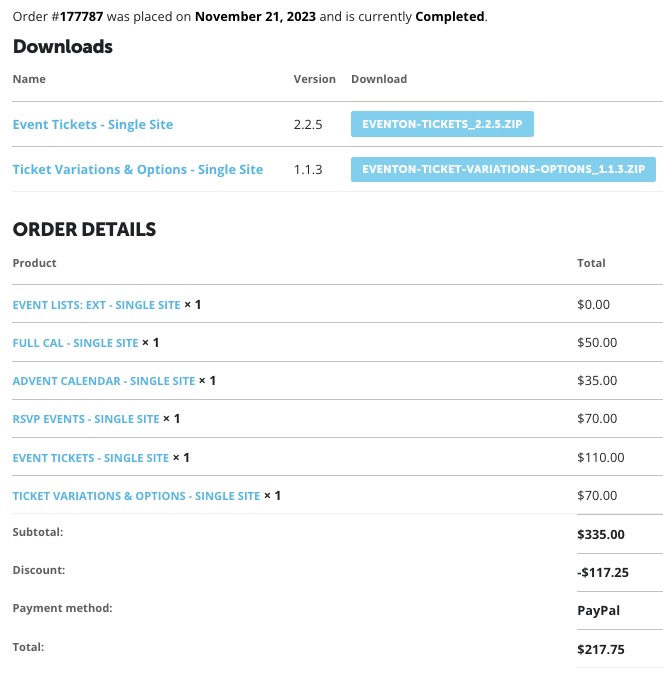
BTW, I am not able to update the plugins although I have purched all.
Please, please fix my account so I can actually have the updates.
Hello,
can you please retry RSVP on this Event. https://bettfedernfabrik.at/veranstaltung/alex-kristan-15022024/
RSVP does not seam to work at all at the moment.
(So I couldn’t check the change RSVP Button)
I tested on 3 different divices an browsers.
Thanks!
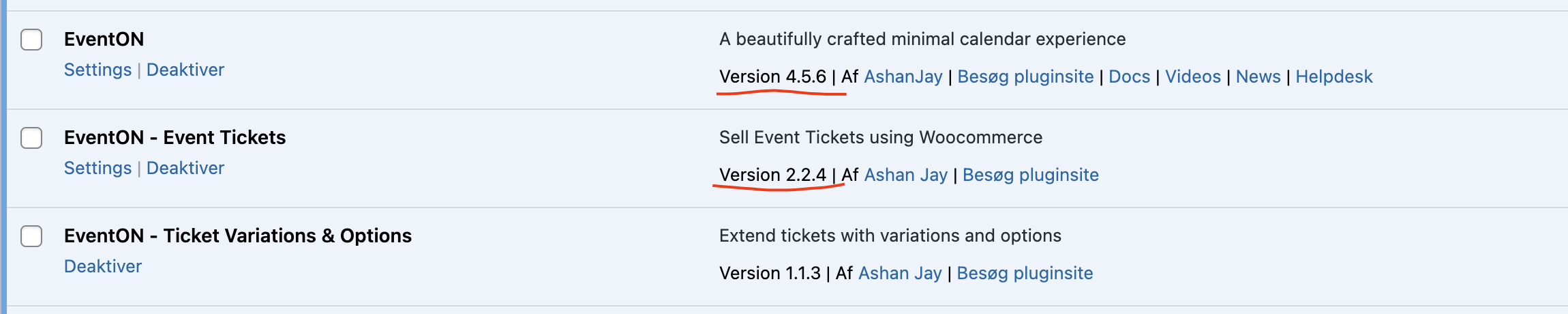
Thanks. I will give it a try. However, the updates do not show up under plugins, so I can’t really do it.. I could see they were available before, then I refreshed, and then they disapeared. What can I do to update?
Please see attached screenshot
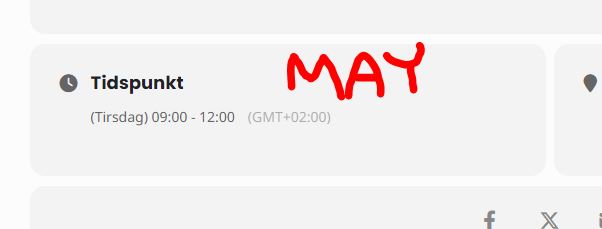
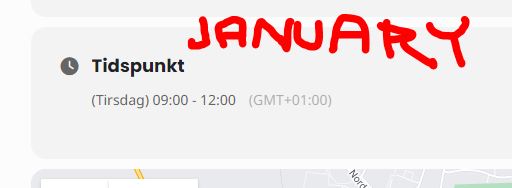
Hey guys. Thanks for the update. The time is now correct, but the “GMT” is still off … I don’t know if that’ll be a problem later?
Here is the frontend of two identical events, one in january and one in may. The clock IS correst, but one is GMT+1 and the other is GMT+2
Hello
I sent mail two times to info@myeventon.com but any news ….
I need to access to myeventon.com account urgently to download last RSVP release to be in compliance with Enventon 4.5.7
Please send me a link to reset may password or give me here my credentials asap