Thank you. That did it. The part I was missing was I didn’t scroll to the bottom to click save and write the user assignments to the DB. I was just selecting all, and then using the X to close the window. The save button changed everything. Thank you for helping me with this!
Archives: Replies
Replies for tickets on suppota
Reply to: tickets(337210)
Reply to: tickets(337210)
Reply to: tickets(337210)
Reply to: tickets(336599)
Hi, Yea I took that out and it is still repeating events. Like for May 11th, May 12th event shows up on the date and I still can’t get it to work.
Below is access to help me fix. The calendar is in a template named – Park Hours 2024
indianabeach.com/wp-admin
username: Eventon
password: @Ft8g$oks3IwwaB0Z9c2zWwR
Reply to: tickets(335923)
Adding Lat/Long values fixed it.
Reply to: tickets(337066)
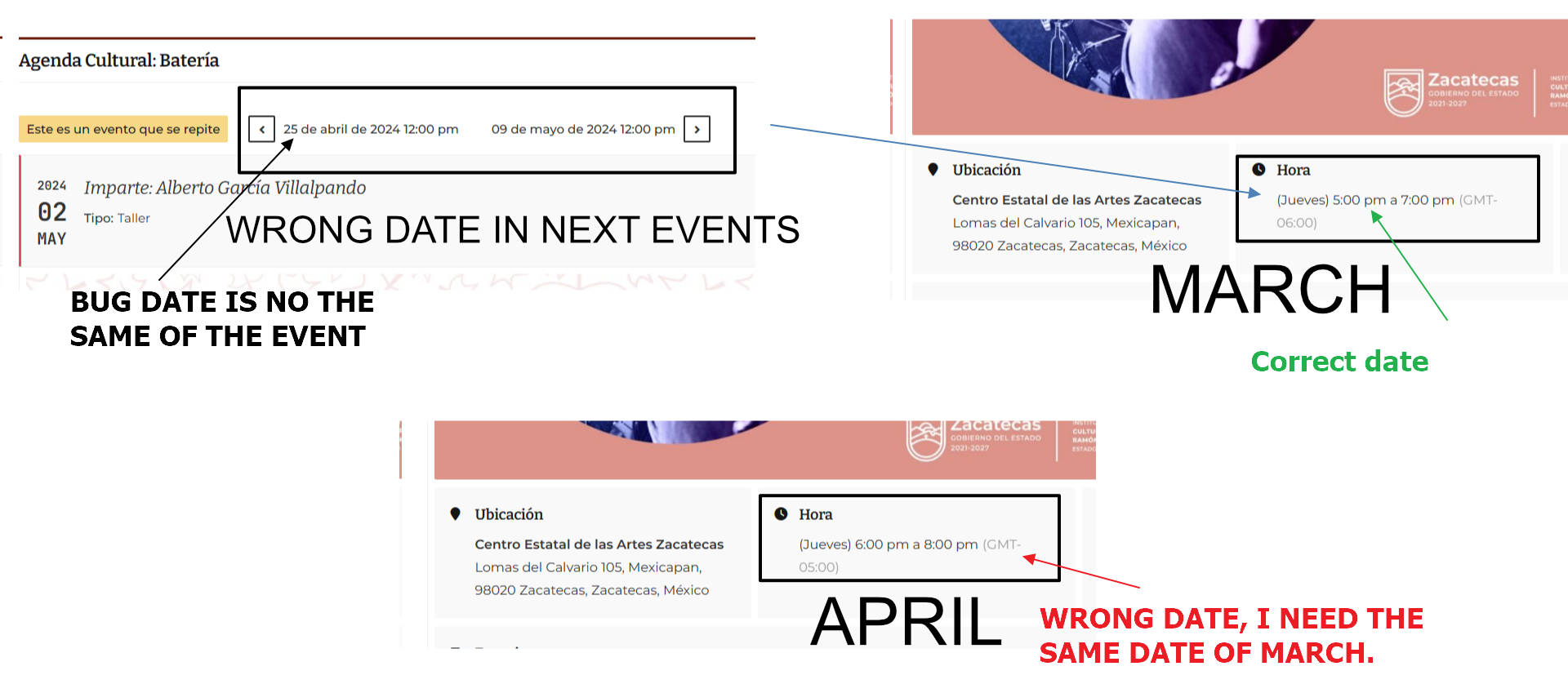
Reference
Reply to: tickets(337066)
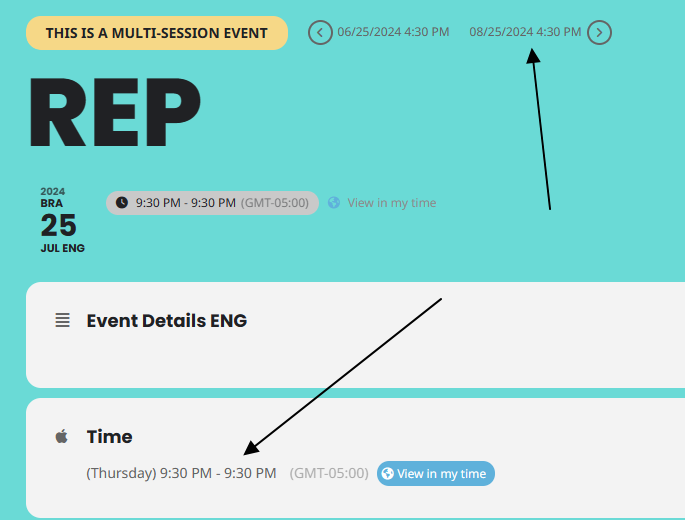
Hi Artem your demo site have the same problem.
What are you talking to me about?
Reply to: tickets(336984)
Thank you, Artem.
Reply to: tickets(337130)
Hello,
The latest version of QR Code is 2.0.1. Please update.
To update eventon addons: You can download latest eventon addons from myeventon > my account. Then you can go to your website, deactivate old addon and install new one and activate then delete the old addon. This link will further explain the process. Also you can follow us on twitter to get real-time announcements on updates!