Hello,
sorry, I think I entered the wrong URL. here is the correct url. here is the correct url:
https://bezirksverband.christian-kiesel.de/badge-widget/
Replies for tickets on suppota
Hello,
sorry, I think I entered the wrong URL. here is the correct url. here is the correct url:
https://bezirksverband.christian-kiesel.de/badge-widget/
We are glad your issue is resolved, if you have any further questions or concerns please create a new ticket.
If you have a moment, we would greatly appreciate if you could kindly leave us a review at myeventon/my-account!. Cheers!
Seems to be working: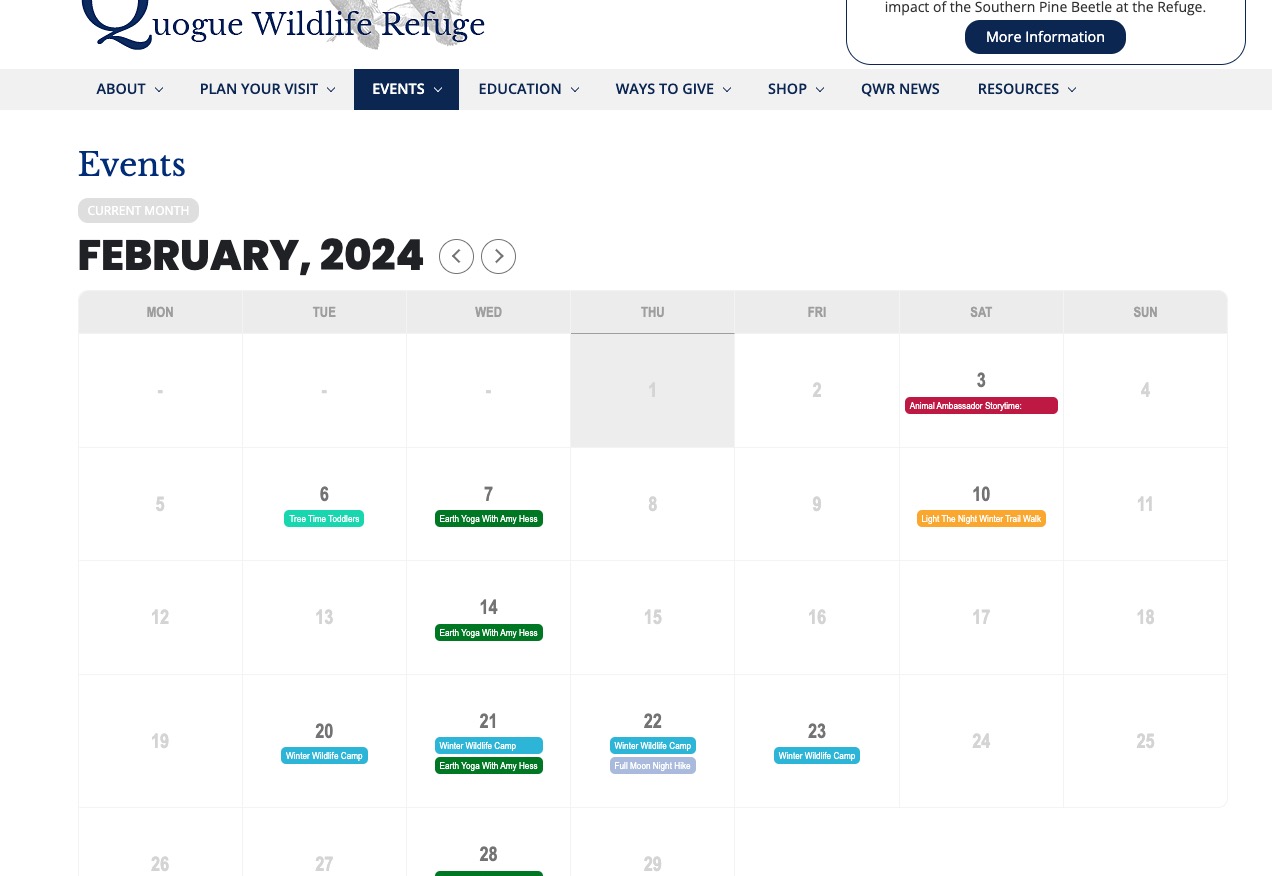
Could you check and let us know?
Hi, I went to code canyon, download the installable file for EventOn Calendar plugin.
Uploaded and replaced v. 4.5.5 with the fresh version of 4.5.5.
Flushed the cache.
But I don’t seen any change in the behavior of the left / right arrows on the calendar –
https://quoguewildliferefuge.org/event-directory/
Did I miss something?
Thank you very much for your messages! Ashan will check this ASAP.
It works when WP Rocket is disabled, so please check it’s settings. Unfortunately, not a lot we can do from our side.
Please follow:
To update eventon to latest version: If you are unable to do autoupdate, you can go to codecanyon your account > download and get the latest eventon version as zip file. Then you can go to your website > make sure “Delete eventon settings & data when EventON is uninstalled” is Deslected from eventon settings, delete old eventon, install new one and activate. This link will further explain the process it. Also you can follow us on twitter to get real-time announcements on updates!
Ashan,
It does not display maps in the new elements.
…
I’ll add another error to the list – when updating existing events for 2024 (most of my events are recurring from year to year) and I go in to select the new date, it doesn’t register that I’ve clicked a new date the first time. I have to click the calendar again, flip through 11-12 months, and select it again.
…
i can’t save virtual event details.
…
These are confirmed on dev2 as well:
https://dev2.myeventon.com/events/rsvp-27/
One more issue as of the recent update – somehow the sidebar is now taking up 1/2 the page (or more) on event location and organizer pages.
Could you check this one as well?
https://dev2.myeventon.com/event-location/maultsch-im-gewerbepark-asd/
Hello,
Changes in the EventTop options are not reflected when saving.
Could you elaborate? I tried it on our test server and you can move/add/delete fields around and it works.
When publishing an event, it shows a strange date.
Could you send us a screenshot?
Changes in the Single Events option are not reflected.
Seems to be working as well.
When adding an organizer, no additional field is added.
Seems to be working as well. Could you tell us more?
Strange requests with a 500 error return on the event single page.
Please send us a screenshot.
For the rest, I am going to assign this ticket to Ashan and he will be able to take it from here and find you a solution. Please allow some time for him to get back to you, we greatly appreciate your patience and thank you for being a eventon customer! Also please disable any IP blocking on your site if there are any.
I am going to close this ticket, since you created a separate for the issue. Please wait for Ashan to reply in the other ticket. Thank you!