Hello,
It seems you have a browser authentication enabled on your site. Please admin access as well as the browser authentication access so that we can take a closer look at the issue.
Replies for tickets on suppota
Hello,
It seems you have a browser authentication enabled on your site. Please admin access as well as the browser authentication access so that we can take a closer look at the issue.
Hello,
We are glad your issue is resolved, if you have any further questions or concerns please feel free to create a new ticket.
Hello,
That’s it. This is resolved.
Thanks for your help.
Have a nice day
Hello
Thanks for working out solution!
Below code is workable on Full Calendar addon which I can see the 2nd language but it doesn’t work on slider addon and the basic calendar.
wpml_l1=’en’ wpml_l2=’zh-hant’ (no matter it is ” or ‘ )
You can check below page (website front page) as it has slider addon and the basic calendar. I have added the wpml shortcode but the translation is not shown. However, I do see the taxonomy (sports) is in 2nd language but all others remain default language on slider addon.
https://yoteame.com/zh-hant/
I am not sure why this happens so please help me to check again, thanks!
Anka
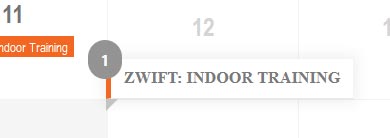
This is your style.
/* Check this: name */

.evofc_title_tip {

max-width: 100%;

pointer-events: none;

position: absolute;

background-color: #fff;

color: #7a7a7a;

line-height: 110%;

font-size: 10px;

font-style: italic;

z-index: 999;

-webkit-box-shadow: 0px 0px 10px 3px rgba(0,0,0,0.06);

-moz-box-shadow: 0px 0px 10px 3px rgba(0,0,0,0.06);

box-shadow: 0px 0px 10px 3px rgba(0,0,0,0.06);

}
/* Check this: Tooltip number */

.evofc_title_tip .evofc_ttle_cnt, .evofc_title_tip.topper.lefter .evofc_ttle_cnt {

position: absolute;

text-align: center;

font-style: normal;

margin-top: 5px;

background-color: #949393;

border-radius: 15px;

color: #fff;

font-size: 12px;

font-weight: bold;

padding: 10px;

top: 0;

left: 0;

right: auto;

margin-top: -15px;

margin-left: -15px;

z-index: 5;

}
/* Check this: Tooltip position number */

.evofc_title_tip.topper .evofc_ttle_cnt {

left: auto;

right: 0;

margin: -15px;

}
Hi,
thanks for reply. Unfortunately this doesn’t fix the problem. Both styles don’t change anything.
Just to make sure: please have a look on the attached image. This is the tooltip I’m talking about.
Thanks for help.
Br
Jens
You are very much welcome! If you have any other questions, please feel free to create a new ticket.
actually I will have with the SEO plugin thank you
Additional information:
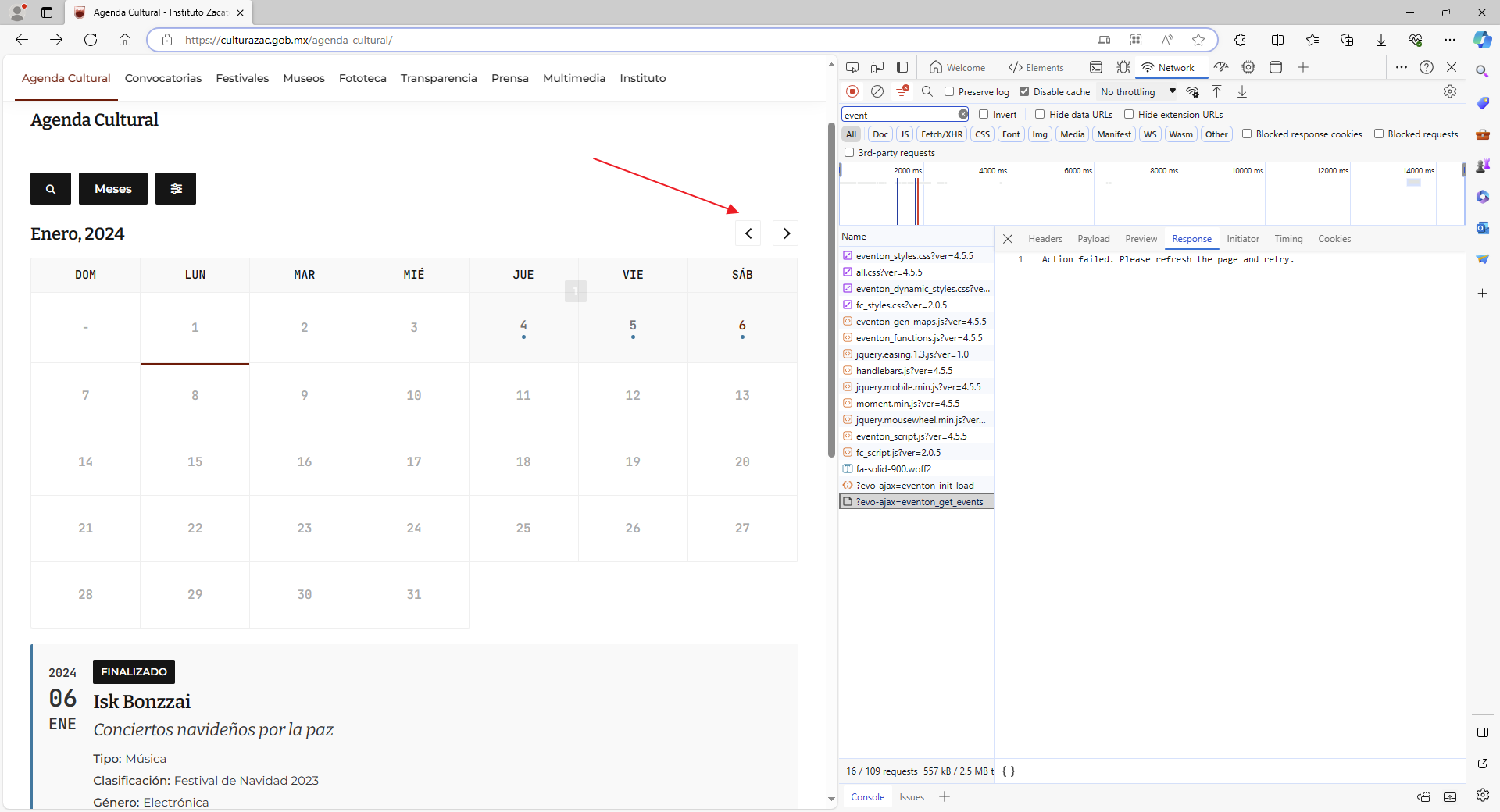
Action failed. Please refresh the page and retry. (On every click)
Hi there, try this.
/* Calendar: ToolTip. (Addon option) */

.evoFC_tip {

border-radius: 2px;

background-color: #151515 !important; /* Calendar: Force Bg. */

padding: 3px;

color: #ffcc00 !important; /* Calendar: Force Color. */

font-weight: 600;

font-size: 14px;

line-height: 1.5714285714285714em;

}
/* EventOn: Filter ToolTip (Global option: Event filtering options to show on the calendar). */

.evo-filter-btn em.o {

right: 0;

margin-top: -10px;

border-radius: 2px;

background-color: #151515 !important; /* Calendar: Force Bg. */

padding: 0 5px;

color: #ffcc00 !important; /* Calendar: Force Color. */

font-weight: 600;

font-size: 14px;

line-height: 1.5714285714285714em;

}