We are glad your issue is resolved, if you have any further questions or concerns please create a new ticket.
If you have a moment, we would greatly appreciate if you could kindly leave us a review at EventON WordPress Page OR EventON > My Account > Downloads. Your review helps us a lot in continuing EventON improvements!
Hello,
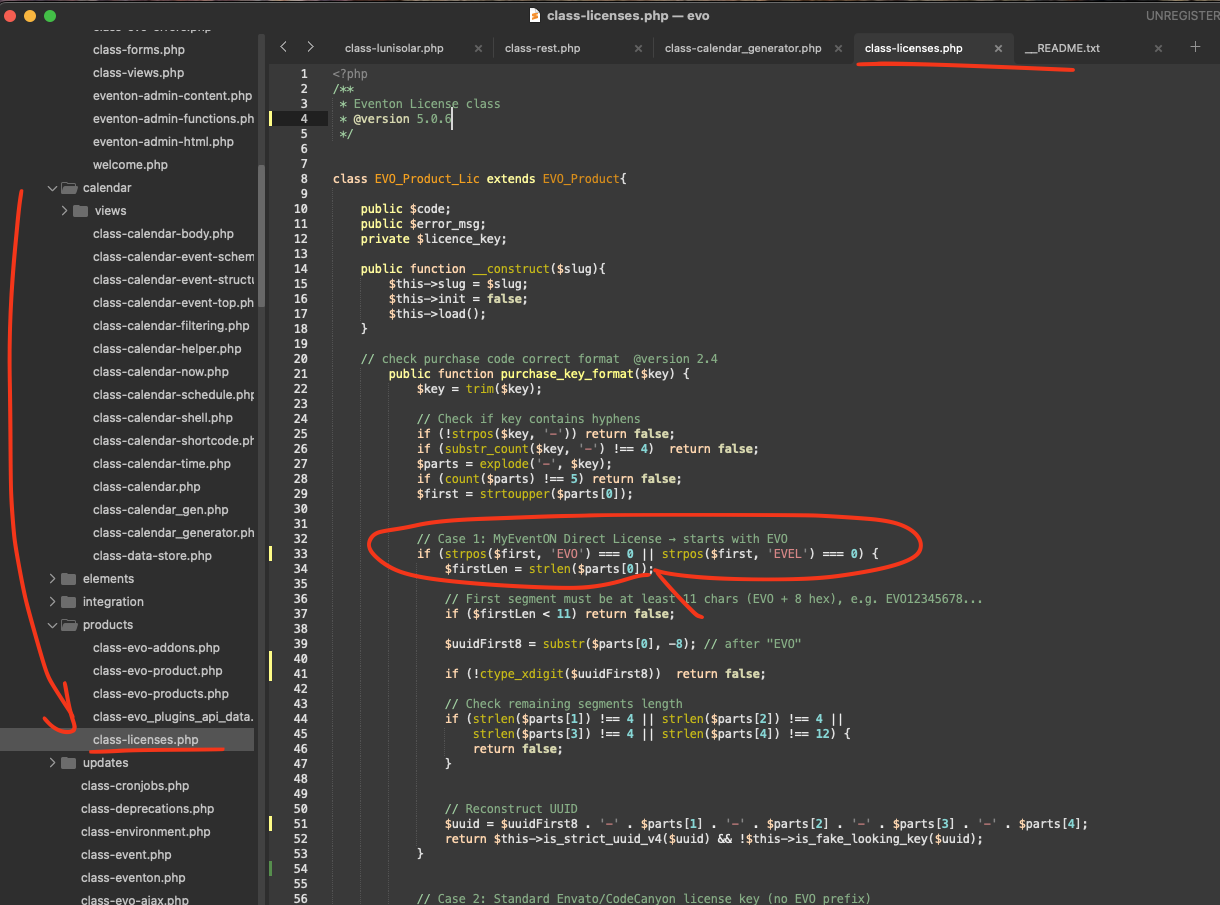
Please try implementing this code change in your website.
code:
https://dev2.myeventon.com/codeshare/7QEBJf3jeRpA
Thank you! That worked perfectly!!! Thank you for making such an awesome plugin. You are one of the best coder designers out there. Cheers!
Hello
I would like to know if you have any thoughts about support costs? I would like to renew, but the escalation in cost seems completely unreasonable.
#222559
Note: We did purchase 2 plugins. We want to keep the Full Cal plugin.
Thanks for your help – works perfectly 😉
Thanks, Artem, I added the code and it worked 😉
Hello, it is happening with all events.
Example here: Hatha Yoga
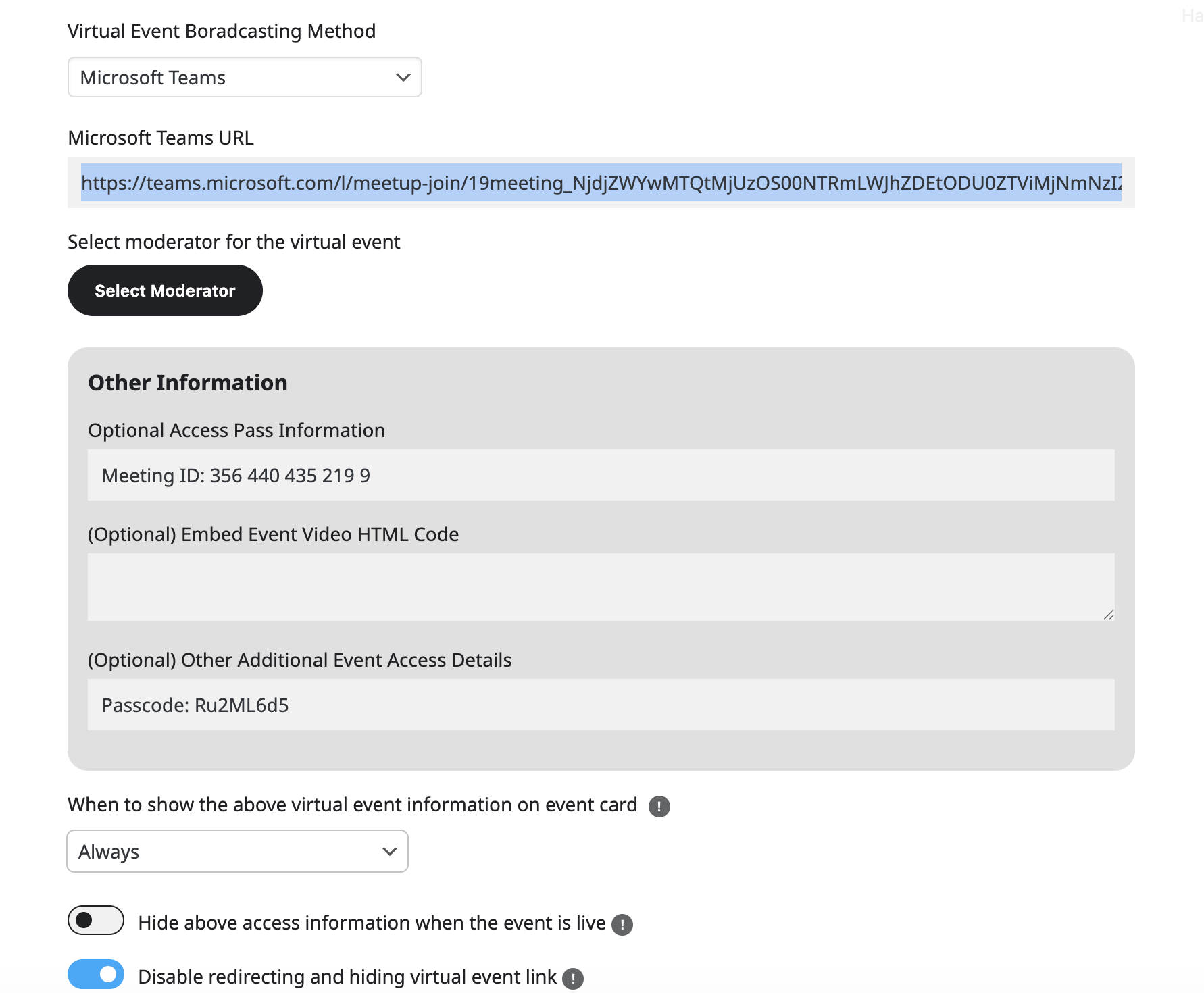
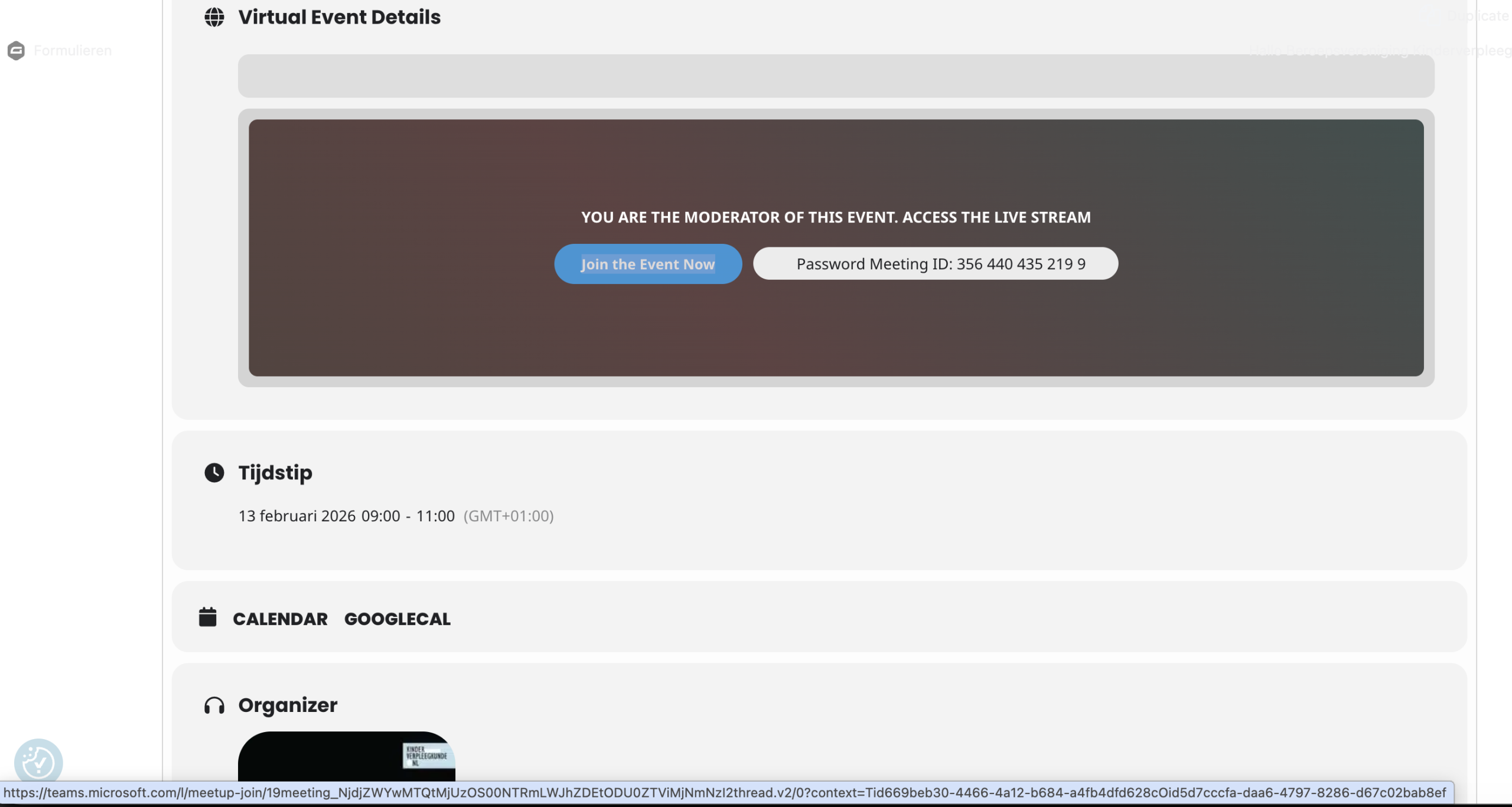
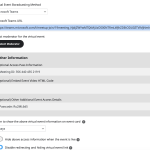
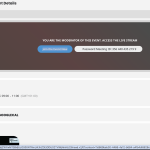
Screenshots of the event backend and frontend.
Hi,
I can provide you the information for the upcoming event next Tuesday, February 13th.
Teams url added to virtual event https://teams.microsoft.com/l/meetup-join/19meeting_NjdjZWYwMTQtMjUzOS00NTRmLWJhZDEtODU0ZTViMjNmNzI2thread.v2/0?context=Tid669beb30-4466-4a12-b684-a4fb4dfd628cOid5d7cccfa-daa6-4797-8286-d67c02bab8ef

Teams url on the frontend of the event to join the Teams https://teams.microsoft.com/l/meetup-join/19meeting_NjdjZWYwMTQtMjUzOS00NTRmLWJhZDEtODU0ZTViMjNmNzI2thread.v2/0?context=Tid669beb30-4466-4a12-b684-a4fb4dfd628cOid5d7cccfa-daa6-4797-8286-d67c02bab8ef see screenshot below.

Although the url’s are the same, people are redirected and asked to login with a Microsoft account while in Teams there are no restrictions to enter the Event as long as you have the link.
Please help!
Best regards,
Gert